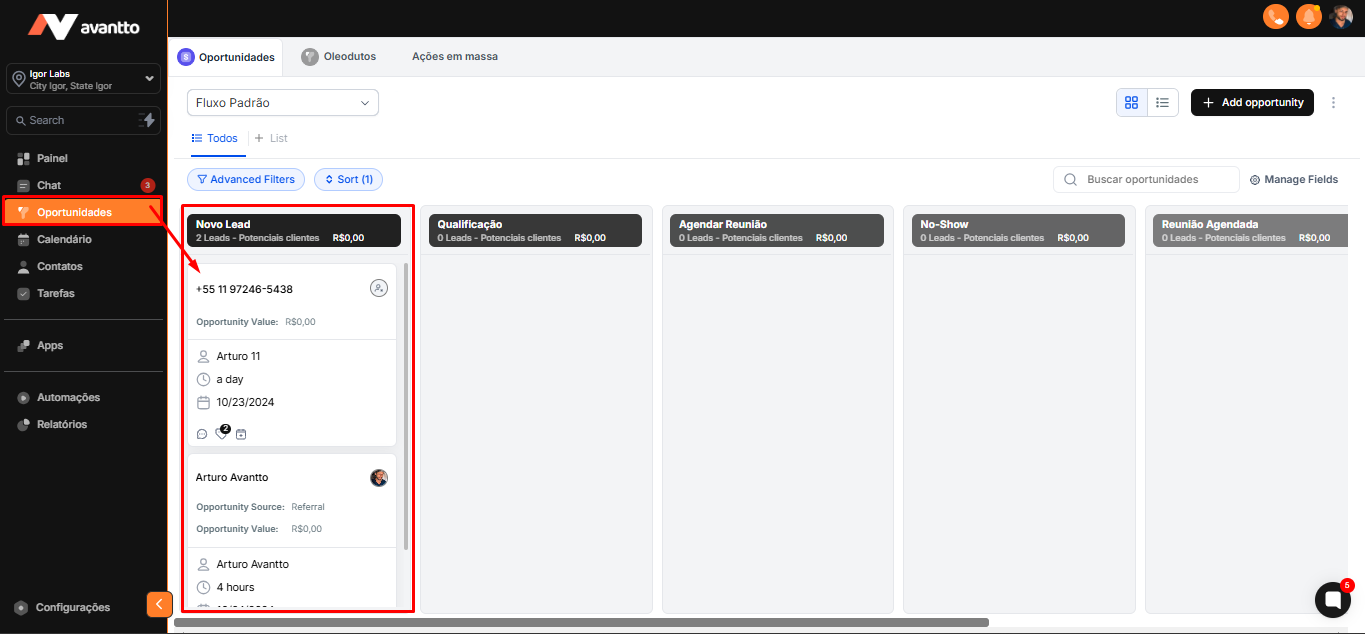
Before assigning contacts to your pipeline, it is essential that you have imported a contact database into the Avantto system. To view the import process, click here to access the step-by-step guide.
If you have already imported your contact database, you can proceed directly to the next step. ↓
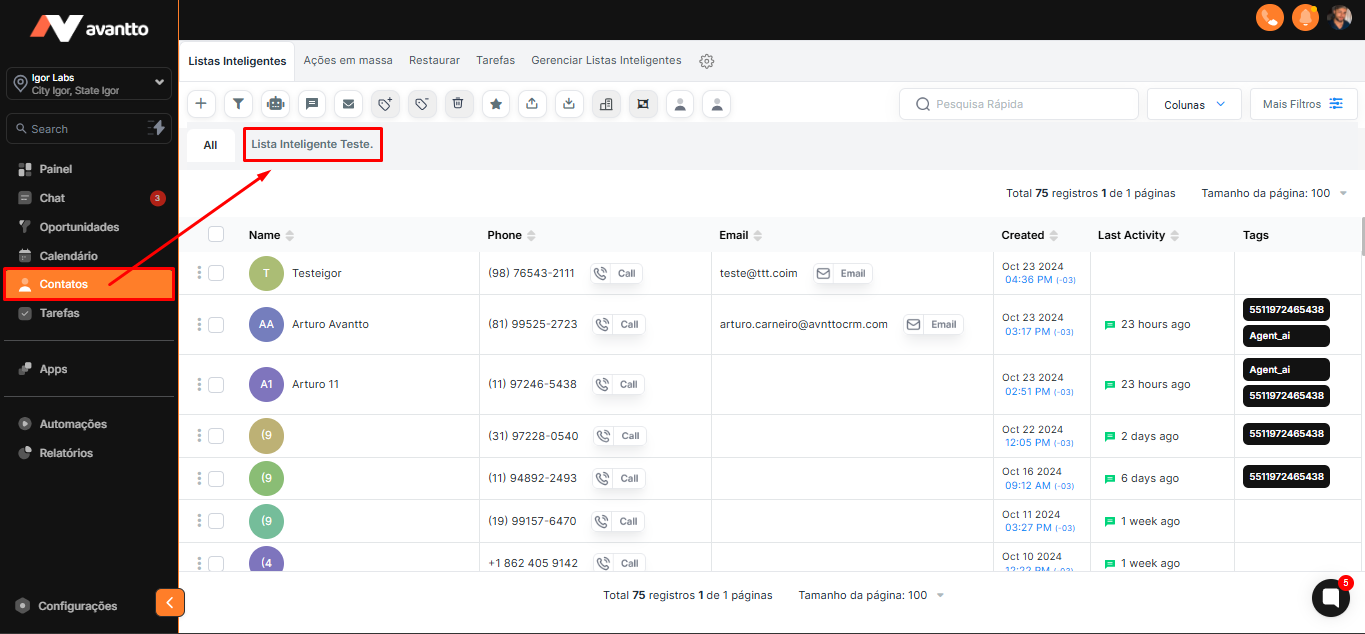
1.1 On the left side menu of the screen, click on Contacts. Then click on the contact list that was imported.
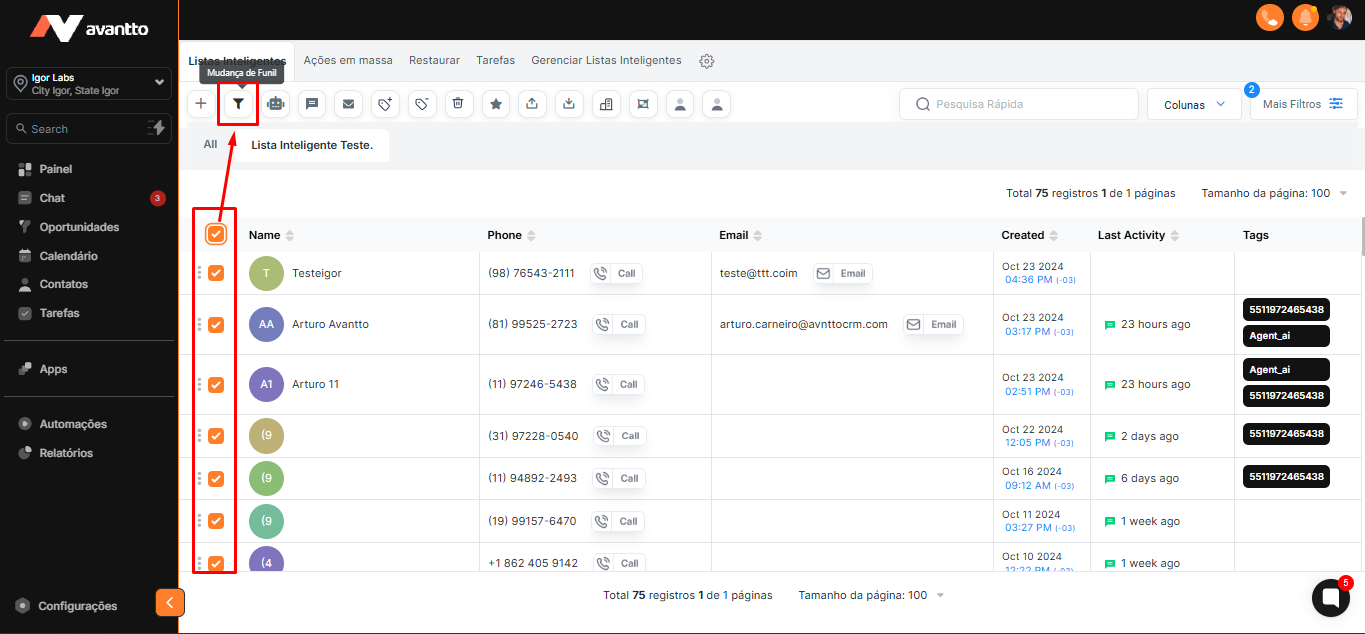
1.2 Select all the contacts from the list or choose only those you want to assign to the pipeline. Then, click on Pipeline Change.
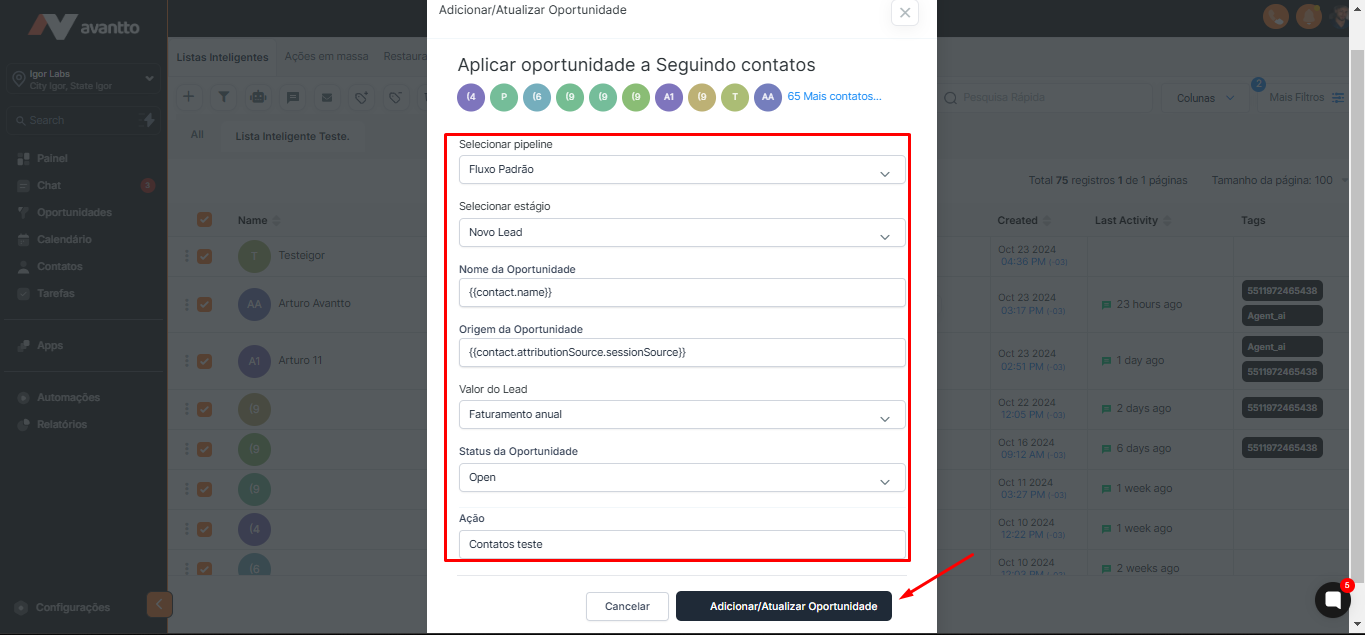
2.1 Choose the desired pipeline to assign the contacts.
Define the specific stage to which the contacts will be assigned.
Opportunity Name: Fill in the field with the custom value {{contact.name}} so that the opportunity name is automatically filled.
Opportunity Source: Use {{contact.attributionSource.sessionSource}} to automatically fill in the opportunity source.
If you are not yet familiar with Custom Values, click here.
Lead Value: If necessary, choose the lead value.
Opportunity Status: Select Open.
Action: Enter a name or description for this action.
Finally, click on Add/Update Opportunity to complete the process.
3.1 In the left side menu of the screen, click on Opportunities.
You will be able to view all the contacts that have been assigned to the pipeline, in the stage chosen earlier.