Custom values are customizable variables that allow you to automate and personalize information within Avantto. They are used to replace generic fields with specific data, both from clients and the company itself, in automations, emails, reports, and other functionalities.
For example, instead of manually filling in each client's name in an email, you can set up a custom value like {{client name}}. When the automation is executed, the platform replaces {{client name}} with the actual name of each client, ensuring that communication is more efficient and personalized. This saves time, improves data accuracy, and creates a more relevant experience for each recipient.
Additionally, these custom values can be filled with company information, such as {{company name}}, {{company address}}, or {{company contact}}, ensuring that consistent and updated data is used in all interactions. This way, you automate processes more efficiently, avoid manual errors, and ensure that the right information is applied at the right time.
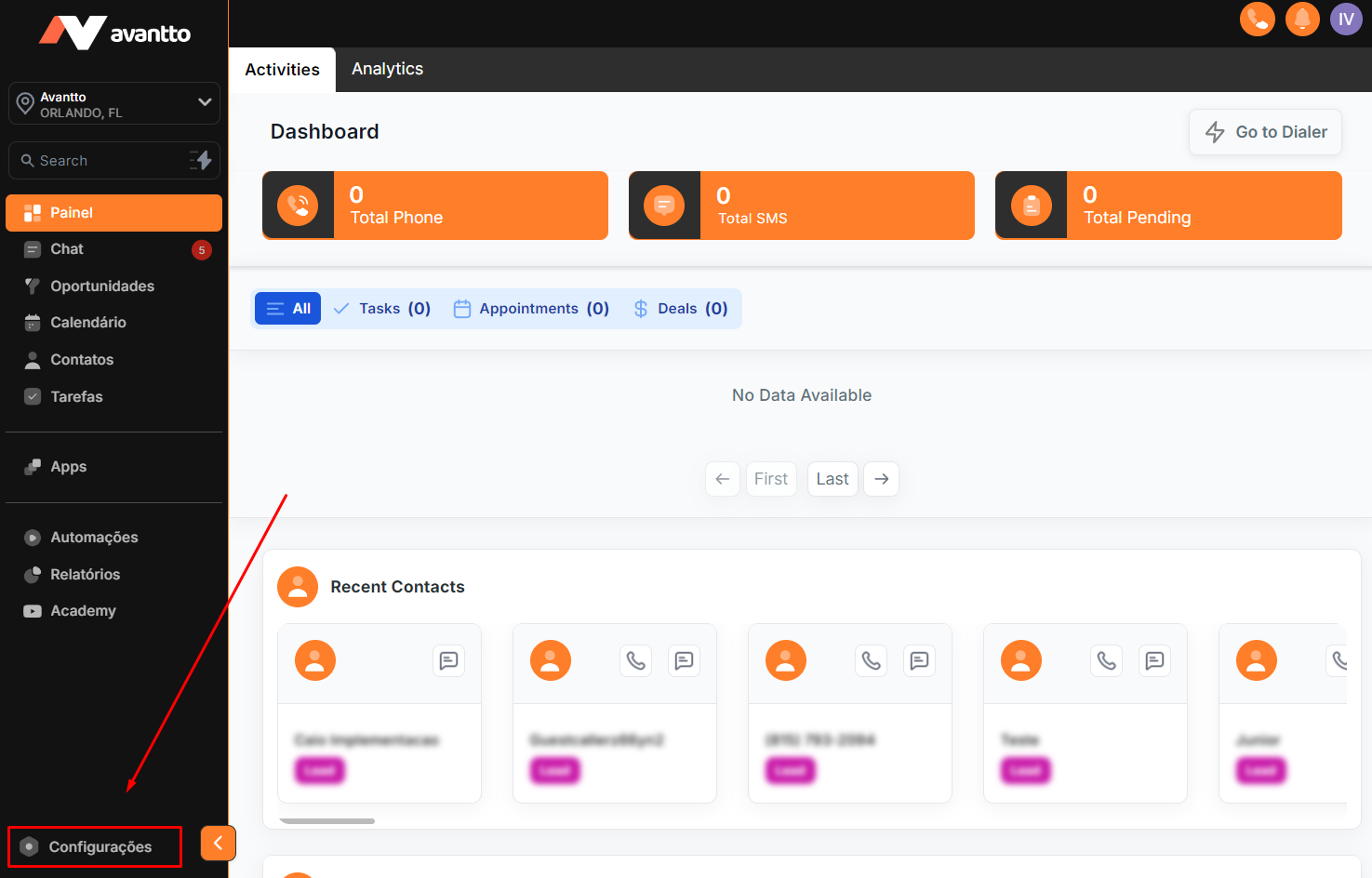
1.1 Click on Settings in the menu on the left.
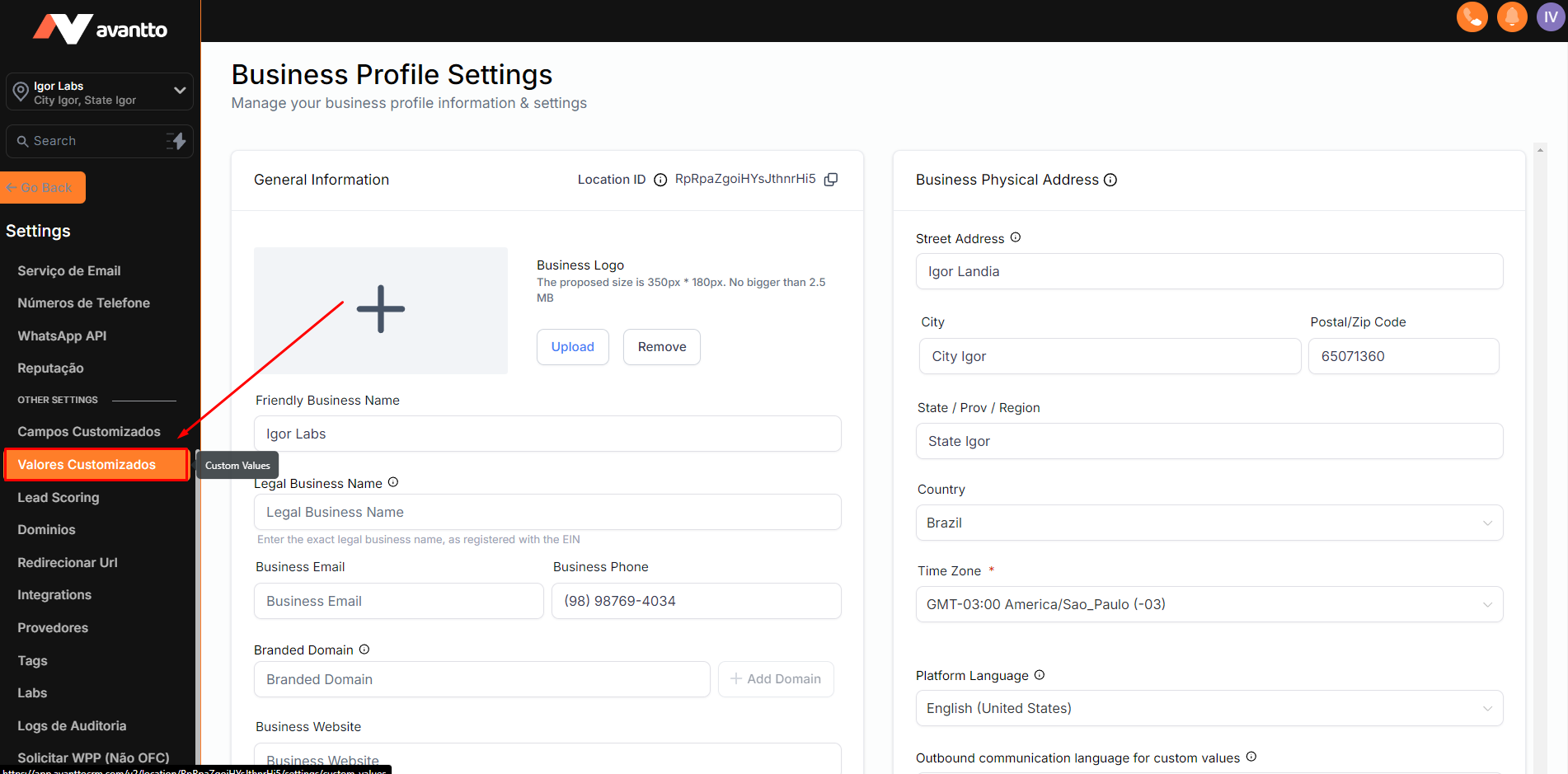
1.2 In the left sidebar, scroll down and click on Custom Values.
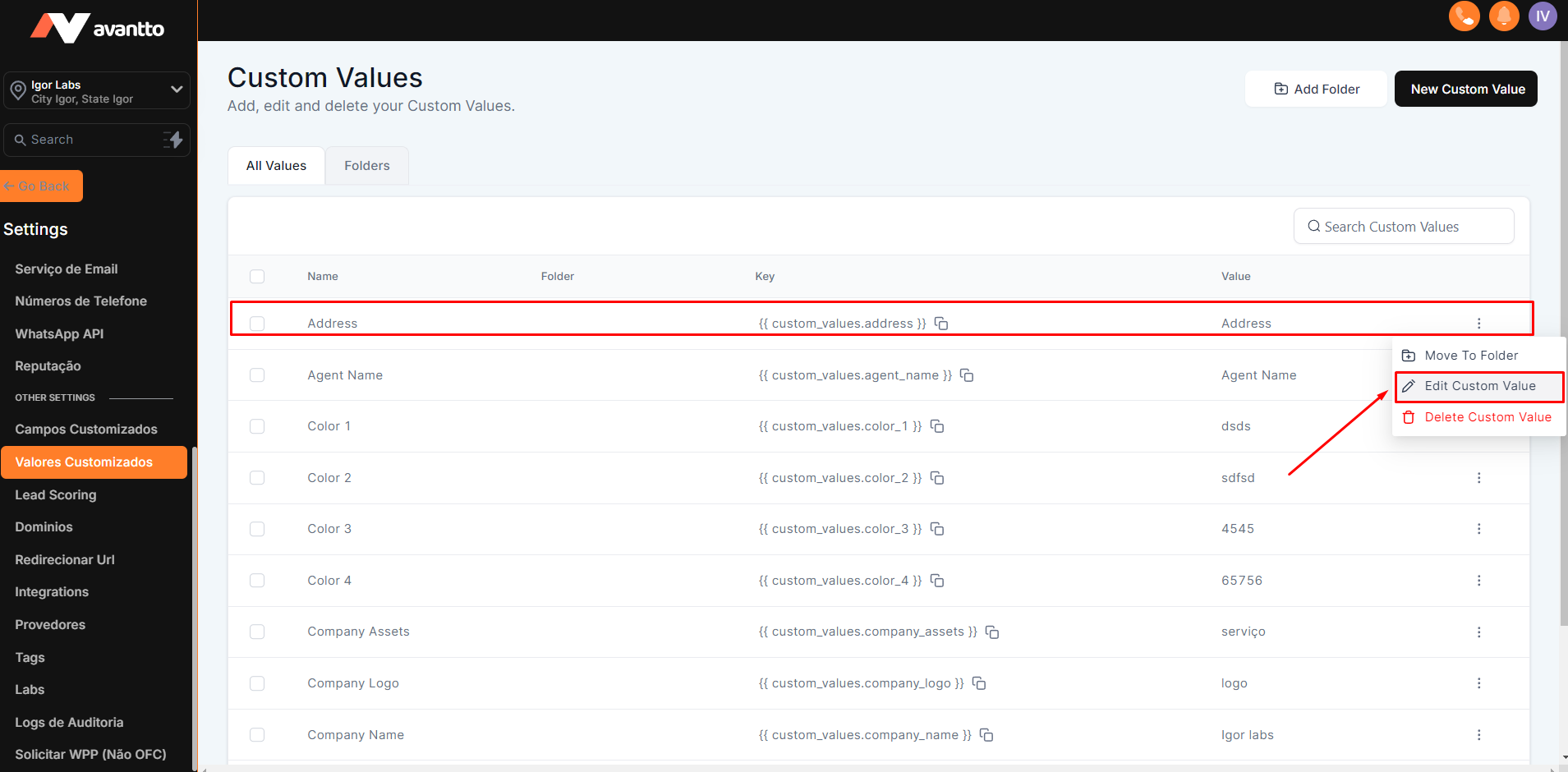
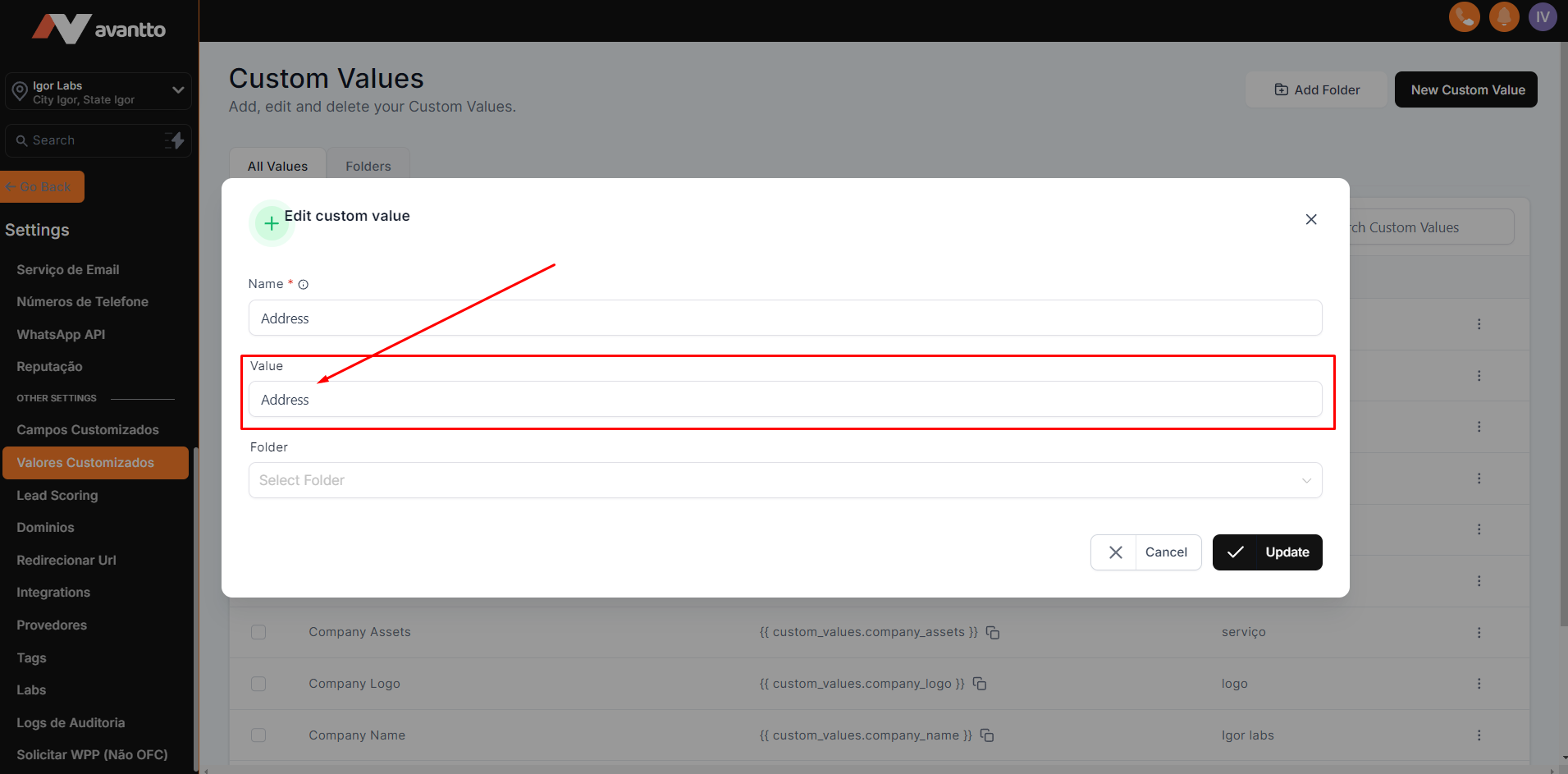
2.1 Find the Custom Value you want to change, click on the three dots on the right side, and select Edit.
2.2 On the edit screen, change only the Value field. It is important not to modify the Name field, as the automation structure is configured for this specific name. After filling in the Value, click on Update to save the changes.
Address
{{ custom_values.address }}
Description: Company Address
Agent Name
{{ custom_values.agent_name }}
Description: AI Agent Name
Color 1
{{ custom_values.color_1 }}
Description: Primary Site Color in HEX (Ex. #2596be)
Color 2
{{ custom_values.color_2 }}
Description: Secondary Site Color in HEX (Ex. #2596be)
Color 3
{{ custom_values.color_3 }}
Description: Tertiary Site Color in HEX (Ex. #2596be)
Color 4
{{ custom_values.color_4 }}
Description: Quaternary Site Color in HEX (Ex. #2596be)
Company Assets
{{ custom_values.company_assets }}
Description: Service the company offers (Ex.: "I would like to know more about our XXXX services")
Company Logo
{{ custom_values.company_logo }}
Description: Logo link in .png (Ex. Logo)
Company Name
{{ custom_values.company_name }}
Description: Company Name
Company Site
{{ custom_values.company_site }}
Description: Company site (Ex. www.igorlabs.com)
Event Date 1
{{ custom_values.data_evento_1 }}
Description: Event date in DD/MM/YYYY format (Ex. 28/12/2024)
{{ custom_values.email }}
Description: Contact email (Ex. email@mail.com)
Event Address 1
{{ custom_values.endereco_do_evento_1 }}
Description: Event address or link (For online events, use "Link Soon"; for in-person events, provide the full address)
Google My Business
{{ custom_values.google_my_business }}
Description: Google My Business link
Event Time 1
{{ custom_values.horario_do_evento_1 }}
Description: Event start time in HH
(Ex. 18:30)
Event Name 1
{{ custom_values.nome_do_evento_1 }}
Description: Public name of the event
Phone
{{ custom_values.phone }}
Description: Company contact phone
Google Pixel
{{ custom_values.pixel_google }}
Description: Google Pixel ID (Ex. AW-963310249)
Meta Pixel
{{ custom_values.pixel_meta }}
Description: Meta Ads Pixel ID (Ex. 850967846273326)
Privacy Policy Link
{{ custom_values.privacy_policy_link }}
Description: Privacy Policy Page Link (For activation/A2P of numbers in the USA)
Terms & Conditions Link
{{ custom_values.terms_conditions_link }}
Description: Terms and Conditions Page Link (For activation/A2P of numbers in the USA)