What's Covered in This Document
How to Start an Internal Chat
How to Add Users to an Existing Internal Chat
How to Get Notified About Internal Chats
Who Has Access to Internal Chats
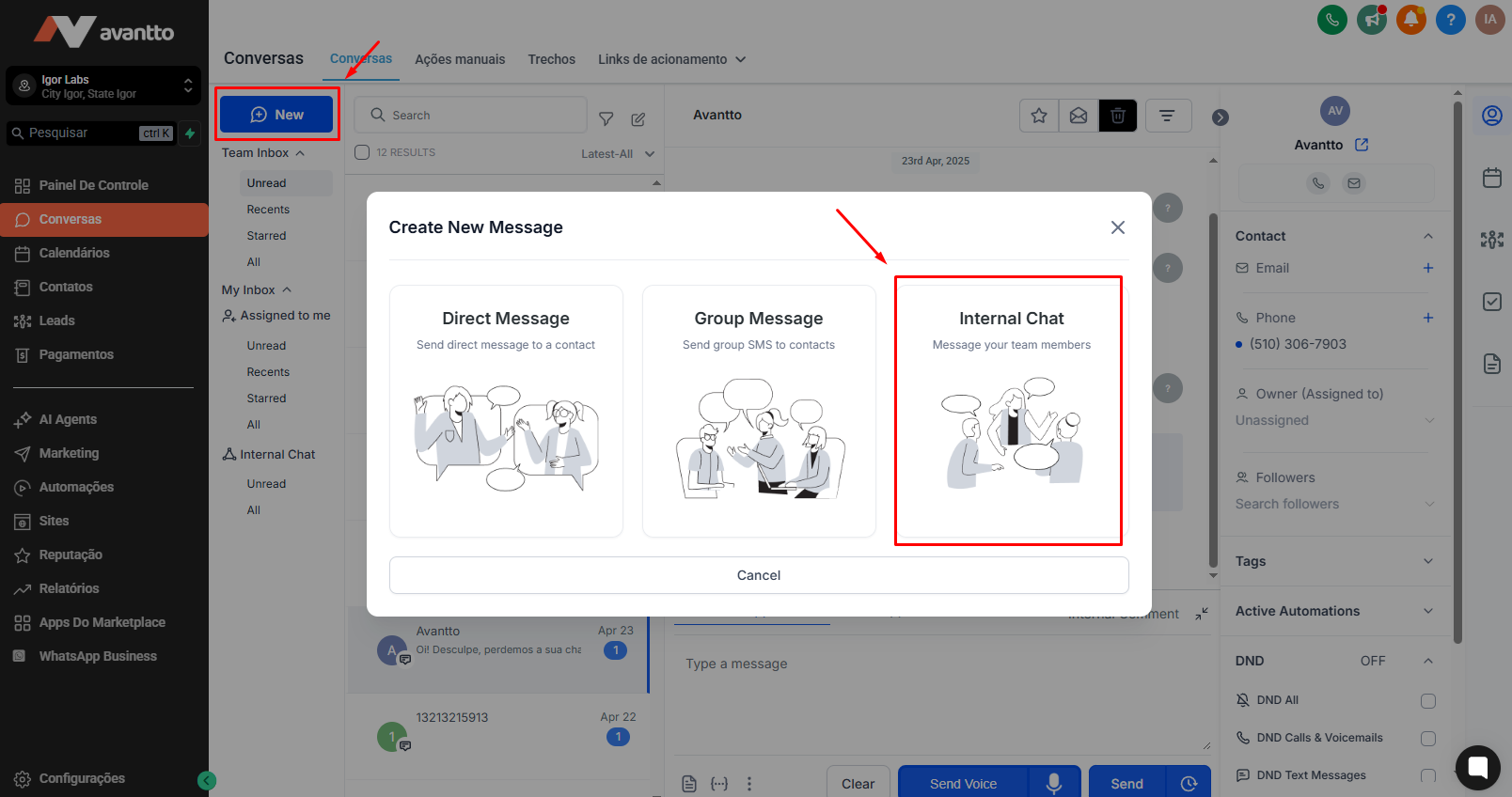
Open Conversations and click on New. Select the Internal Chat option
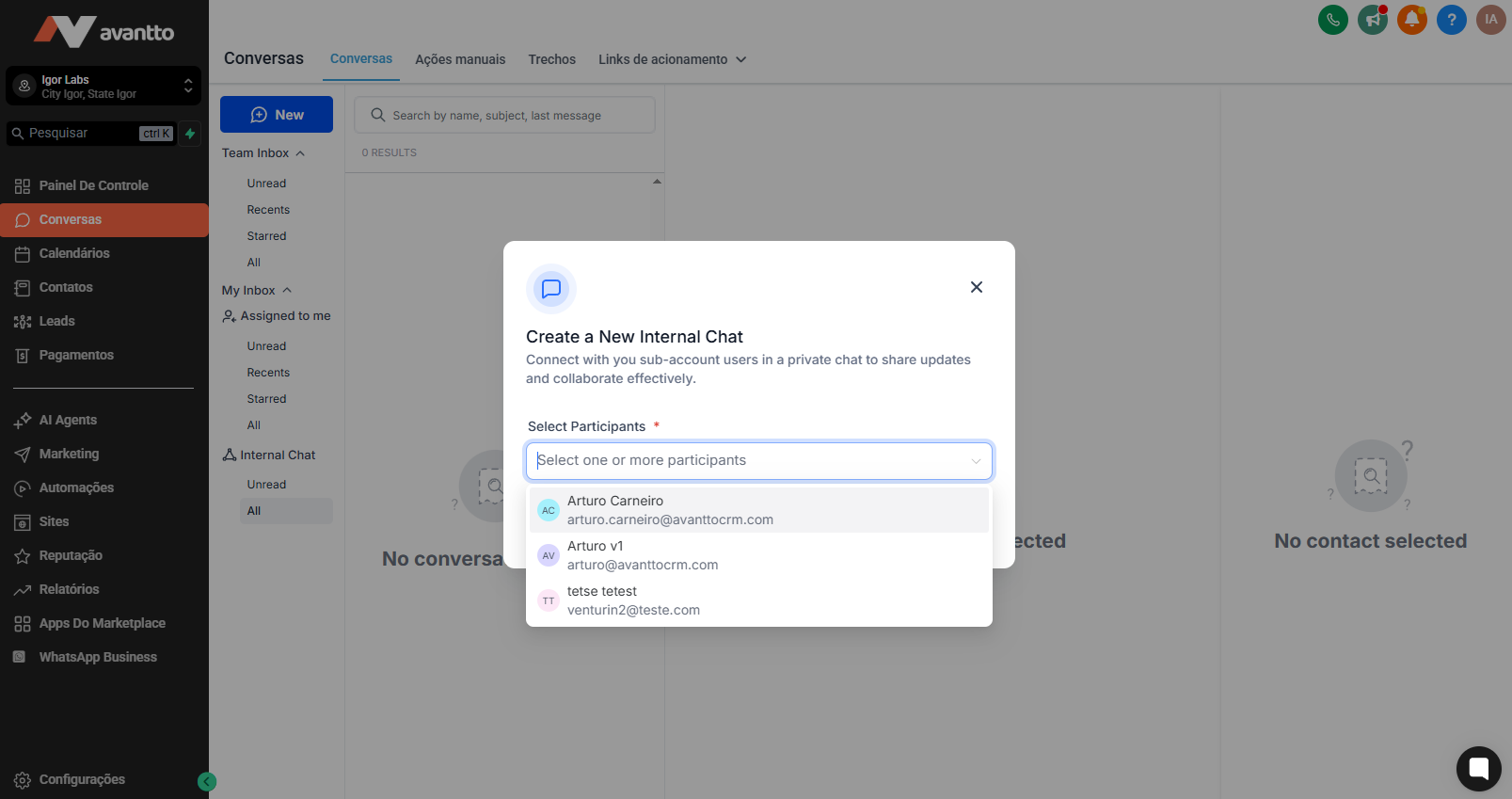
Choose the users you want to add to the chat and click Start Chat to initiate the conversation
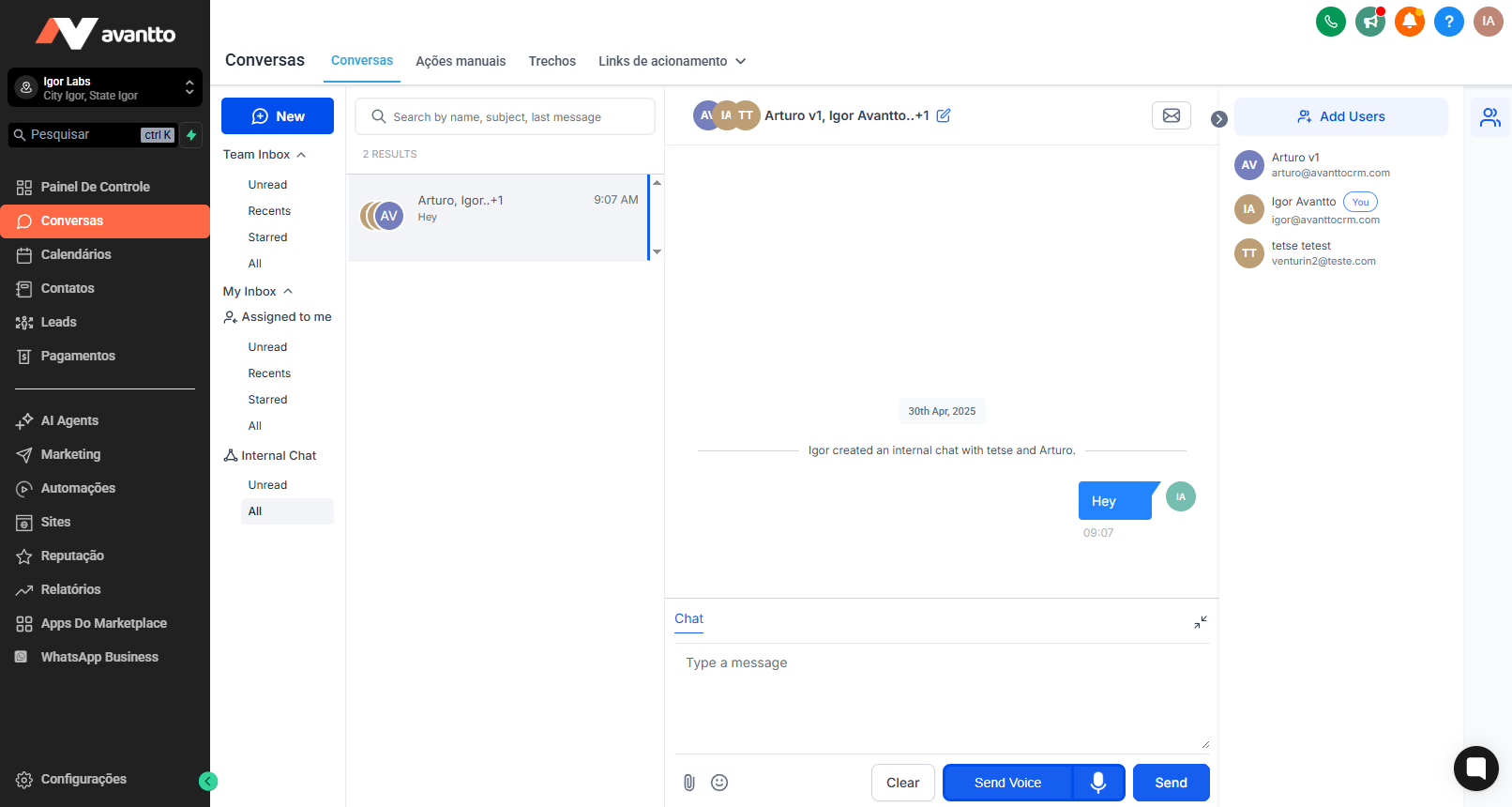
You can send text messages, emojis, and attachments in internal chats.
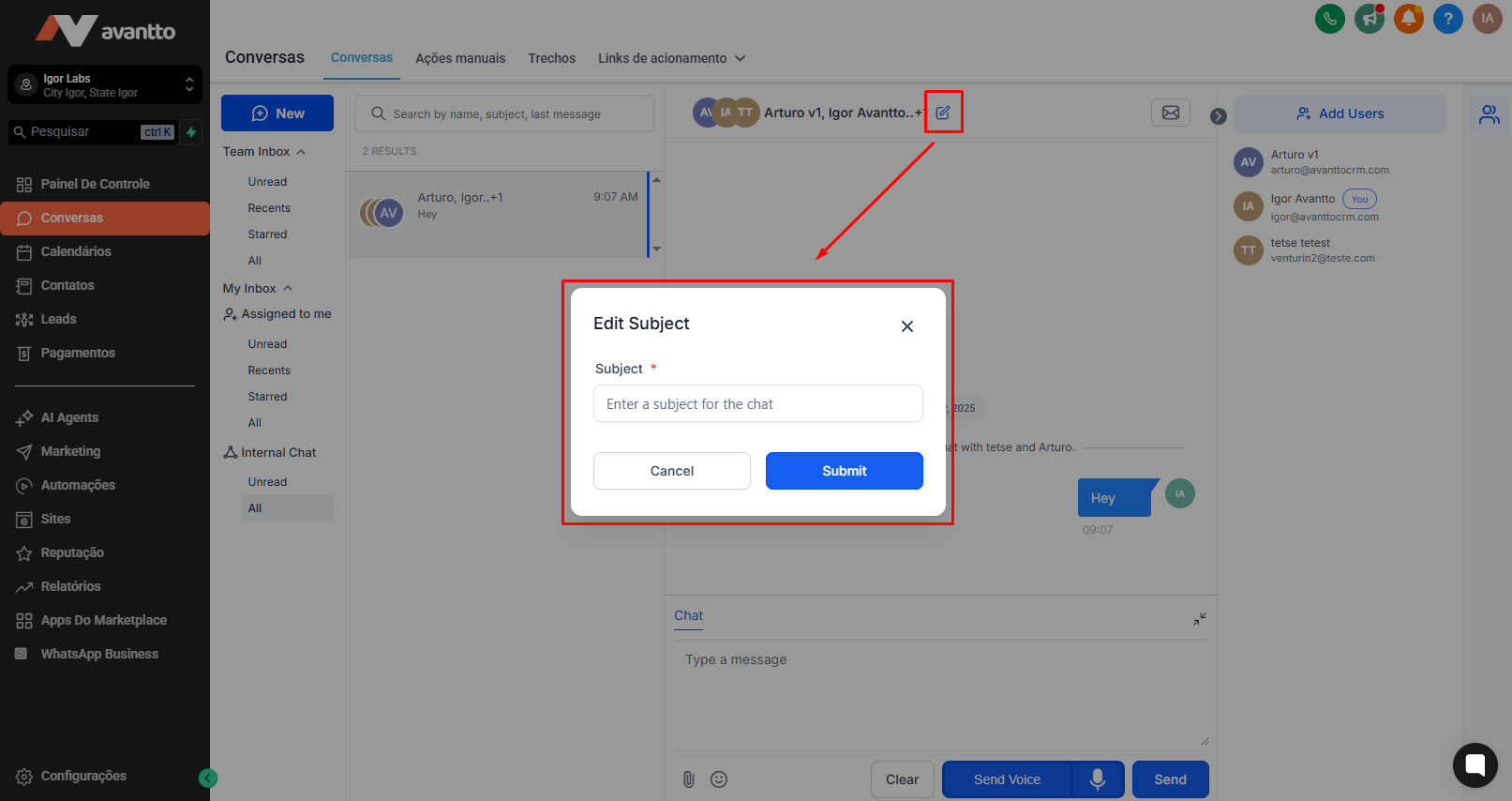
4. To organize conversations better, you can add a subject by clicking the edit icon the top center panel. Once a subject is added, you can search for internal chats by subject, participant names, or the last message sent.
Open the internal chat and click Add Users in the right panel.
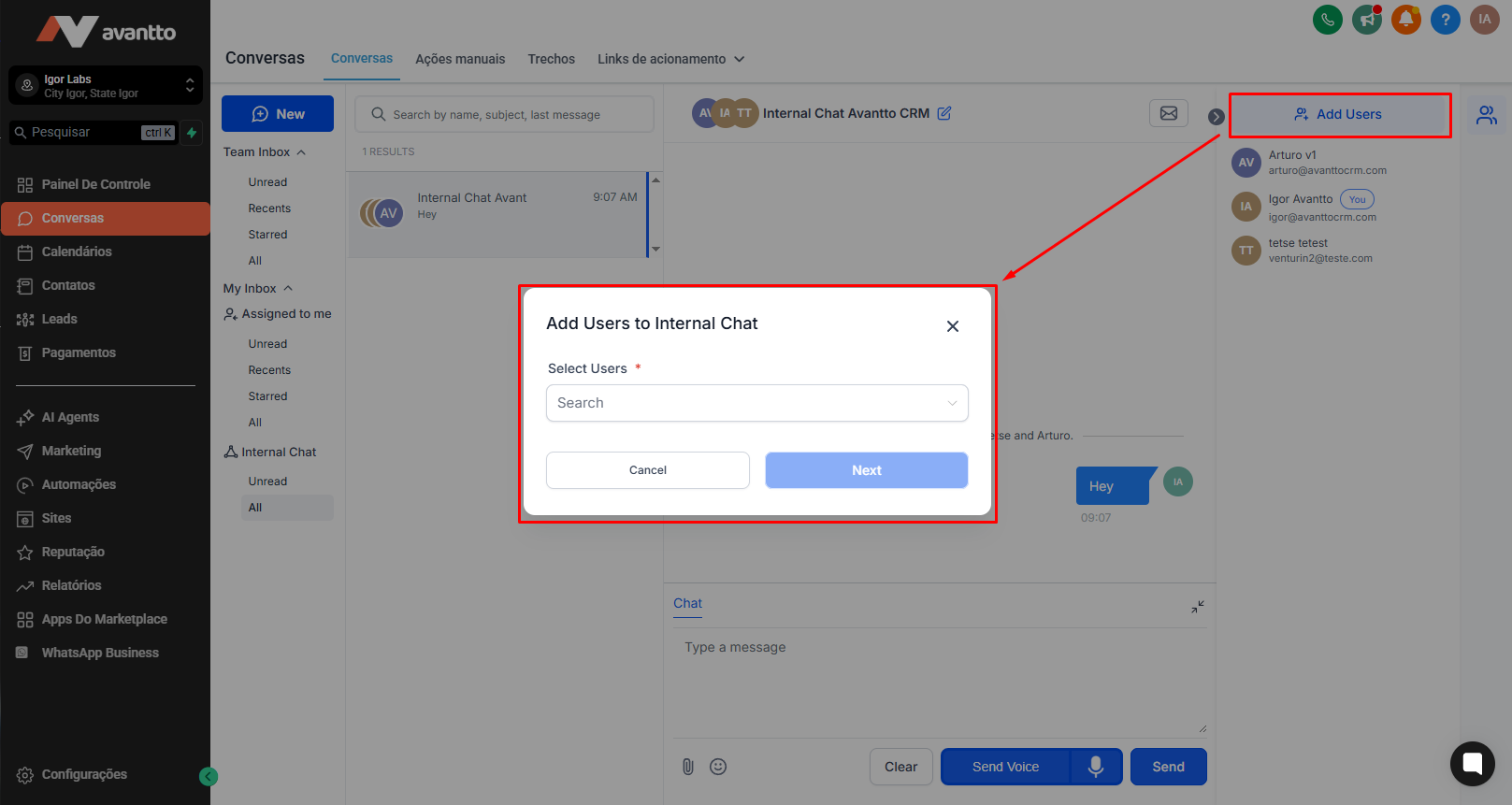
Select the team members to add and click Next. Choose whether they should have access to previous chat history. Click Confirm—once added, users cannot be removed from the chat.

Go to Settings > My Profile > Notifications to manage notifications. Users can choose to receive:
Notifications for every message in internal chats you are part of.
Notifications only when added to a new internal chat.
Any user with access to Conversations can create internal chats.
Agency Admins/Users can create internal chats even if they are not part of a sub-account.
Only sub-account users can be added to internal chats.
Only users added to the internal chat can see the conversation.
Other team members cannot view internal chats unless explicitly added.
All Communication in One Place: No need to use external apps like Slack or email for internal discussionseverything stays within the CRM, keeping conversations organized and accessible.
Seamless Collaboration: Teams can communicate instantly without leaving the Conversations module, ensuring quick decision-making and better coordination.
Improved Context & Visibility: Internal Chats remain attached to the CRM, so team members have full context when discussing leads, deals, or support cases.
Efficient Teamwork: Share updates, ask questions, and strategize—all within the same platform where customer interactions happen.
Stay Notified & Responsive: Get notifications for new internal messages, ensuring no critical updates are missed while managing external conversations.
Note: Internal chat is native to the platform and will not incur any cost.