The idea is to use the Default Connect Action to connect the AI to the contact. During the process, the AI will listen to a "whisper message" before connecting with the final contact. To make sure everything works correctly, follow the instructions below.
Before starting, make sure the following settings are adjusted:
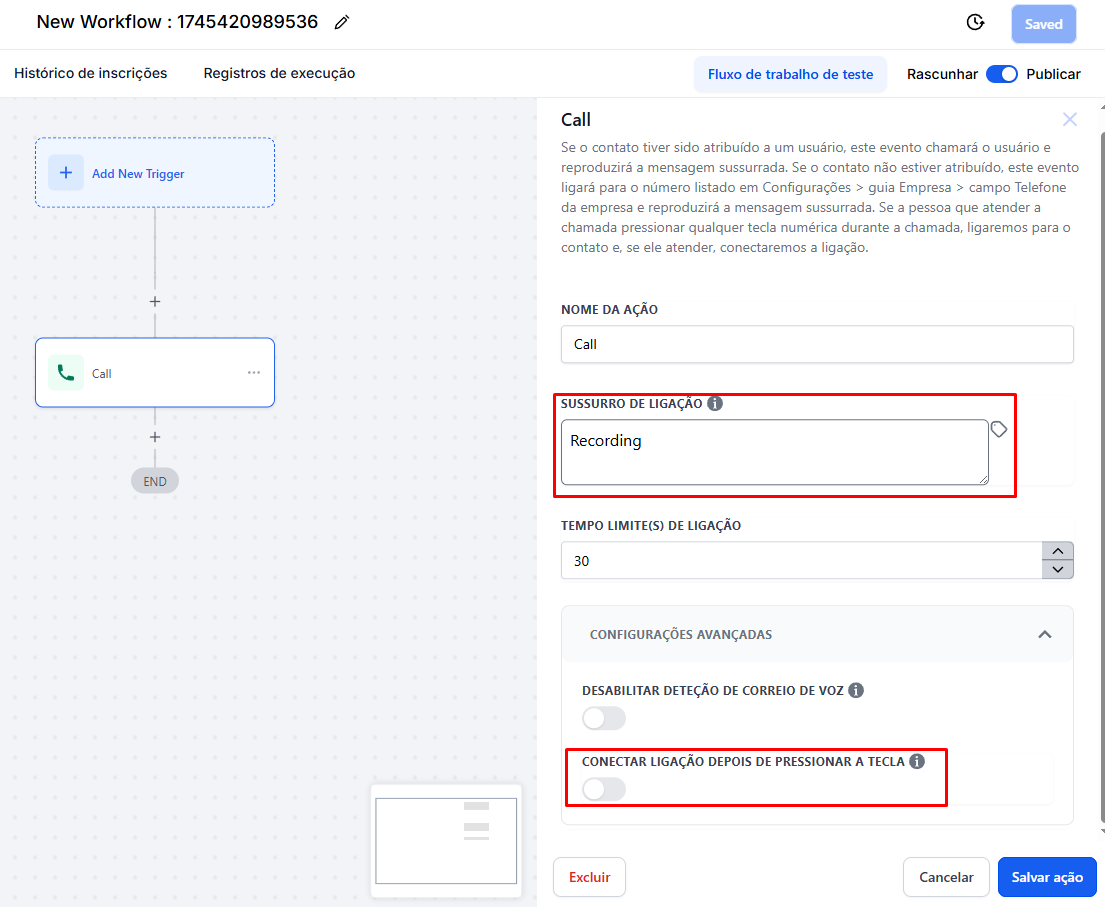
Whispered Message:
The AI will listen 3 times to the "whispered message" you typed in the corresponding field.
Make sure you use a short message so the AI doesn't get confused (Eg: “Recording”, “Call”, “Wait”, “Oi”, “Hey” are good examples of messages).
Advanced Settings:
Keep the advanced settings exactly as shown in the provided screenshot, with both options turned off. If you change them, it might mess up the call.
AI Setup:
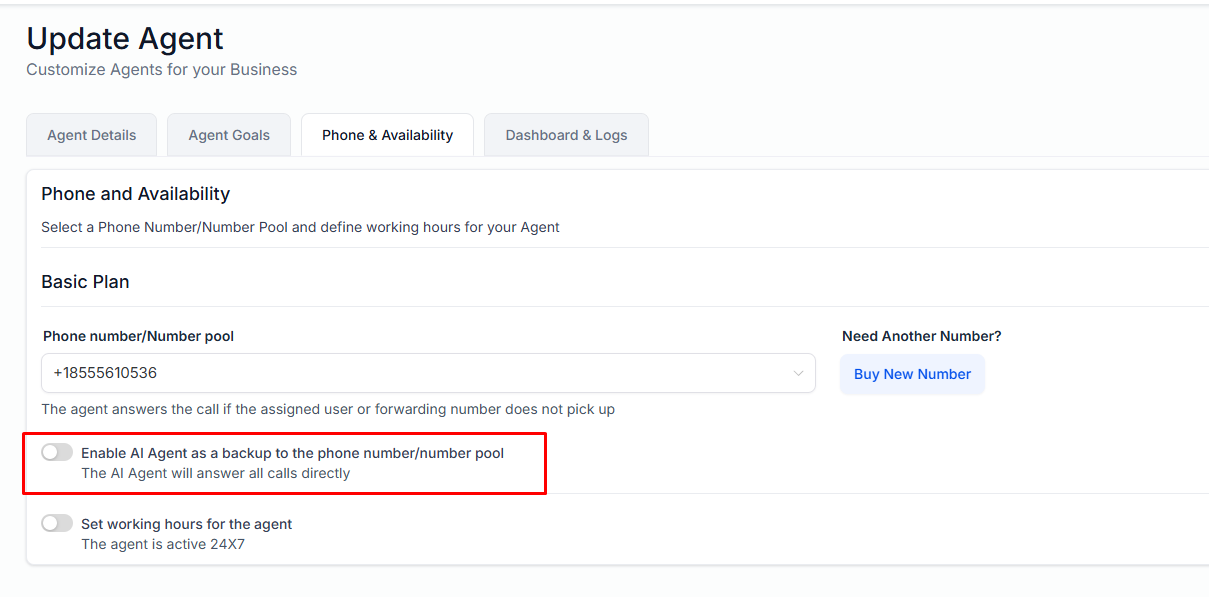
The AI should be set up to answer all calls automatically.
The Call Action works like this:
Origin Number:
The action will call the user assigned as contact owner number or the business phone added in the profile settings, but for Outbound calls we recommend calling the business phone, which in this case will be the number assigned to the AI.
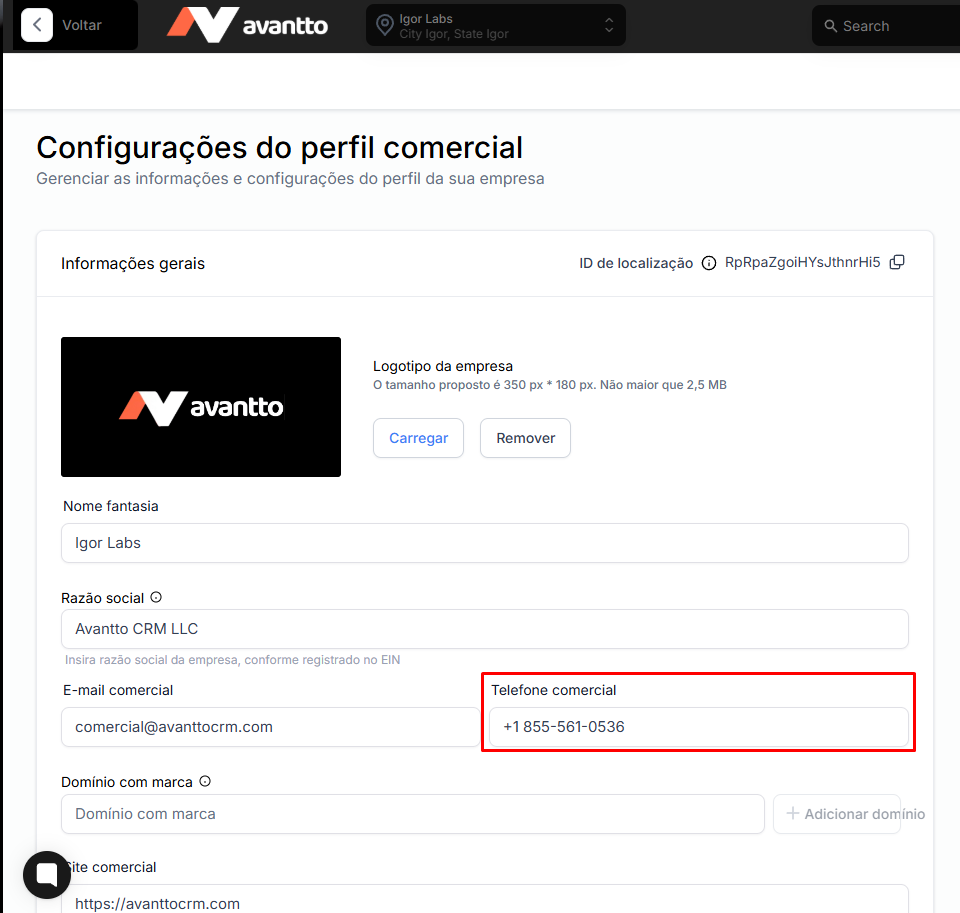
AI Number Setup:
Add the number the AI will use to the business profile inside Avantto.
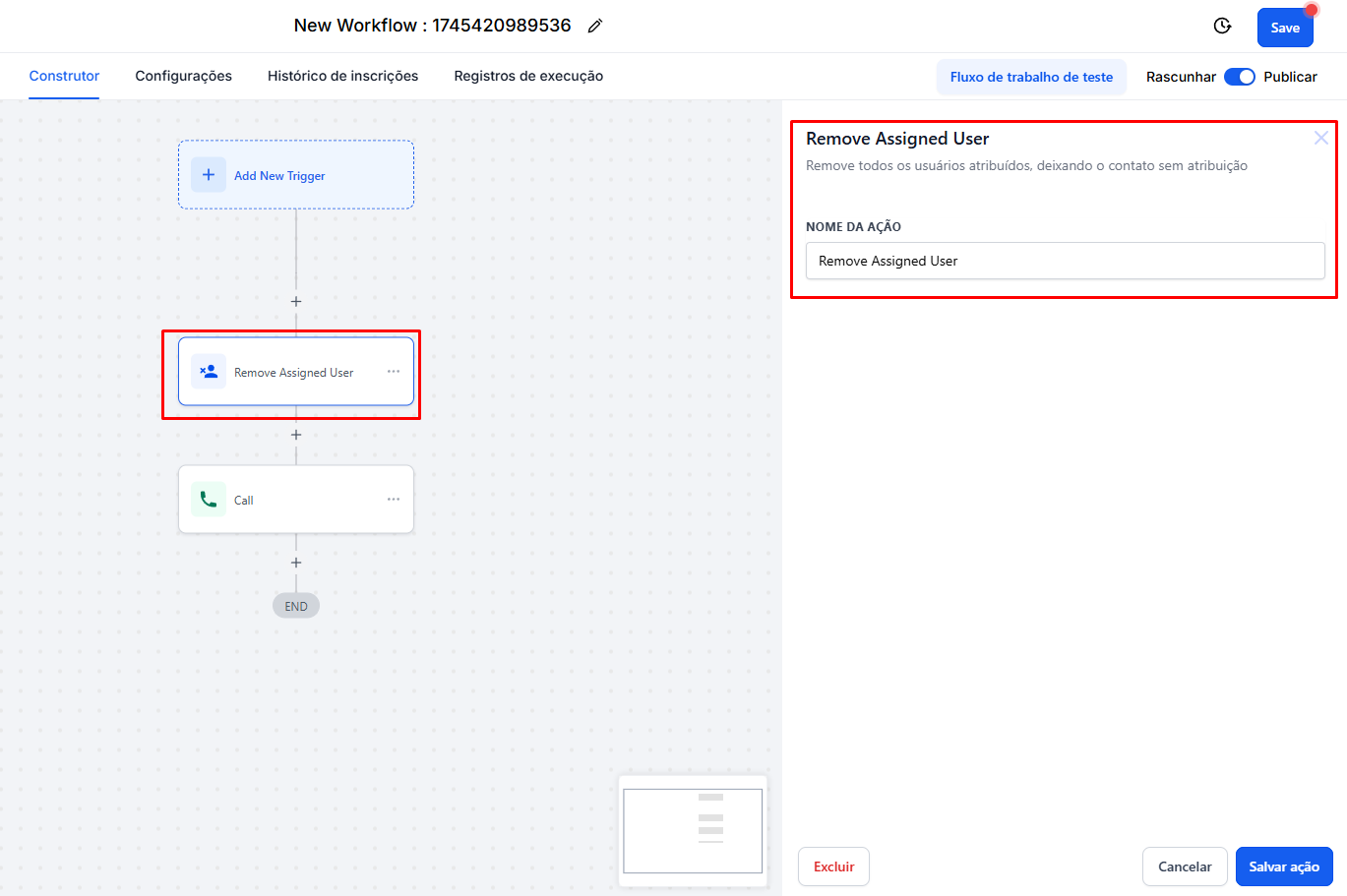
Make sure the contact isn't assigned to any user .
Add an action to remove the contact assignment before starting the call.
Follow these steps to make sure the process works properly:
Set the Whispered Message:
Type the message that the AI will hear before starting the call.
Check Advanced Settings:
Make sure the advanced settings match the provided screenshot.
Set Up AI to Answer Calls:
Make sure the AI is set up to answer all calls automatically.
Add the AI Number to the Business Profile:
Enter the number that the AI will use in the business profile settings.
Remove Contact Assignment:
If the contact is assigned to a user, you need to remove that assignment to make sure the call is made from the AI's number.
Run the Call Action:
Start the default call action. The AI will listen to the whispered message 3 times, then call the contact.
If the contact is assigned to a user, the call will be directed to the user's number instead of the AI's number. Make sure to remove the assignment before starting the process.
You shouldn't change the advanced settings because that can mess up how the call works. Just follow the screenshot provided.
Check in the AI settings to see if it's set to answer all the calls automatically.