Improved Bot Control: You can now manually adjust the bot's status for each contact
Active: The bot will respond to all incoming messages.
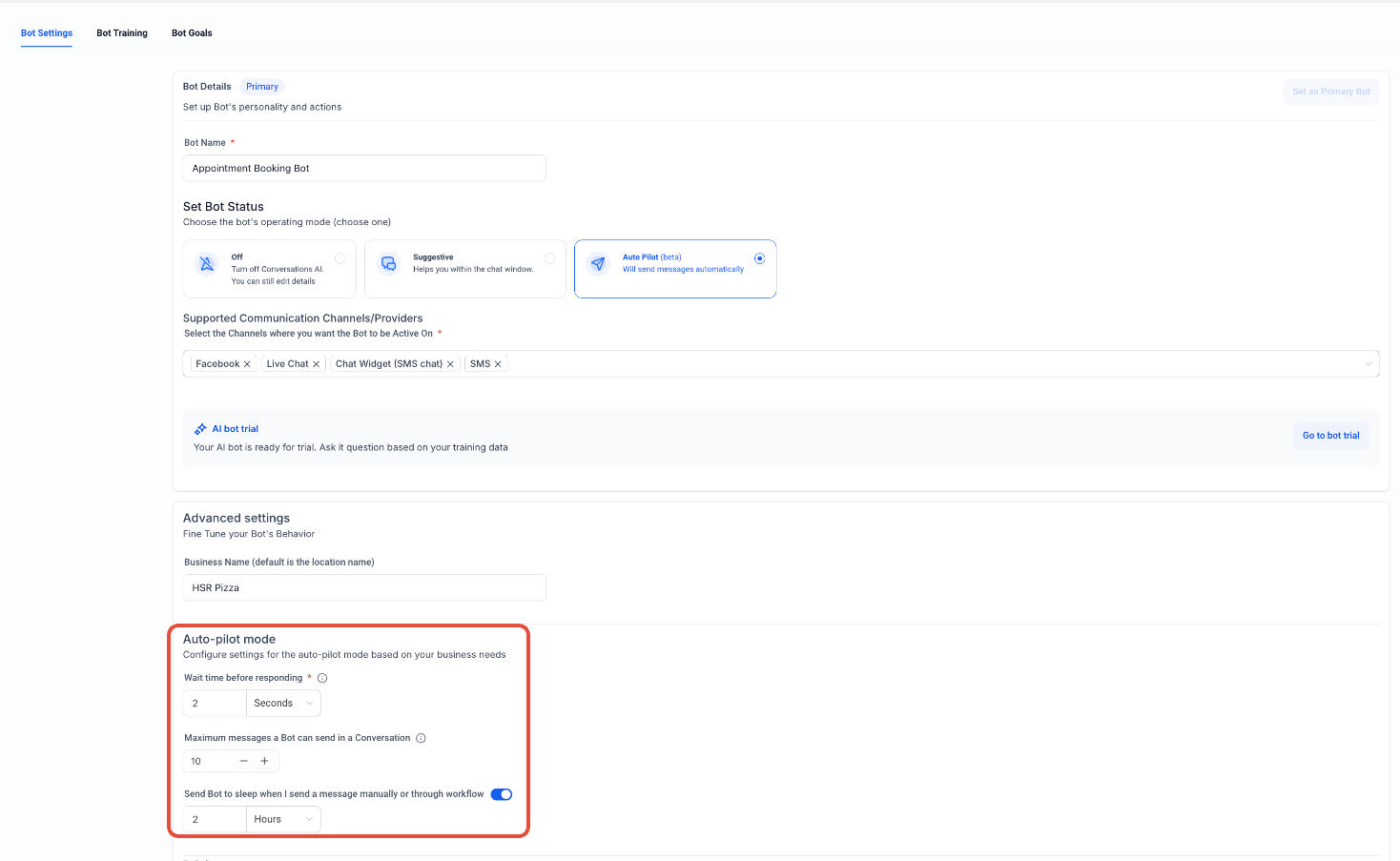
Sleep/Snooze: The bot is temporarily paused, either manually or due to certain actions (e.g., when a manual or workflow message is sent, or message limits are reached).
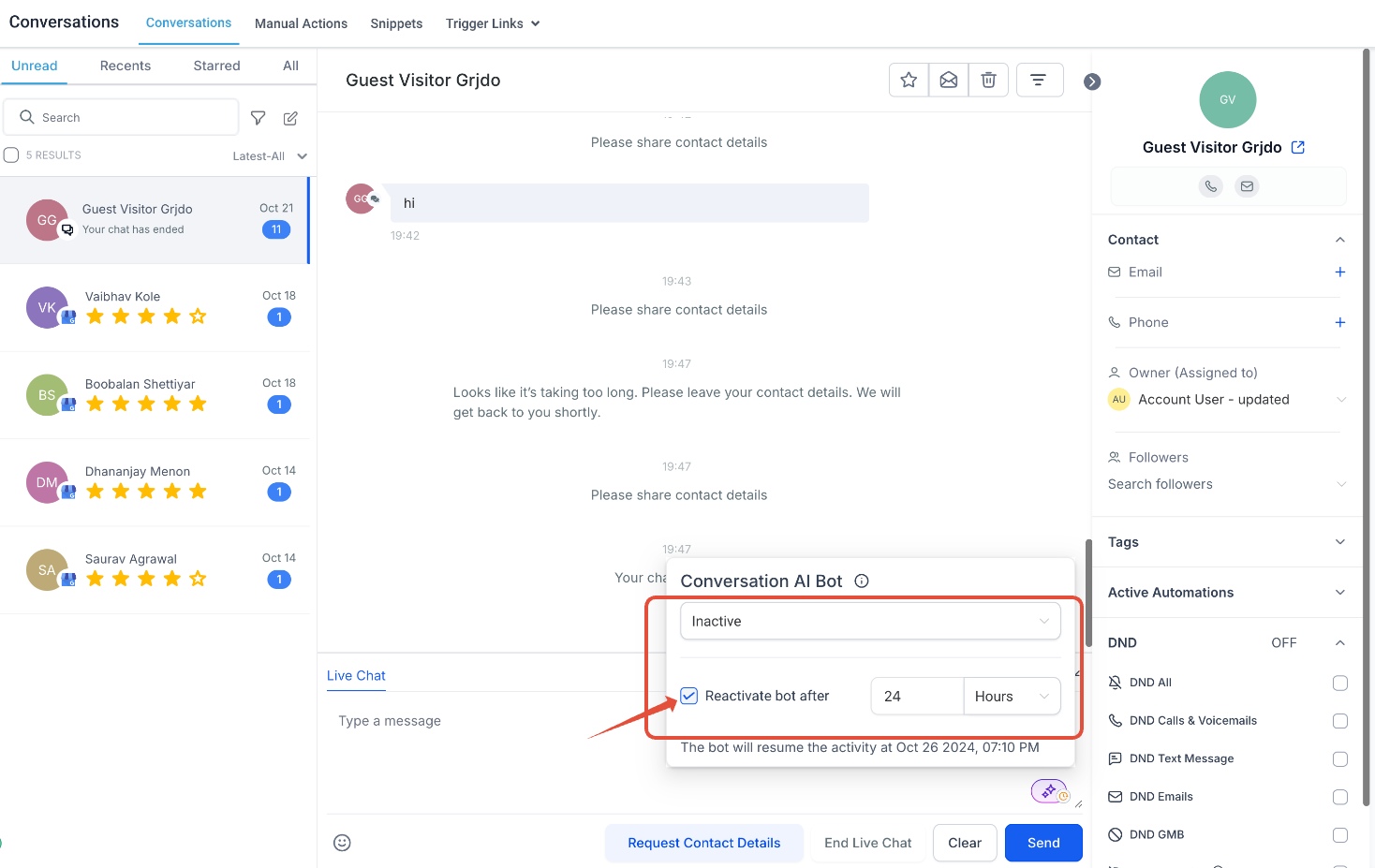
Inactive: The bot remains off until manually reactivated.
Sleep Timer: Users can set a specific time for the bot to automatically wake up and start responding again.
Go to the Conversations tab.
In the Message Composer section for any contact, you will see the bot’s current status, indicated by a green online icon (if active).
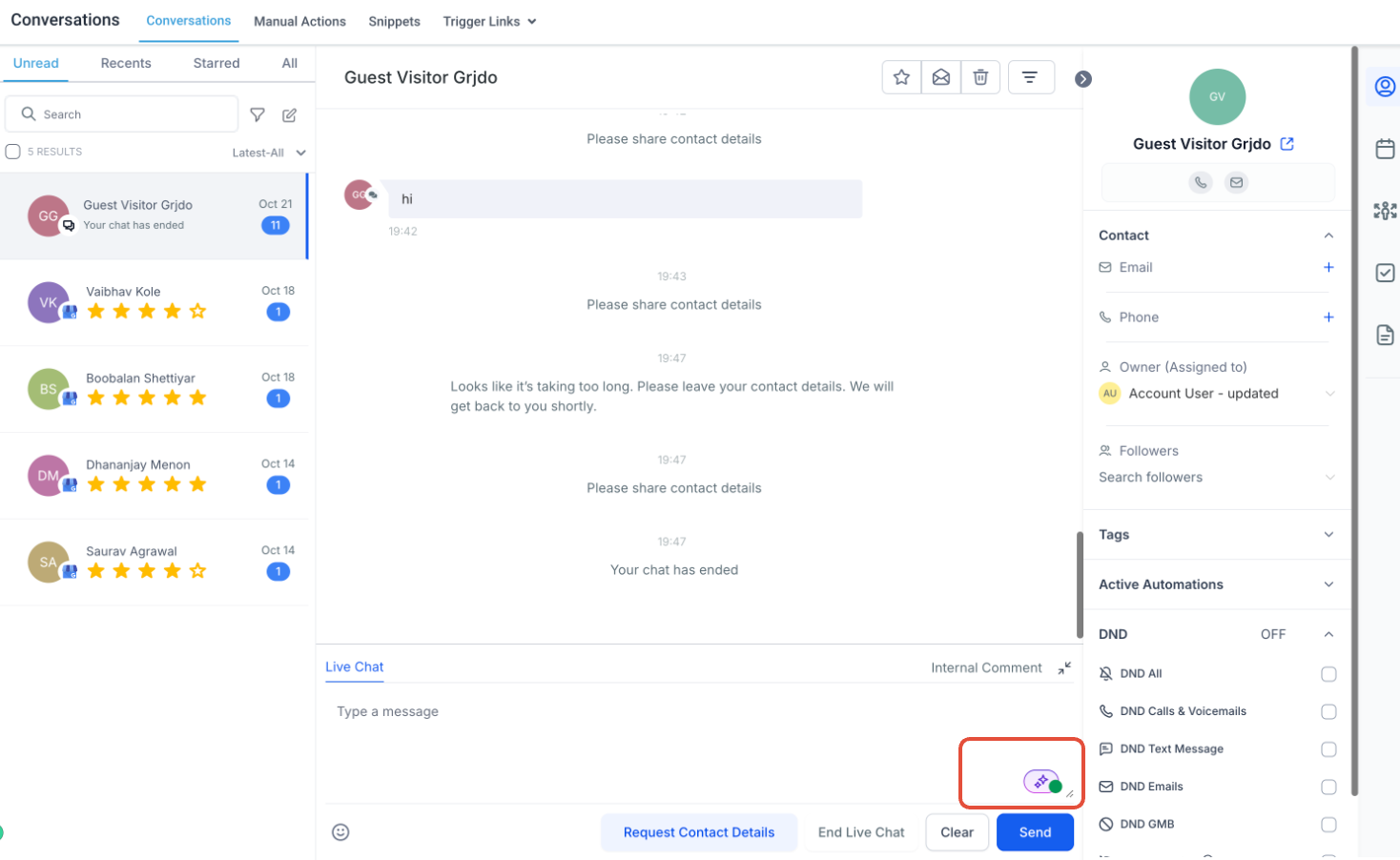
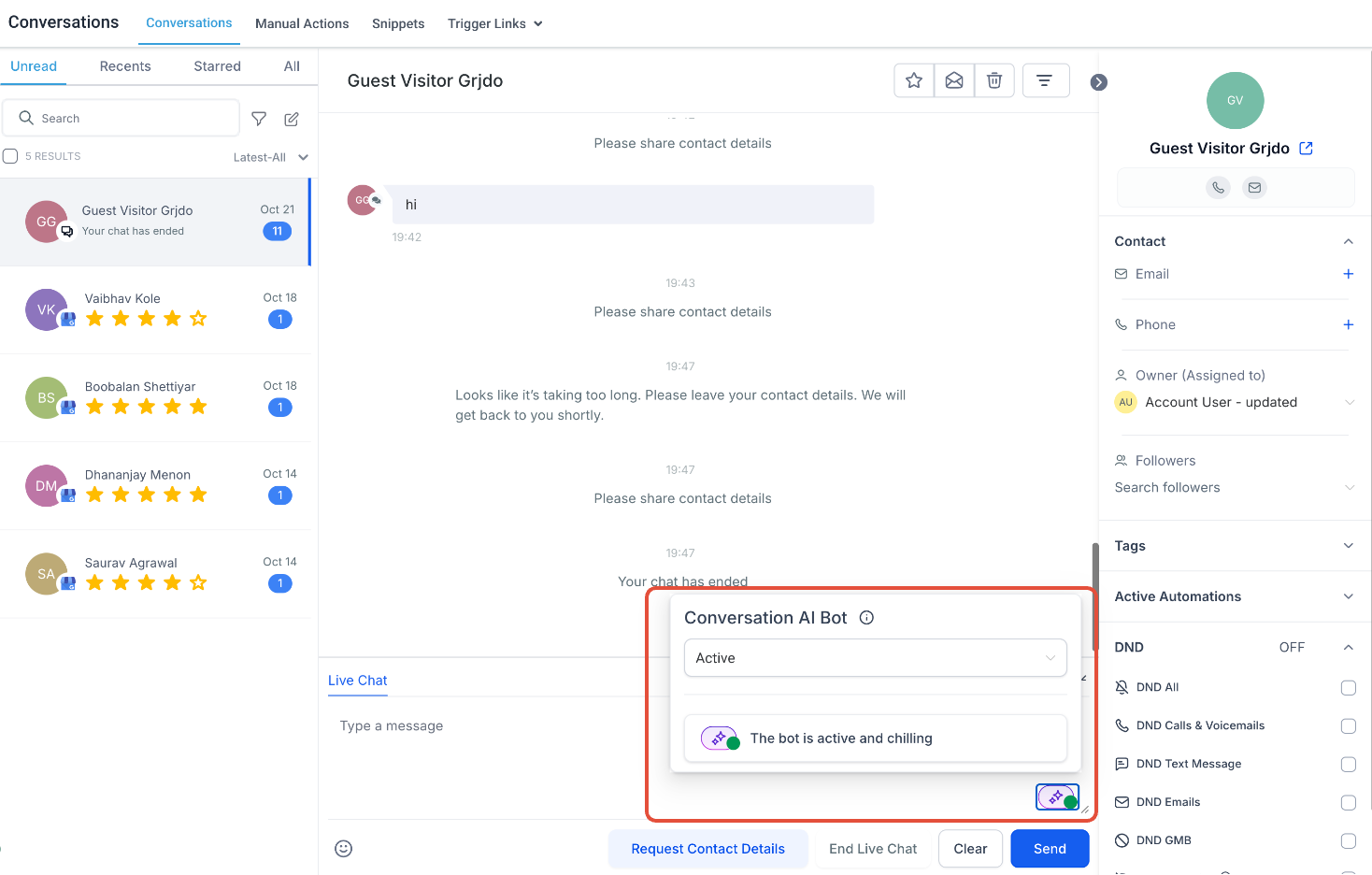
To disable the bot for a particular contact, click on the icon and select Inactive from the dropdown.
You can also set a specific duration after which the bot will automatically turn back on.
If you want the bot to remain permanently off for that contact, simply uncheck the checkbox.
The bot will now be turned off for the selected contact, as indicated by the change in the status icon.
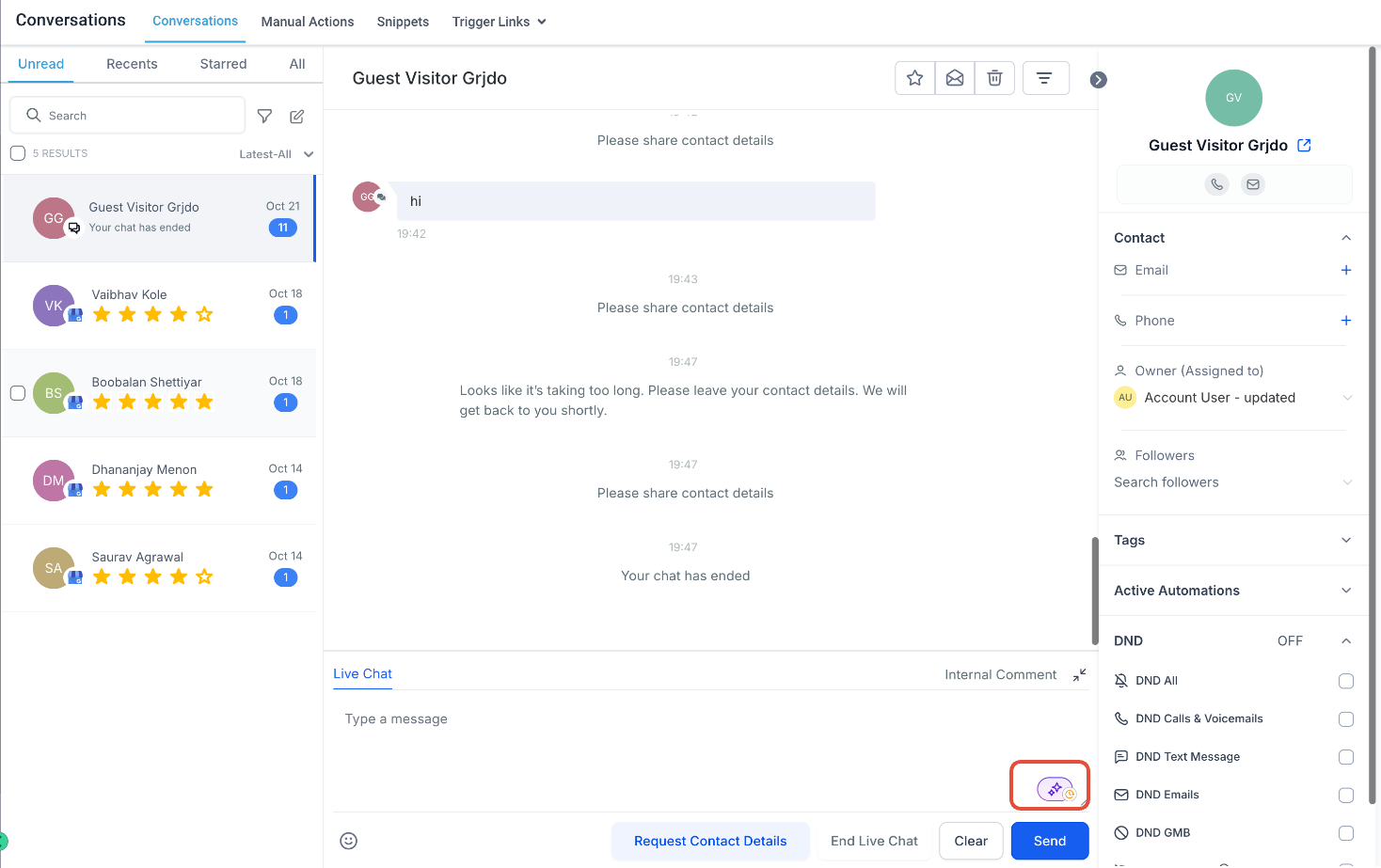

In following scenarios, the bot will automatically turn off for a contact, such as when the maximum message limit is reached or when a manual/workflow message is triggered.
By using the Bot Status for Individual Contacts feature, users can fine-tune their bot’s interaction on a contact level, ensuring that the bot only engages with the appropriate contact of their choice