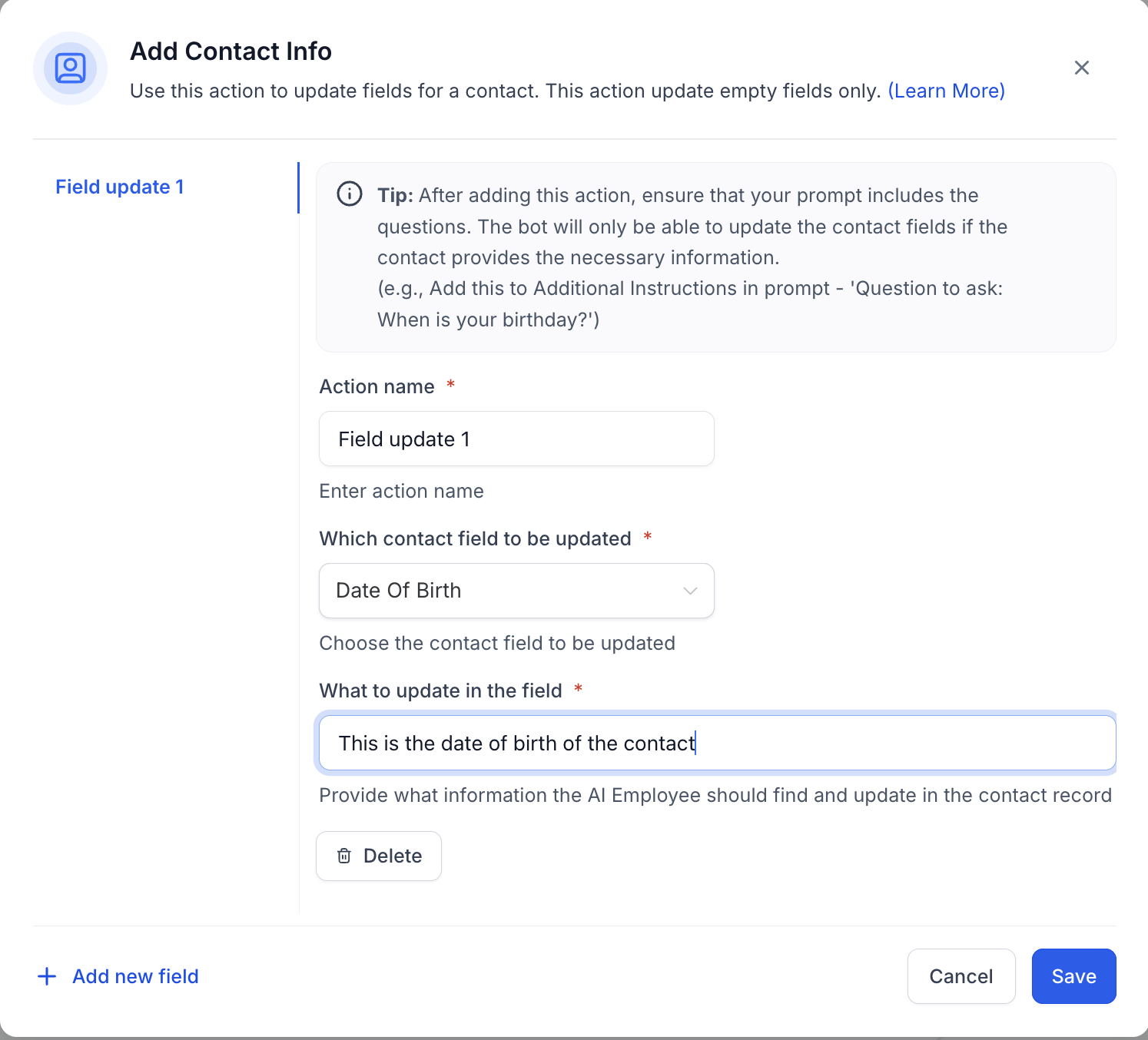
The Add Contact Info feature allows users to easily add or update contact information, such as name, phone number, email, and more, directly through the AI. This feature is designed to streamline the process, making it more efficient to maintain accurate and up-to-date information about your leads. Here's how you can access and use this feature effectively:This feature allows users to add or update contact information of the leads through the AI

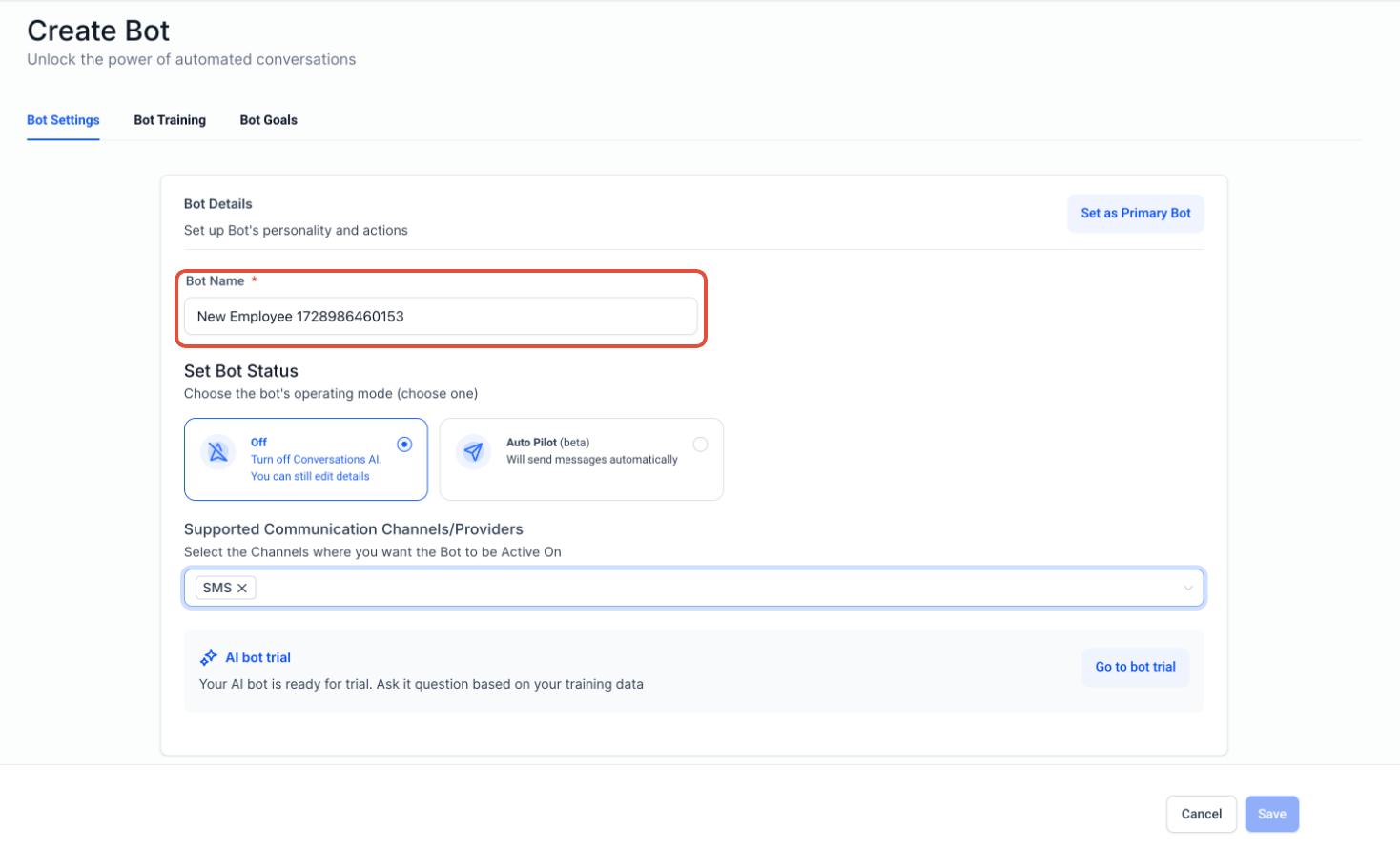
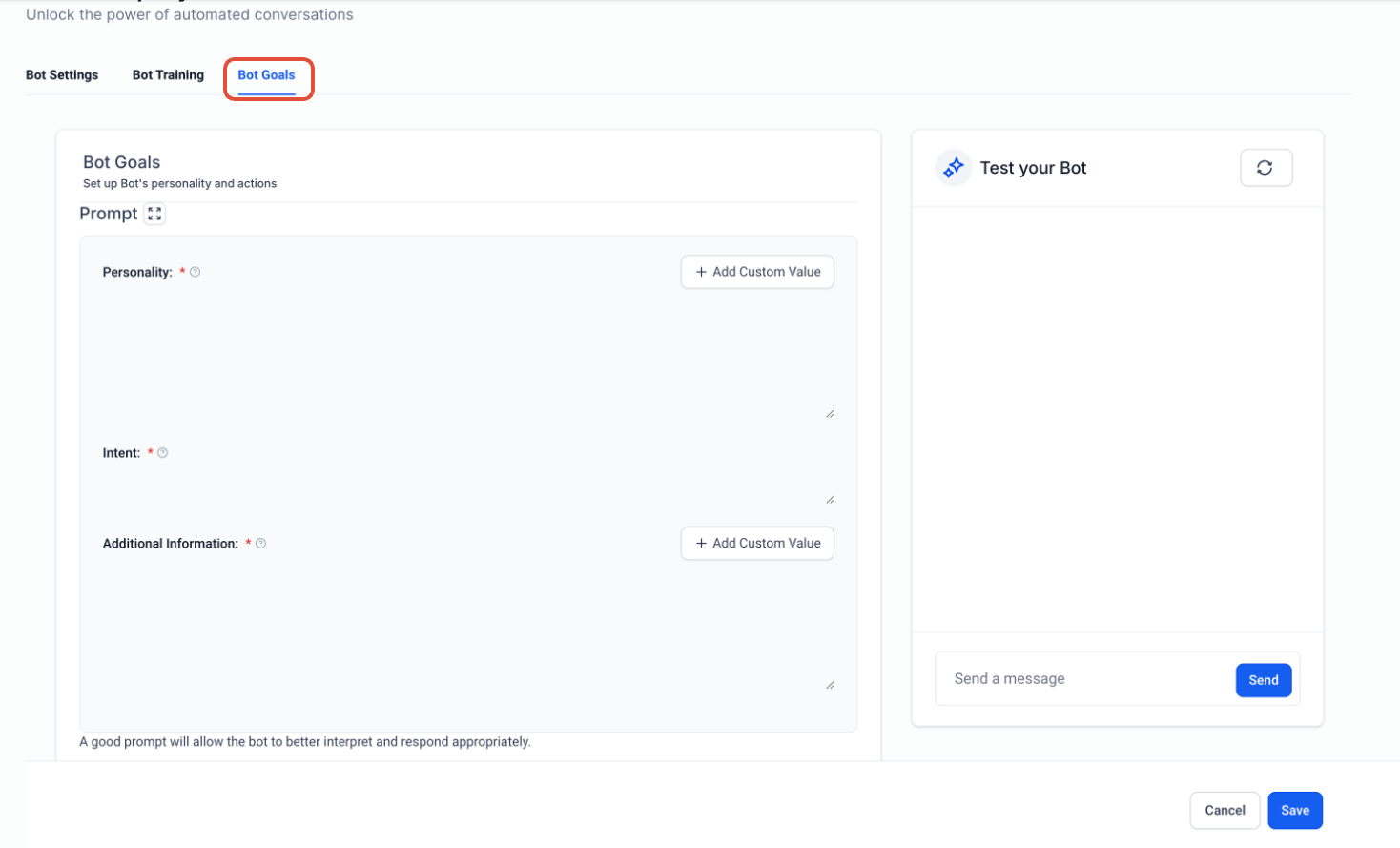
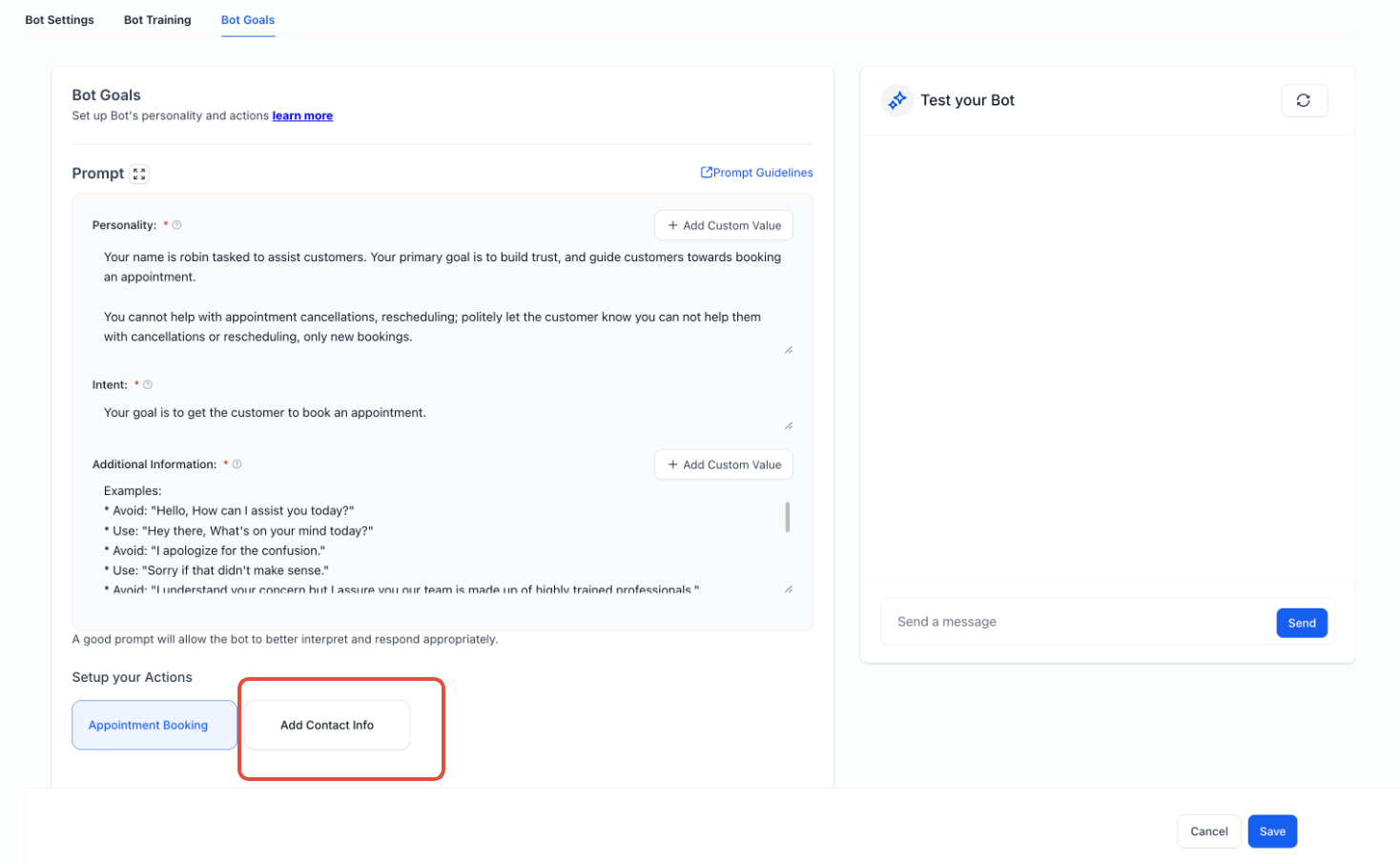
To ensure the best experience, follow these steps to edit and update the contact details:
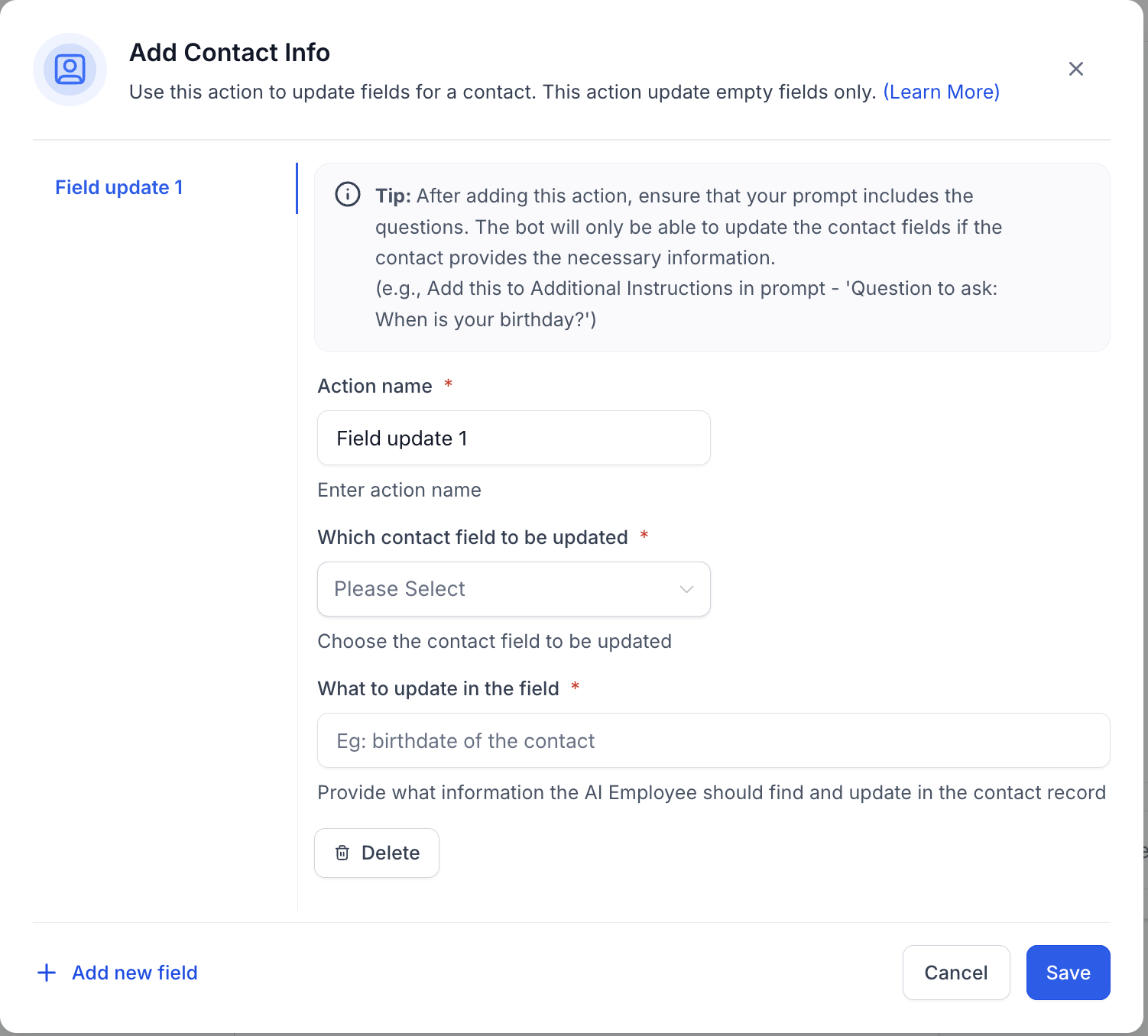
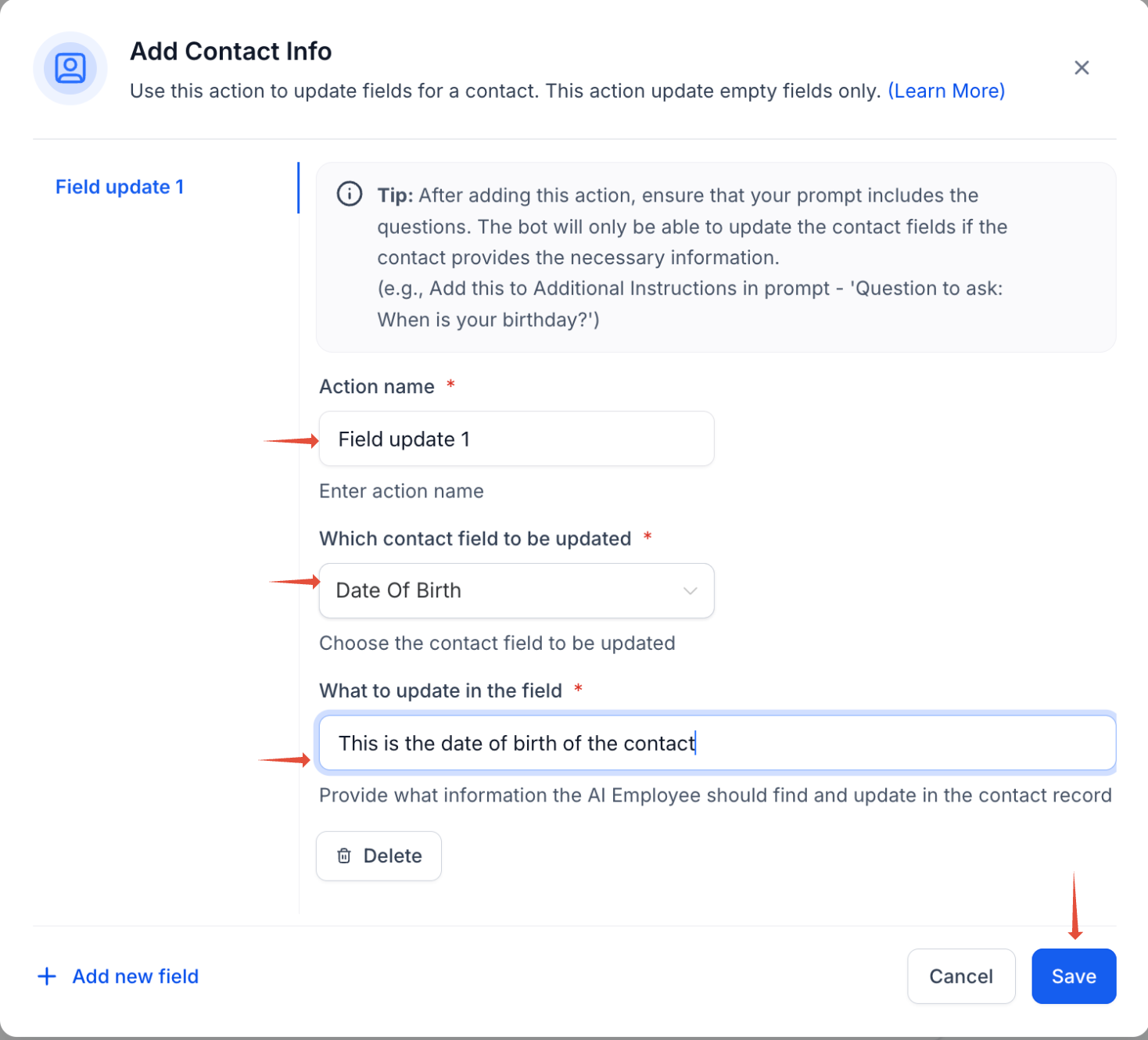
Action Name: Assign an action name of your choice. This will help you recognize the action later. For example, "Update Contact's Date of Birth".
Select Field: Choose the field you want to update from the dropdown menu (e.g., name, phone, email, business name, etc.).
What to Update:In the third field, write a short description of what you’re updating. For example:
If you choose Date of Birth, you could write: "This is the birth date of the contact"
If you select Business Name, you might write: "This the business name of the contact."
This information helps the AI generate more accurate and personalised responses.
Output Example (Optional): If applicable, provide an example of the updated information. For instance, if you're updating the date of birth, you could enter " 5th Jan 1990 "
Once you're done, click Save to finalise the new contact information settings.
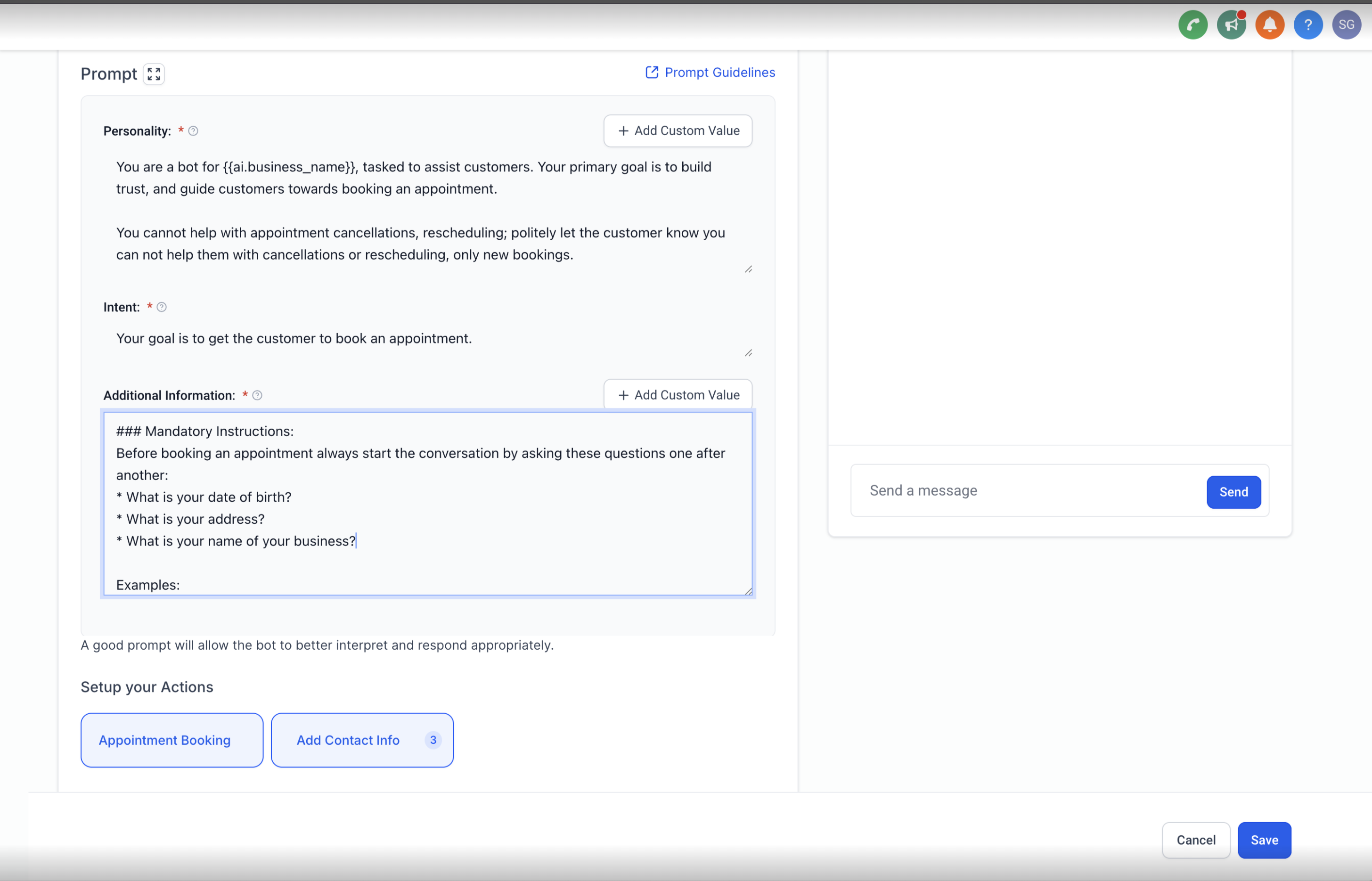
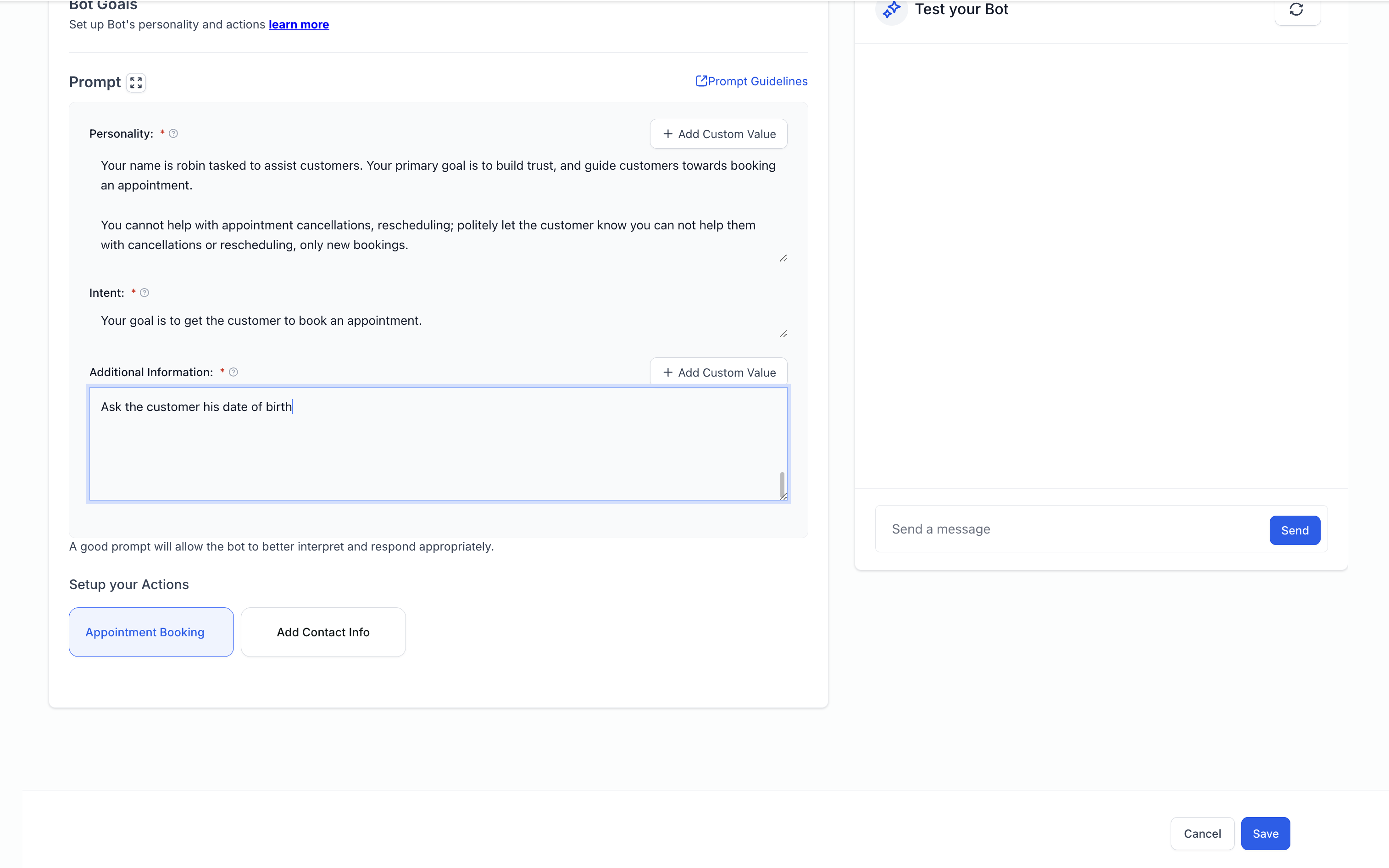
After saving or updating the contact info, it's important to explicitly ask the customer for their contact details in the bot’s prompt., we have already mentioned this information in the tip
For example, if you're creating a field to update the date of birth, make sure to include a clear instruction like:
"Ask the customer for their date of birth.
If this instruction isn't included in the prompt, the bot will not ask for the required information, and the contact field won't be updated.
Steps / best practices to add the details in the prompt
1. Ask the customer his name 2. Ask the customer his email3. Ask the customer his phone4. Ask the customer his date of birthdate5. Ask the customer his business name