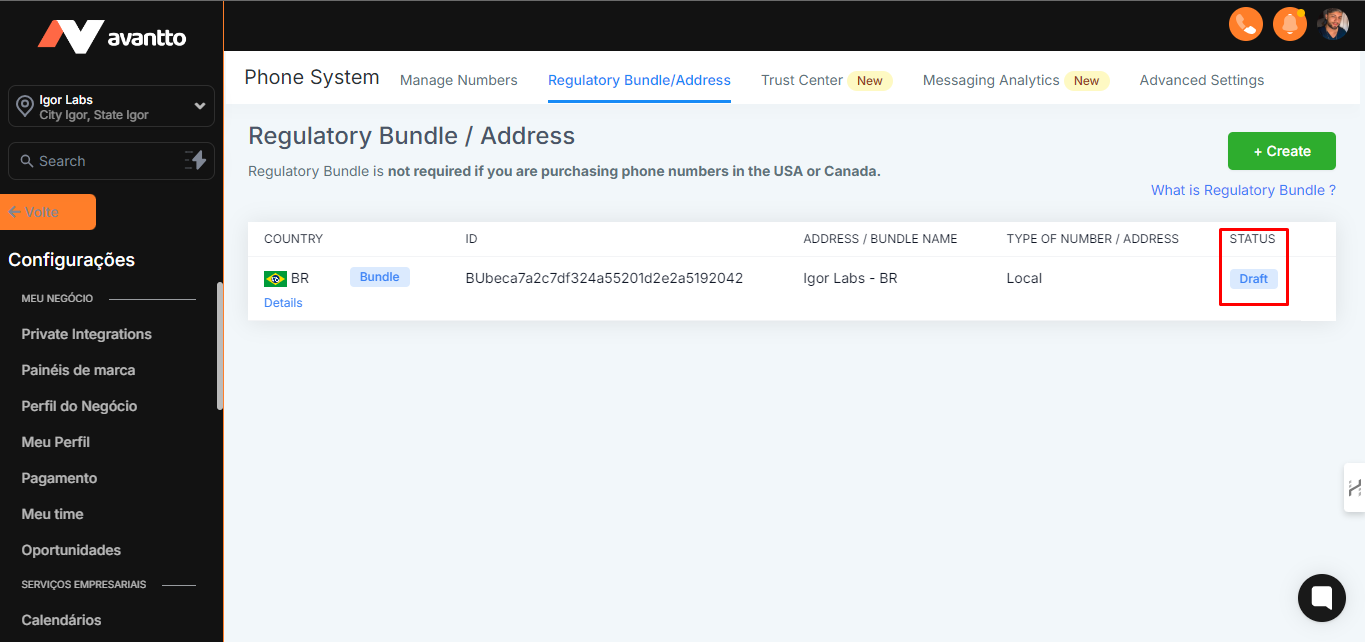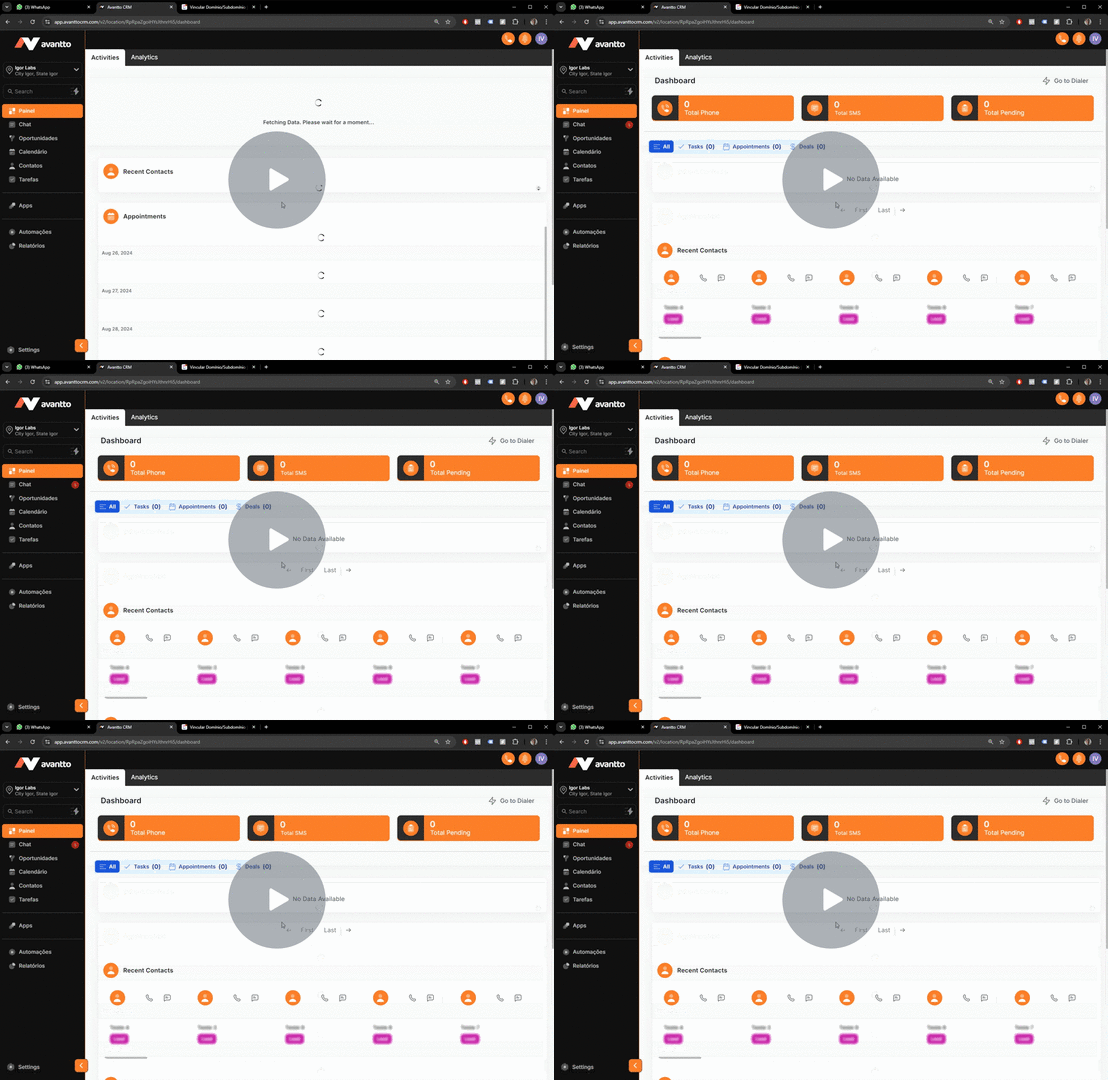
1.1 To use local numbers at Avantto in Brazil, it is necessary to configure the "Bundle" and the "Address".
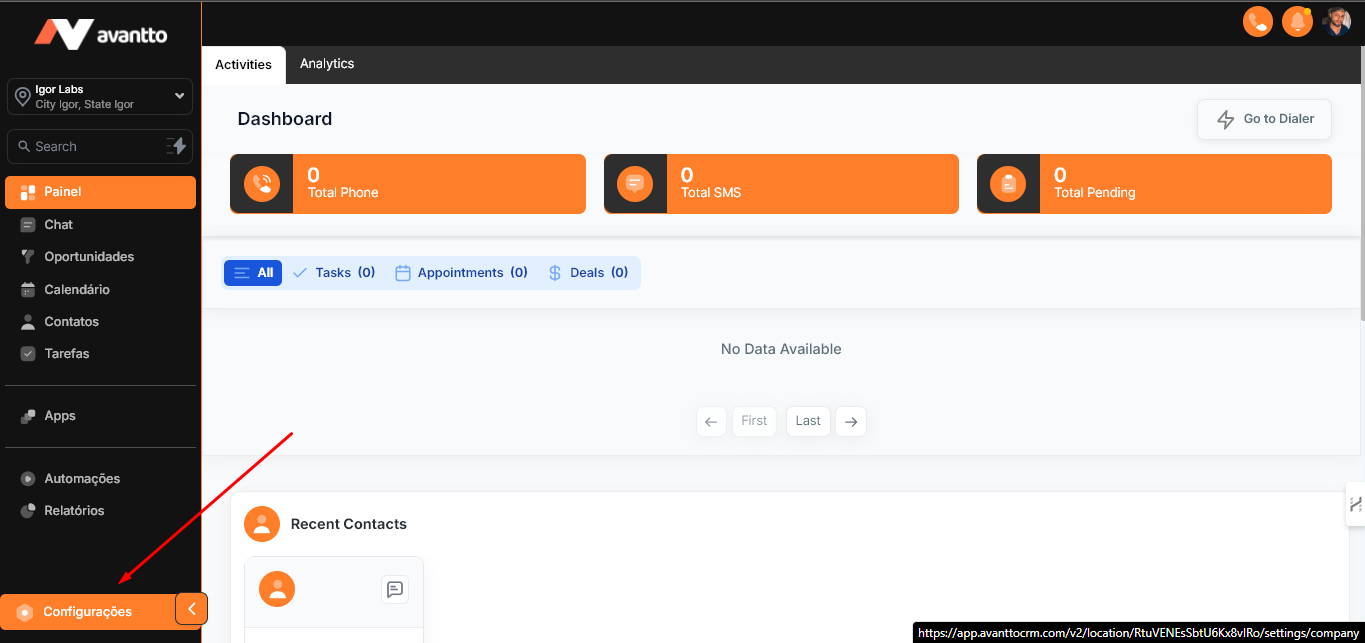
To start, access the left side menu and click on Settings.
1.2 Follow the instructions below:
Access Phone Numbers.
Select Regulatory Bundle-Address.
Click on Create and complete the two processes as shown in the image.
It is recommended to first set up the "Bundle" and then the "Address". However, it is not necessary to wait for one to be activated to set up the other.
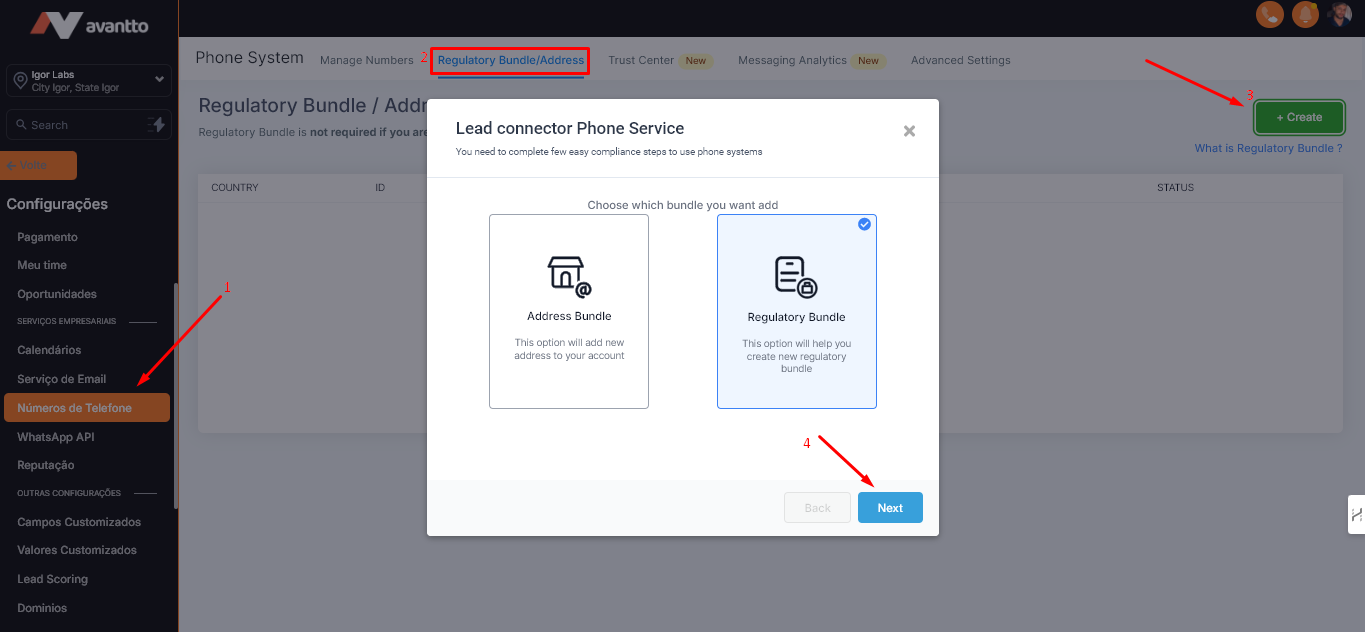
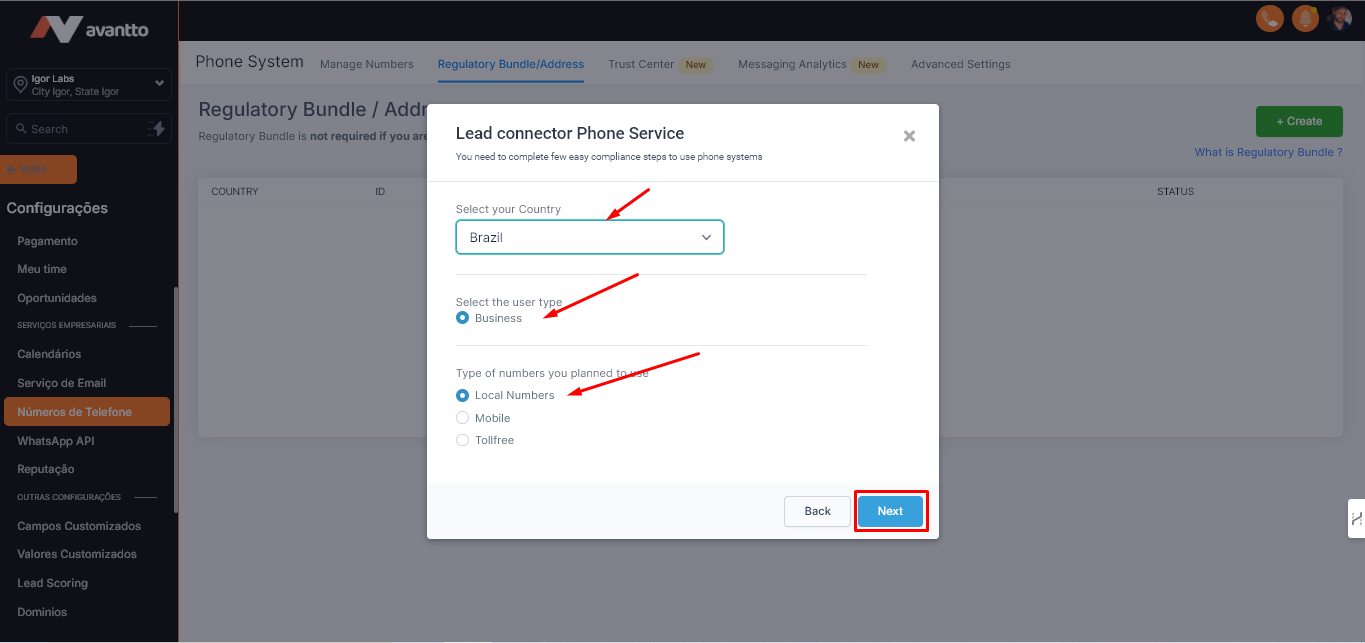
1.3 After clicking on Next with the Regulatory Bundle-Address selected, follow the steps below and click again on Next.
Select the desired country.
The option Business will already be selected by default, so keep this choice.
Select Local Numbers as you will be using a local number.
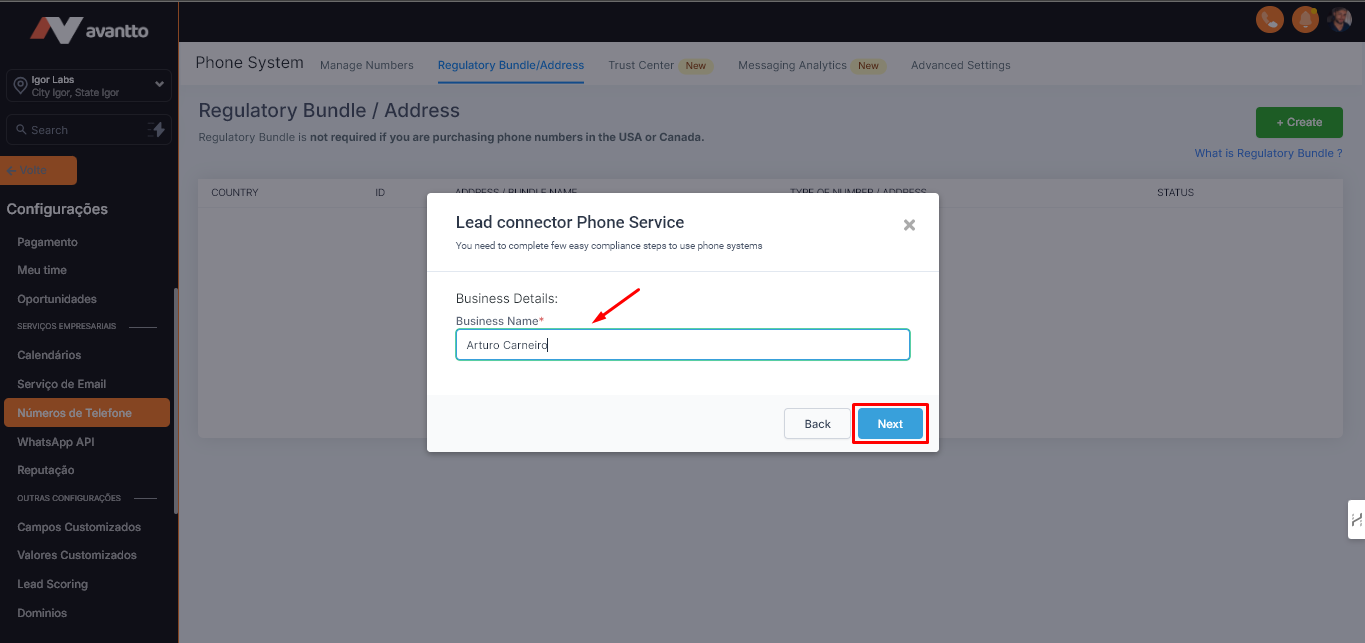
1.4 Fill in the field with the legal name of your business, as written in documents, and click Next.
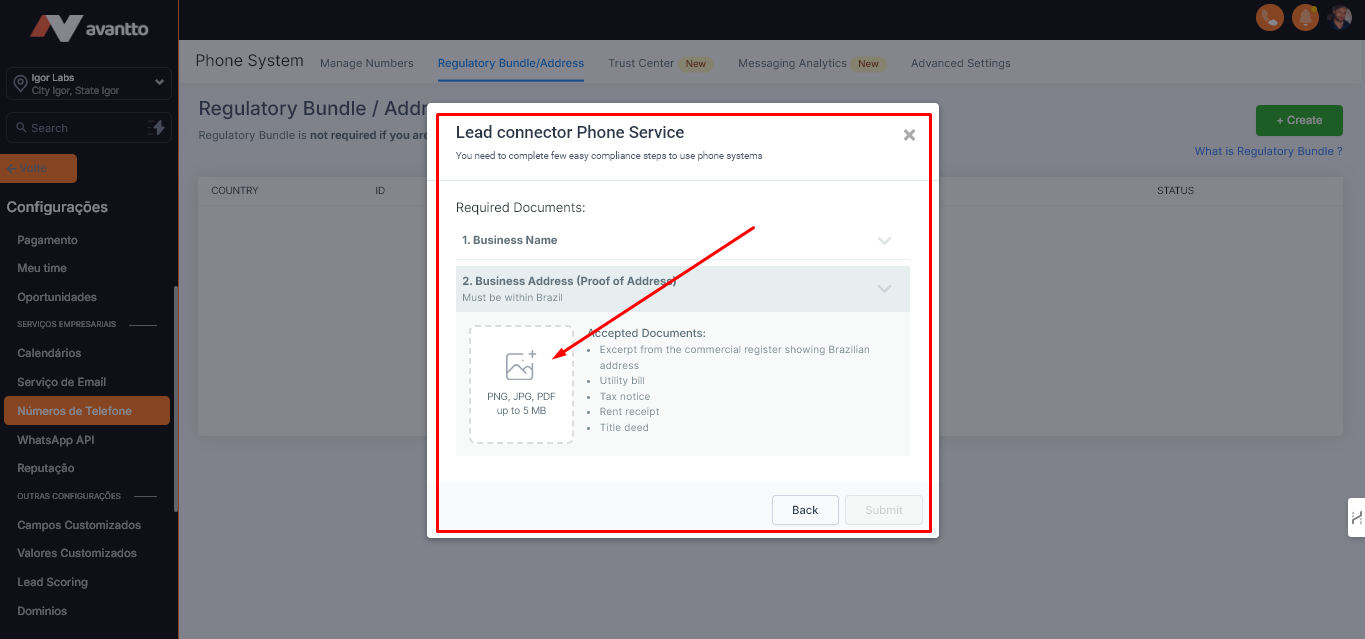
1.5 Click on Business Name, where a document proving the legal existence of the company will be requested.
Then, click on Business Address (Proof of Address), where it will be necessary to submit a document that proves the address, type of account, and active CNPJ of the company. This document must contain the address and other information described below in the image. If the document used in the Business Name contains this data, it can be used for both steps.
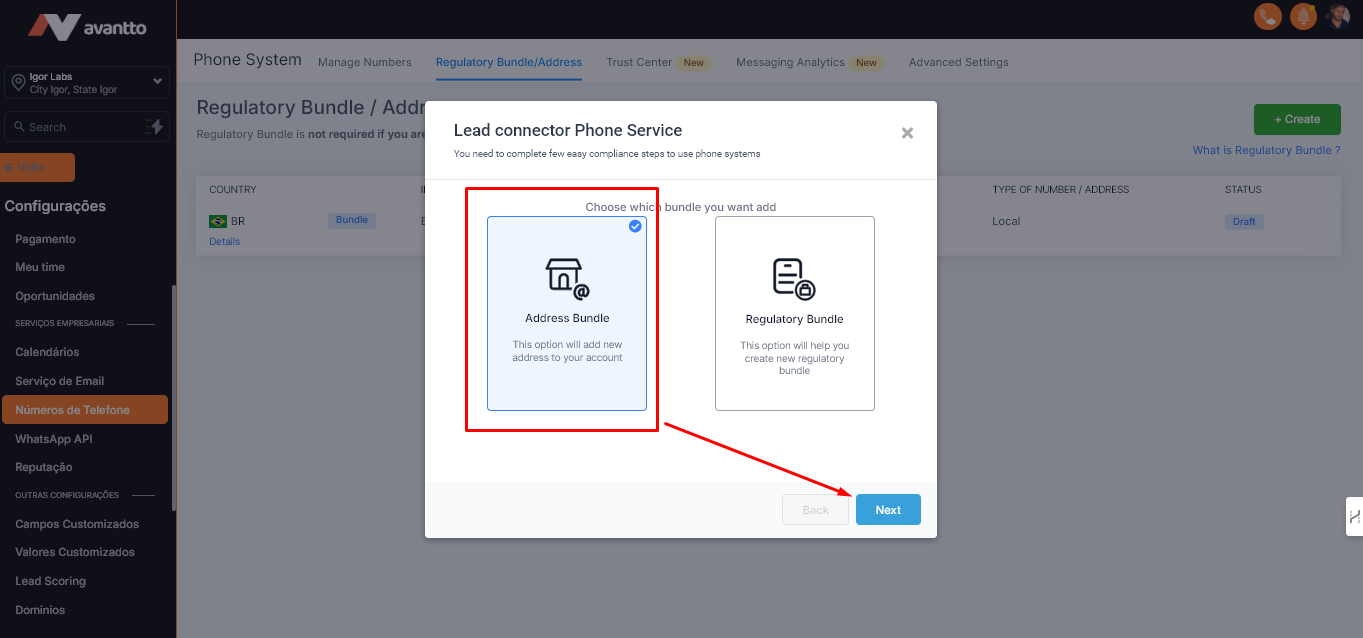
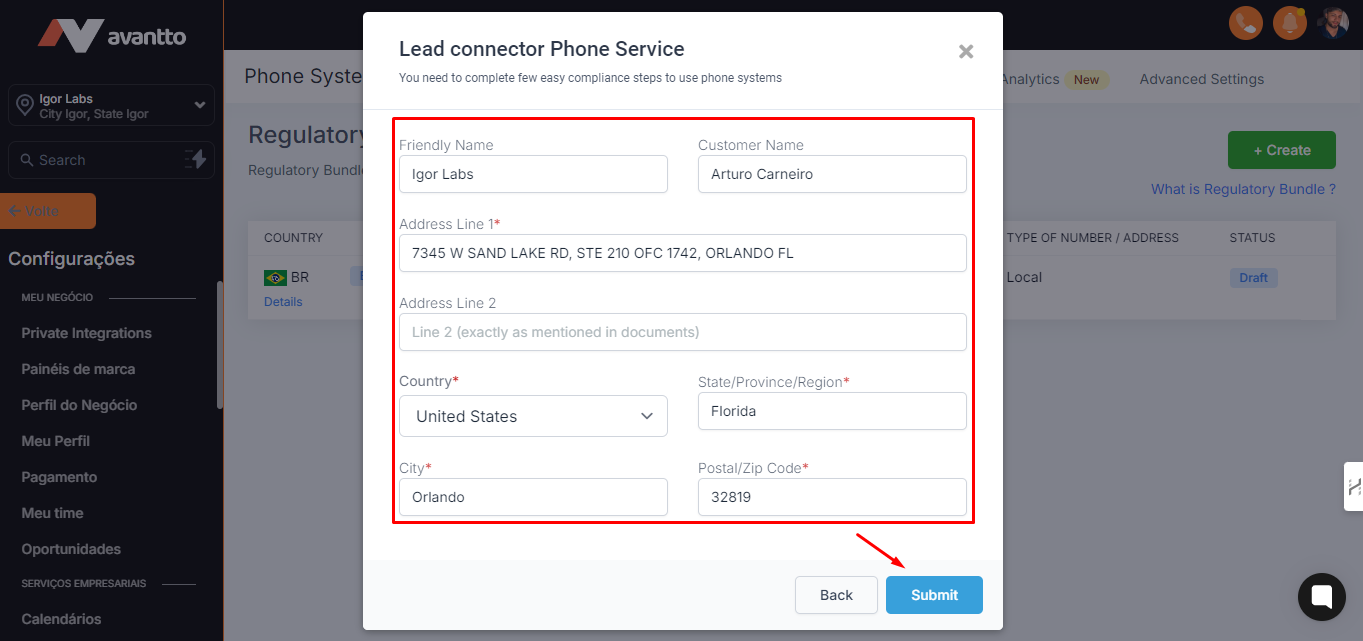
1.6 Now, let's set up the Address Bundle, which follows a process very similar to the Bundle.
1.7 In Friendly Name (Nome Amigável), enter a name to identify the number.
In Customer Name (Nome do Cliente), enter the name of a company representative.
In Address Line (Linha de Endereço), add the full address.
Fill in the fields Country (País), State (Estado), City (Cidade) and Postal/Zip Code (CEP).
Click Submit (Submeter) to finish.
1.8 Finally, when the status shows Approved (Aprovado) or Active (Ativo), the number will be ready for use in the registered profile.