This action sends conversion events that happen in Avantto to your Google Ads account, allowing you to track specific actions (like purchases, signups, or form submissions) that are directly tied to your ads. You can define the conversion event that should be triggered based on certain actions in your workflow.
Action Name: Set the action name to something that makes sense in your workflow.
Conversion: Copy and paste the conversion name from Google AdWords EXACTLY.
If you're running a Google Ads campaign to drive form submissions, you can trigger a "Lead Form Submission" conversion event when a user submits a form. This helps track how effective your ad is in generating leads.
Form Submission: Trigger this action when a form is submitted to track conversions in Google Ads.
Appointment Booked: Use this action to track when appointments are booked as a conversion.
Product Purchase: Track product purchases as a conversion event in Google Ads.
Link Clicked: Trigger the conversion event when a specific link is clicked, indicating user engagement from your ad.
Page Visit: Track visits to specific pages (e.g., "Thank You" or "Confirmation" pages) as conversion events in Google Ads.
Ensure your Google Ads account is properly configured to receive conversion data.
The conversion event must be set up in Google Ads prior to using this action in your workflow.
This action will help you optimize ad spend by measuring the effectiveness of your campaigns.
As of Nov 26, 2024 this workflow action supports gclid, wbraid, and gbraid
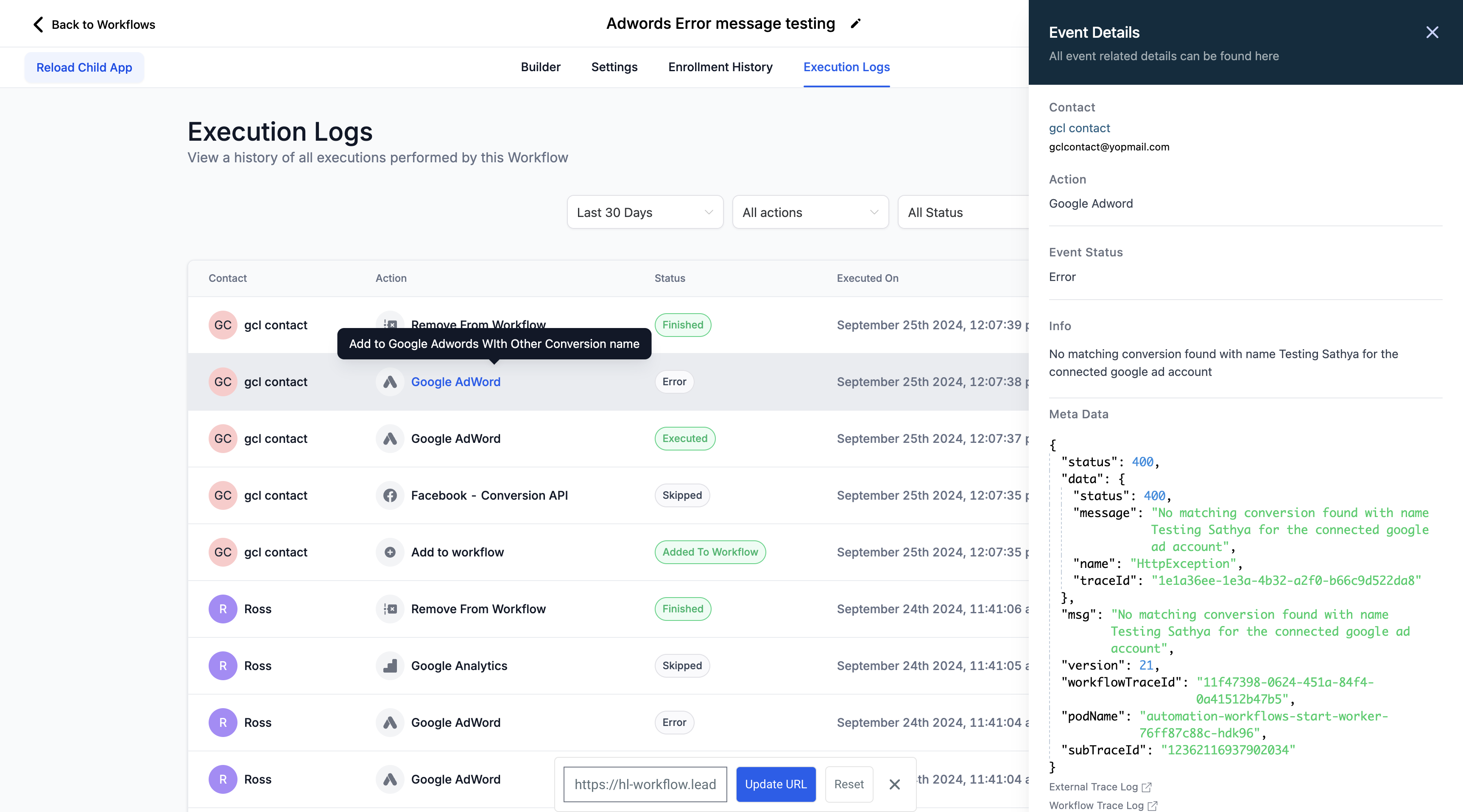
If your conversion tracking is not working, check the workflow execution logs. They will clearly show if the action failed and what the response code was. In this case, it's because the conversion name doesn't match anything in Google AdWords.
If the google ad conversion tracking setup is 'One per click' then the GCLID(Google Click ID) is required for effective tracking. If GCLID is missing then user sees a skipped message:
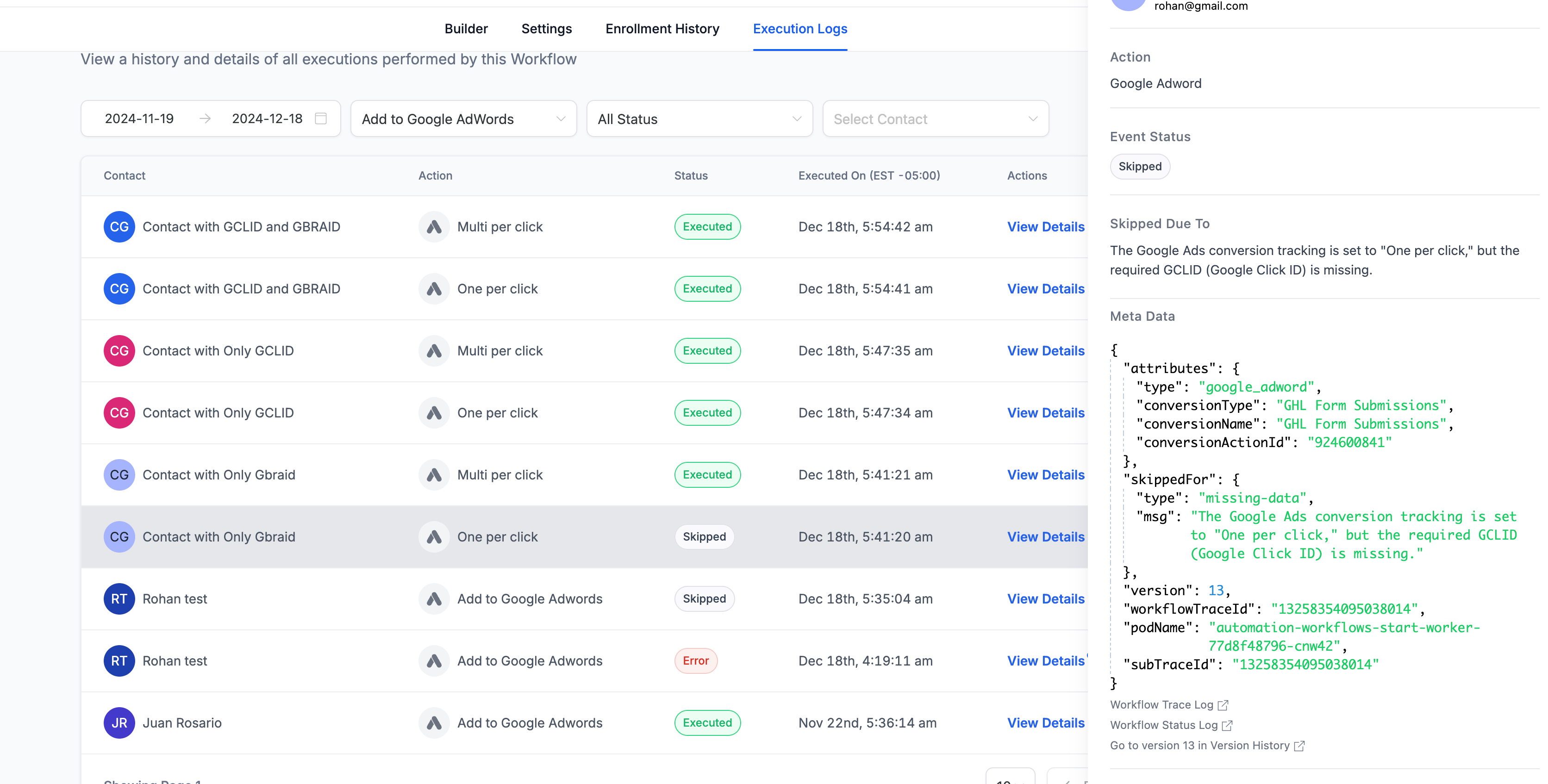
Note: GBRAID and WBRAID are not supported 'One per click' conversion tracking and are supported for 'Multi per click' conversions.