Log in to Avantto : Use your credentials to access the Avantto platform.
Navigate to the workflows section : This can usually be done through the main menu or automations.
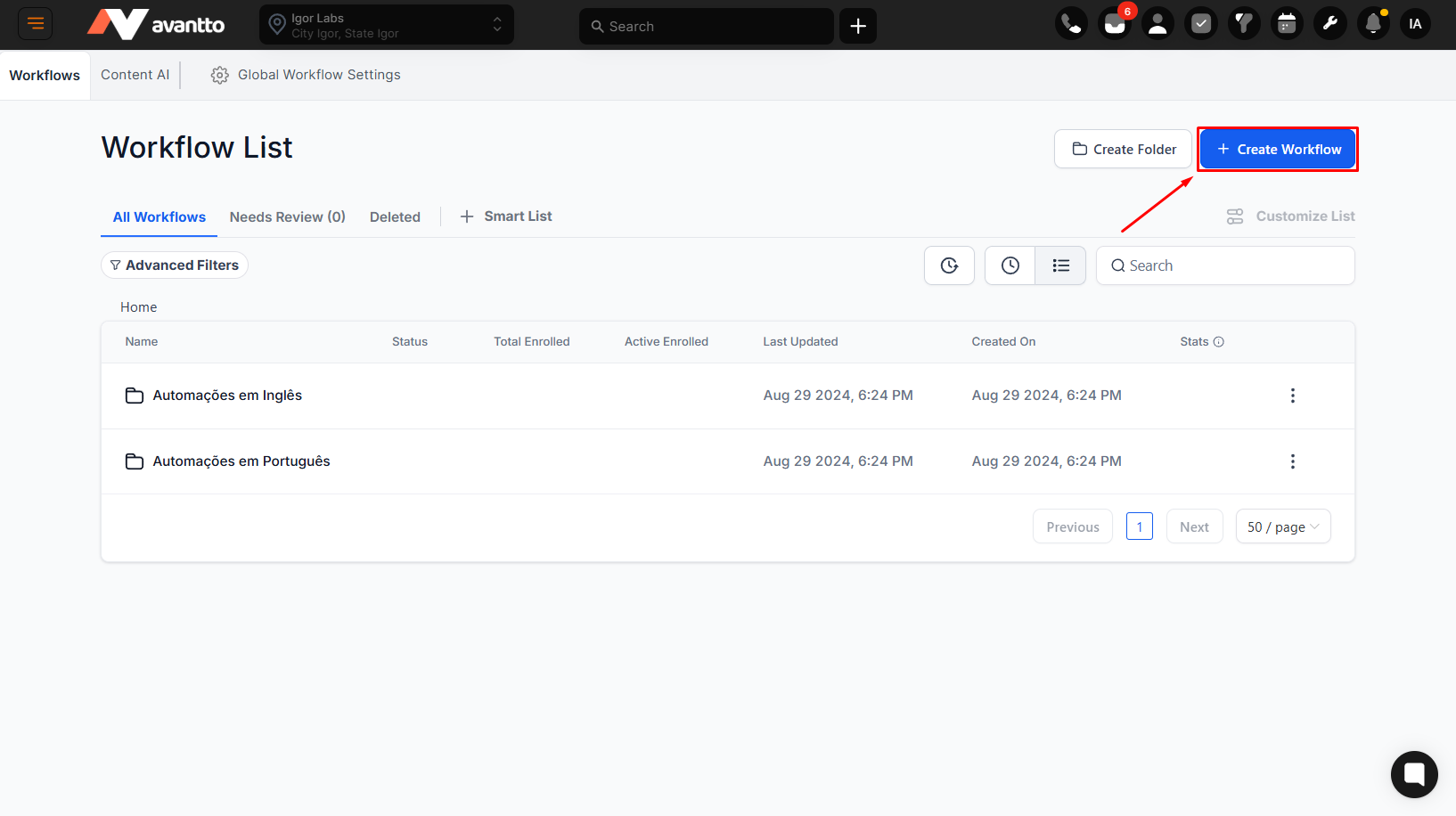
Create a new workflow or edit an existing one : If you are creating a new workflow, click the button to add a new one. If you are editing an existing one, select it and enter edit mode.
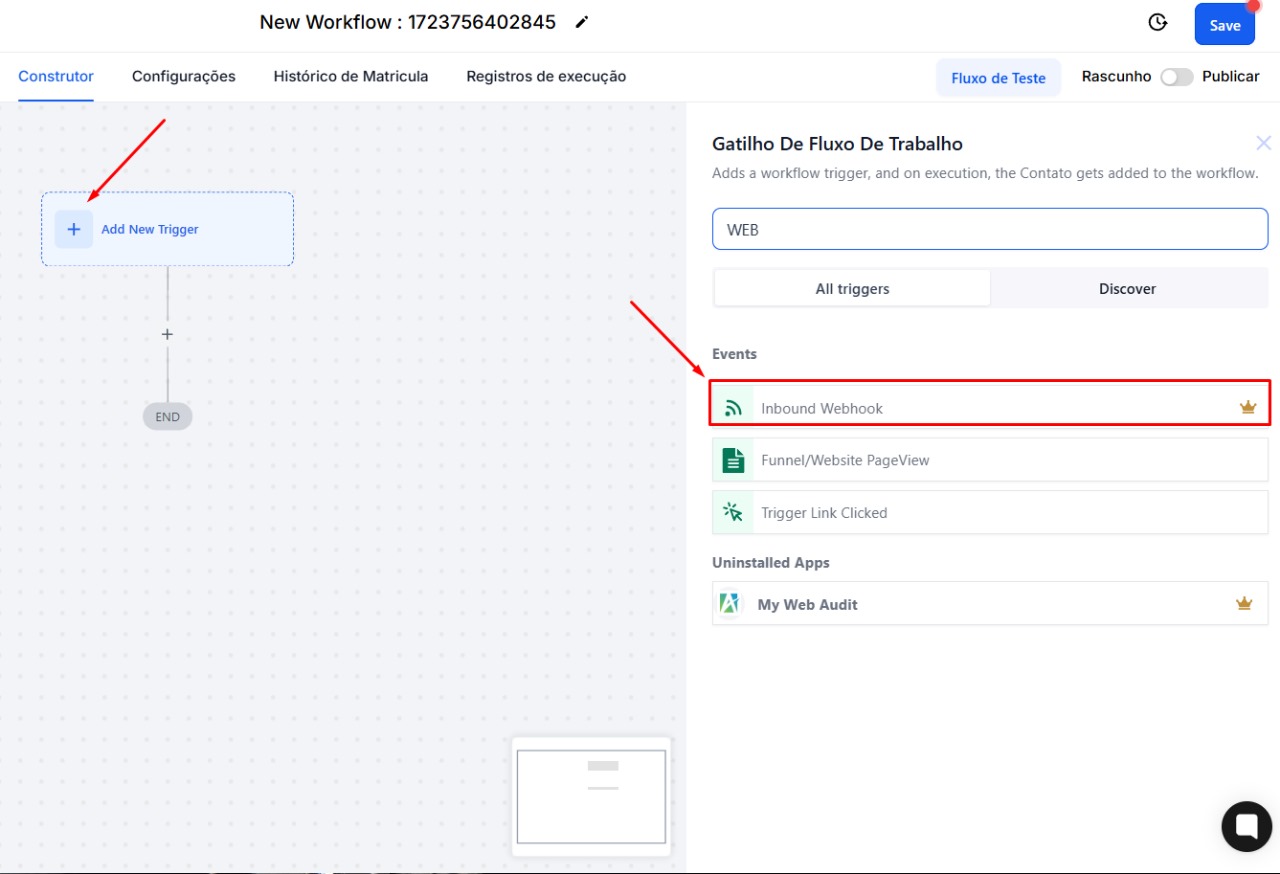
Locate the option to add a new trigger : In the workflow builder interface, look for a button or icon that allows you to add a new trigger.
Select "Inbound Webhook" : From the available triggers, choose "Inbound Webhook" to receive data from an external platform.
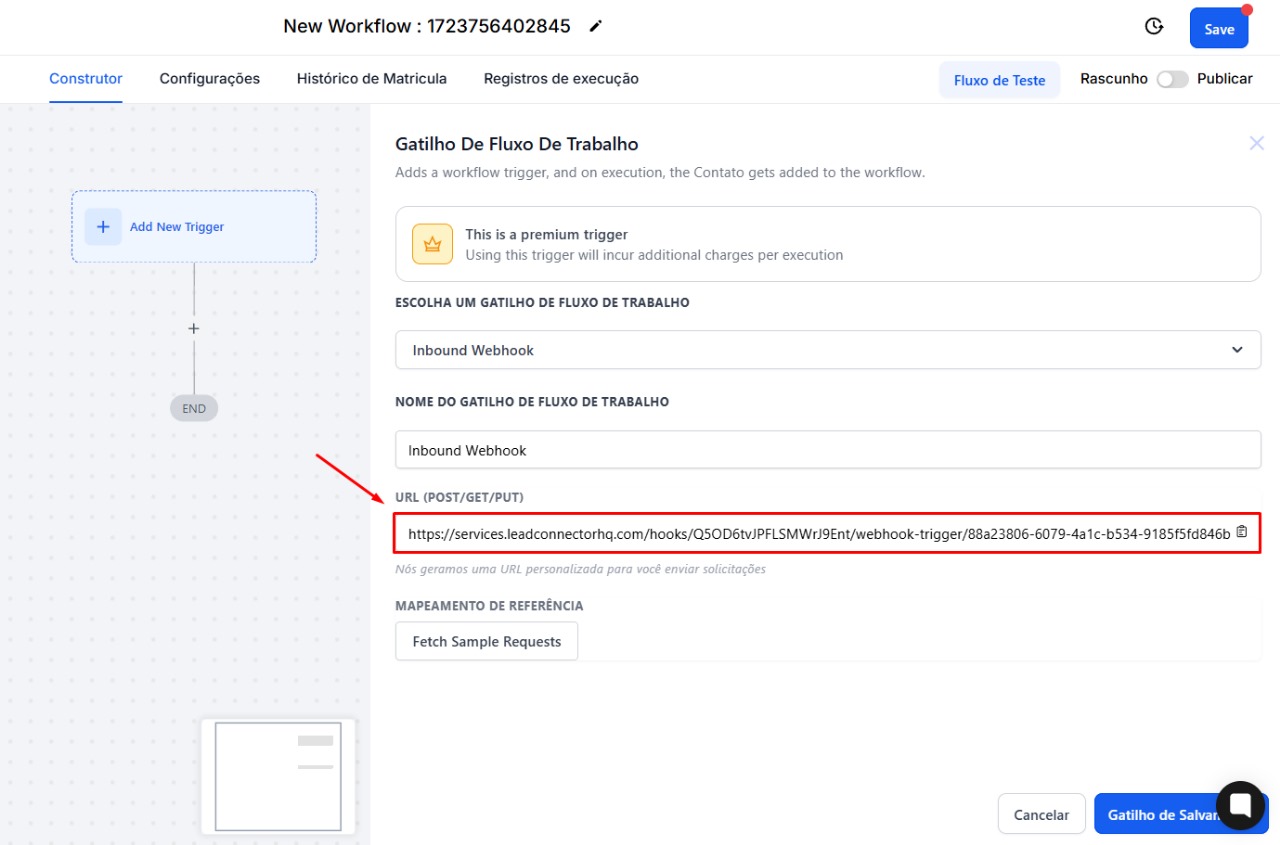
Give the trigger a name : For example, "Inbound Webhook" to easily identify it.
Copy the provided URL : After configuring the webhook trigger, Avantto will provide a unique URL. It is essential to copy this URL, as it will be used by the external platform to send data.
Set up a POST request : In the external platform, define a POST request to the webhook URL copied in the previous step.
Send data in JSON format : The data must be sent in JSON format. For example:
{
"name": "Igor",
"email": "igor@avanttocrm.com",
"phone": "98987654321"
}
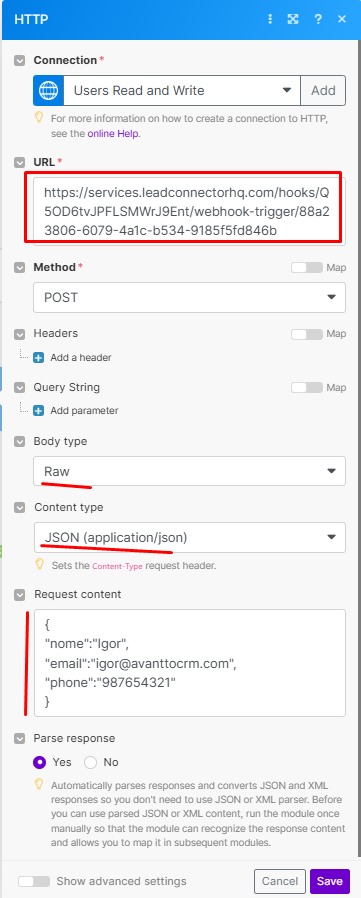
3. Make sure to include the correct headers : Depending on the Avantto configuration, it may be necessary to include headers such as "Content-Type: application/json".
4. Save the Reference Mapping and confirm that the data is arriving correctly
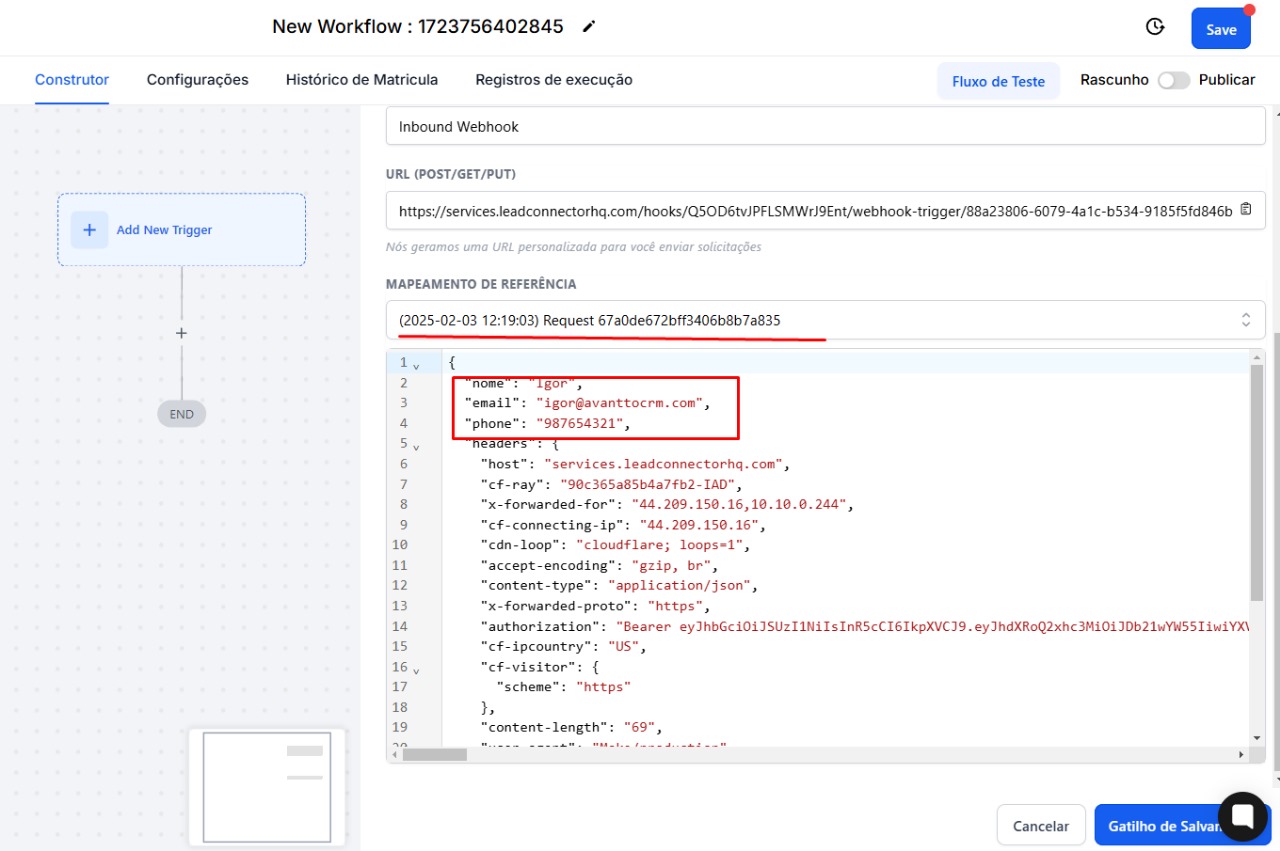
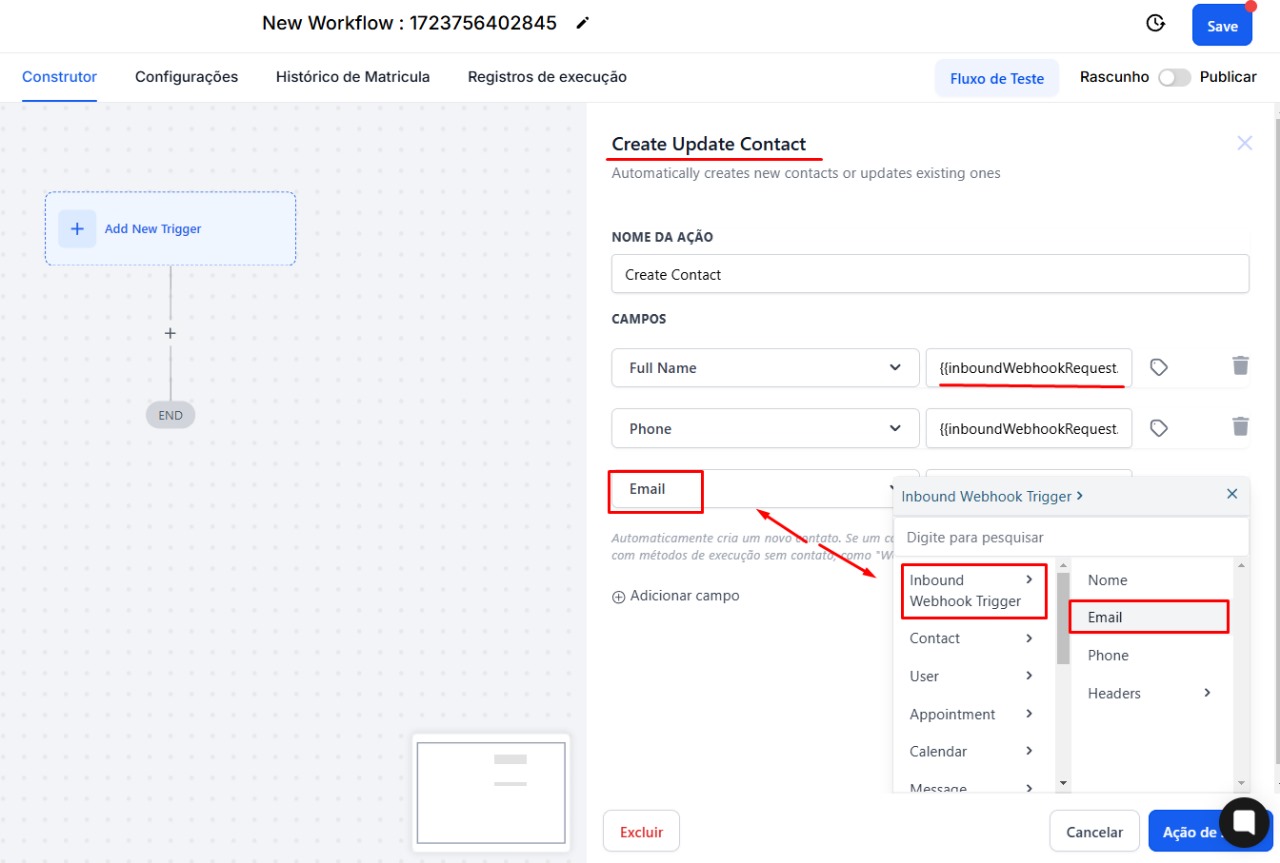
Add an action to create or update a contact : After the webhook trigger, add an action to create or update a contact in Avantto.
Map the input data to the contact fields : Use the reference mapping option to link the data received via webhook to the corresponding contact fields. For example:
Full Name : Map to {{inboundWebhookRequest.nome}}
Email : Map to {{inboundWebhookRequest.email}}
Phone : Map to {{inboundWebhookRequest.phone}}
Send a test request from the external platform : Use a tool like Postman or the testing feature of the external platform itself to send test data to the webhook.
Verify if the contact was created or updated in Avantto : After receiving the request, Avantto should create or update the contact based on the provided data.
Data Formatting : Ensure that the data sent is in the correct JSON format and that all required fields are included.
Authentication and Security : It is not necessary to implement authentication or data validation mechanisms.
By completing these steps, you should have a functional webhook integration between the external platform and Avantto, enabling efficient data synchronization and the ability to use all of Avantto's automation features.