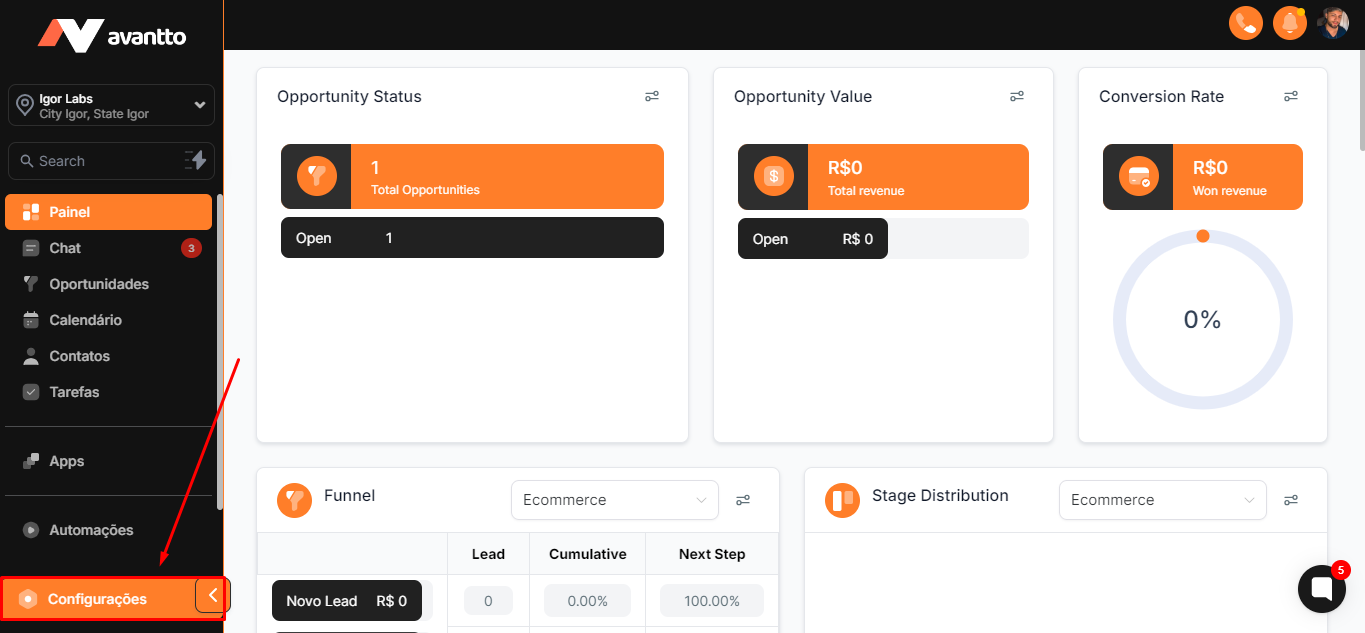
1. In the left side menu of the screen, click on Settings.
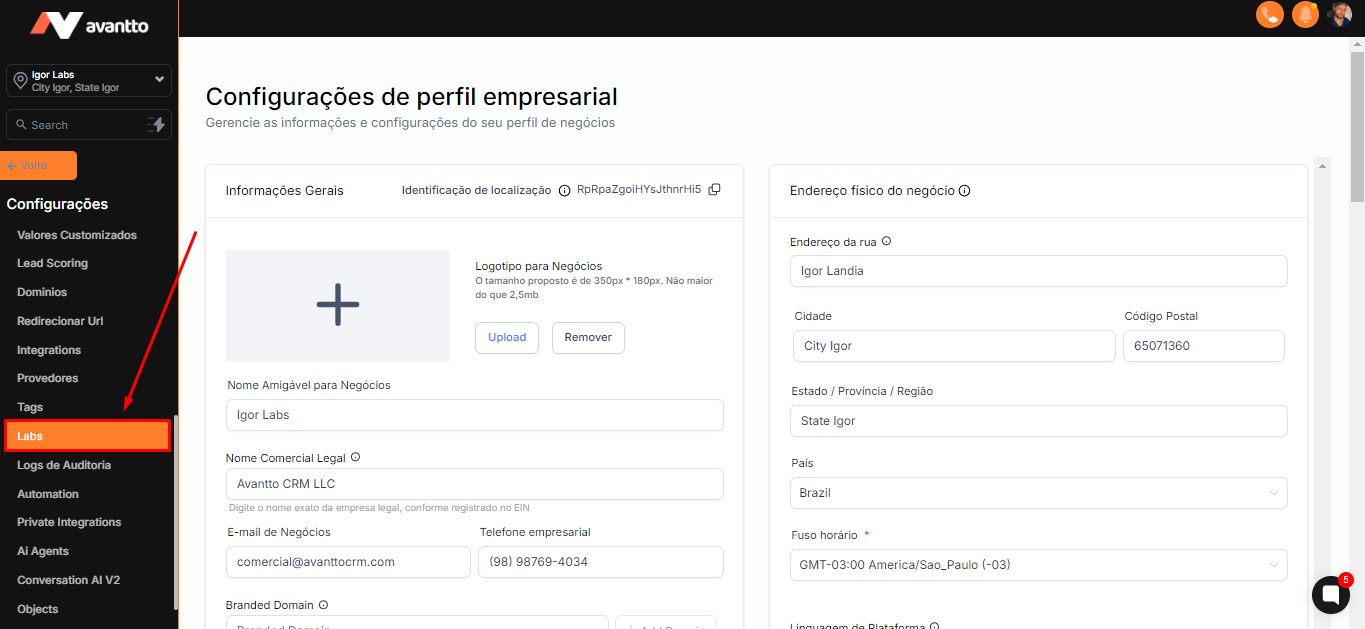
2. Scroll down until you find the option "Labs"
3. Finally, after finding and clicking on the "Labs" option, you will find a list of all system updates, including those that are in progress. Updates may include new features, performance improvements, and bug fixes.
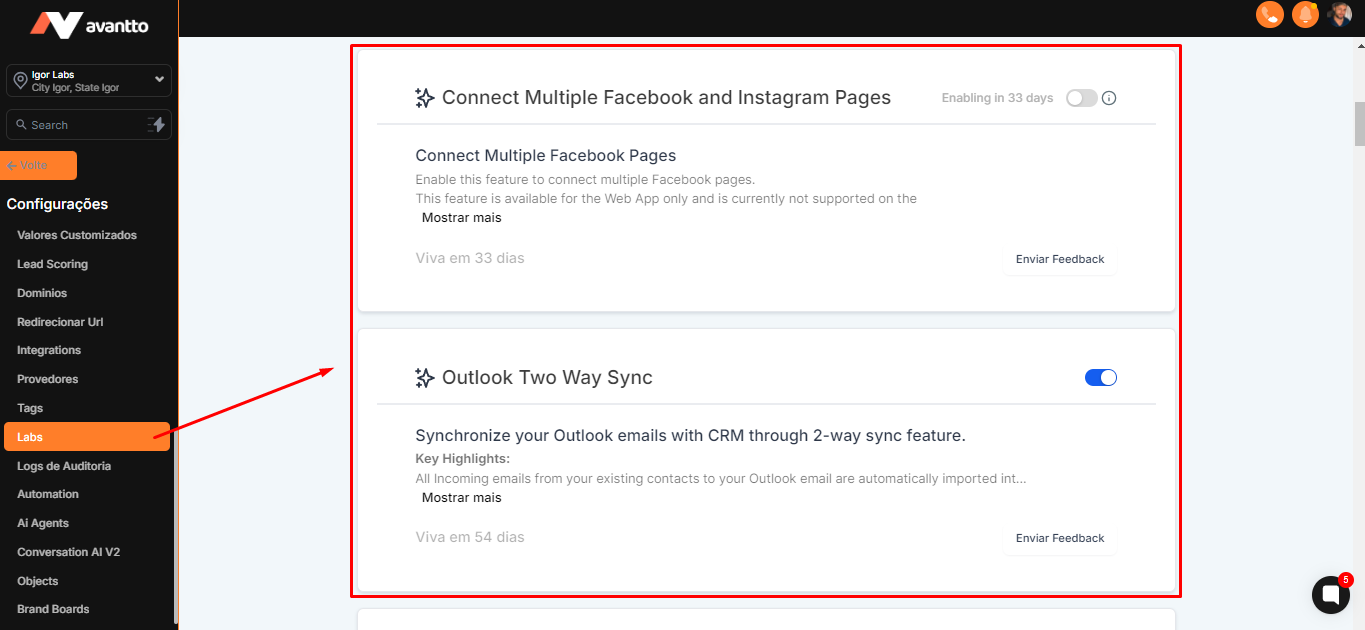
Stay Updated with the News: Regularly check the "Labs" section to stay informed about the latest updates and new features.