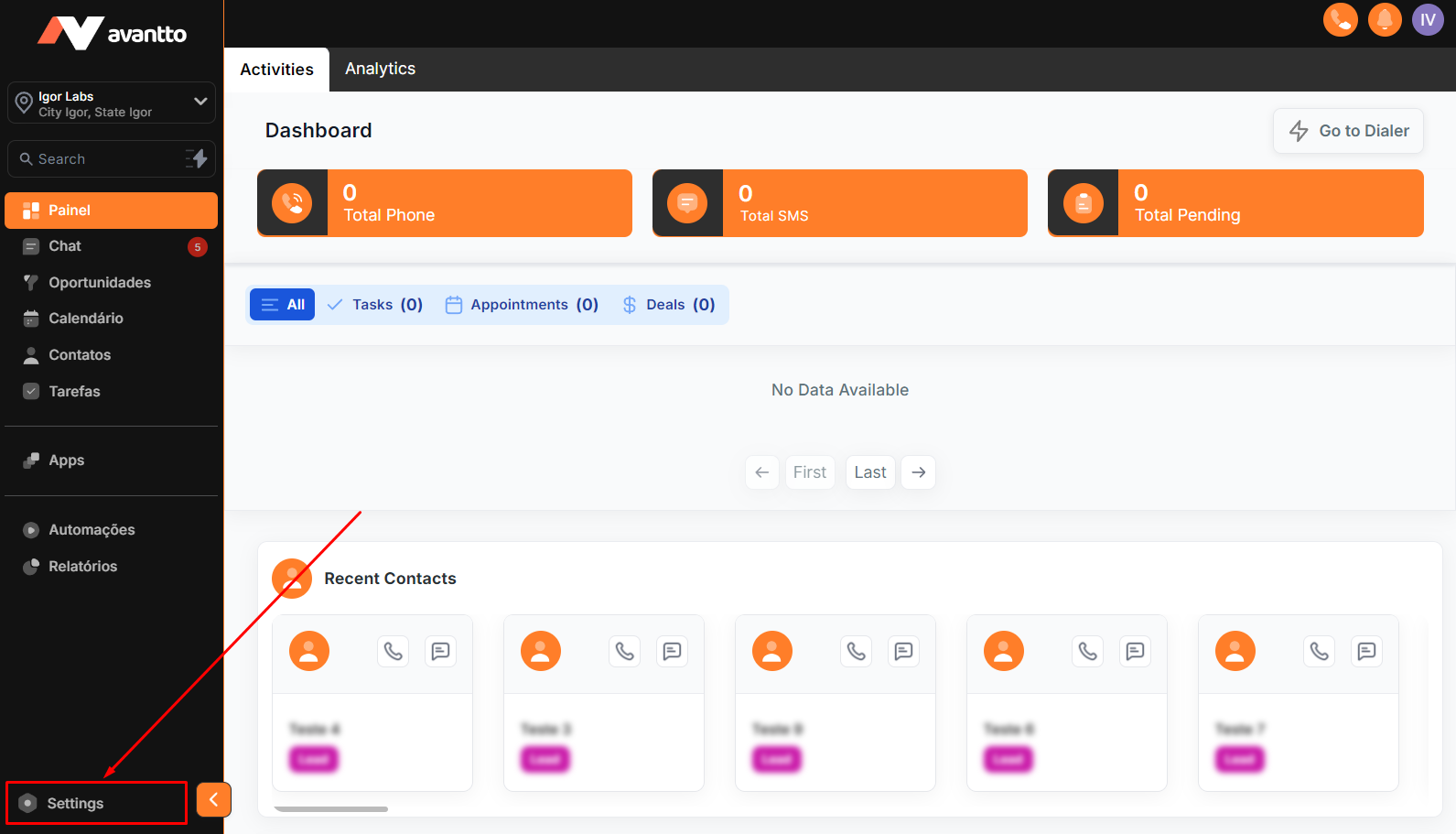
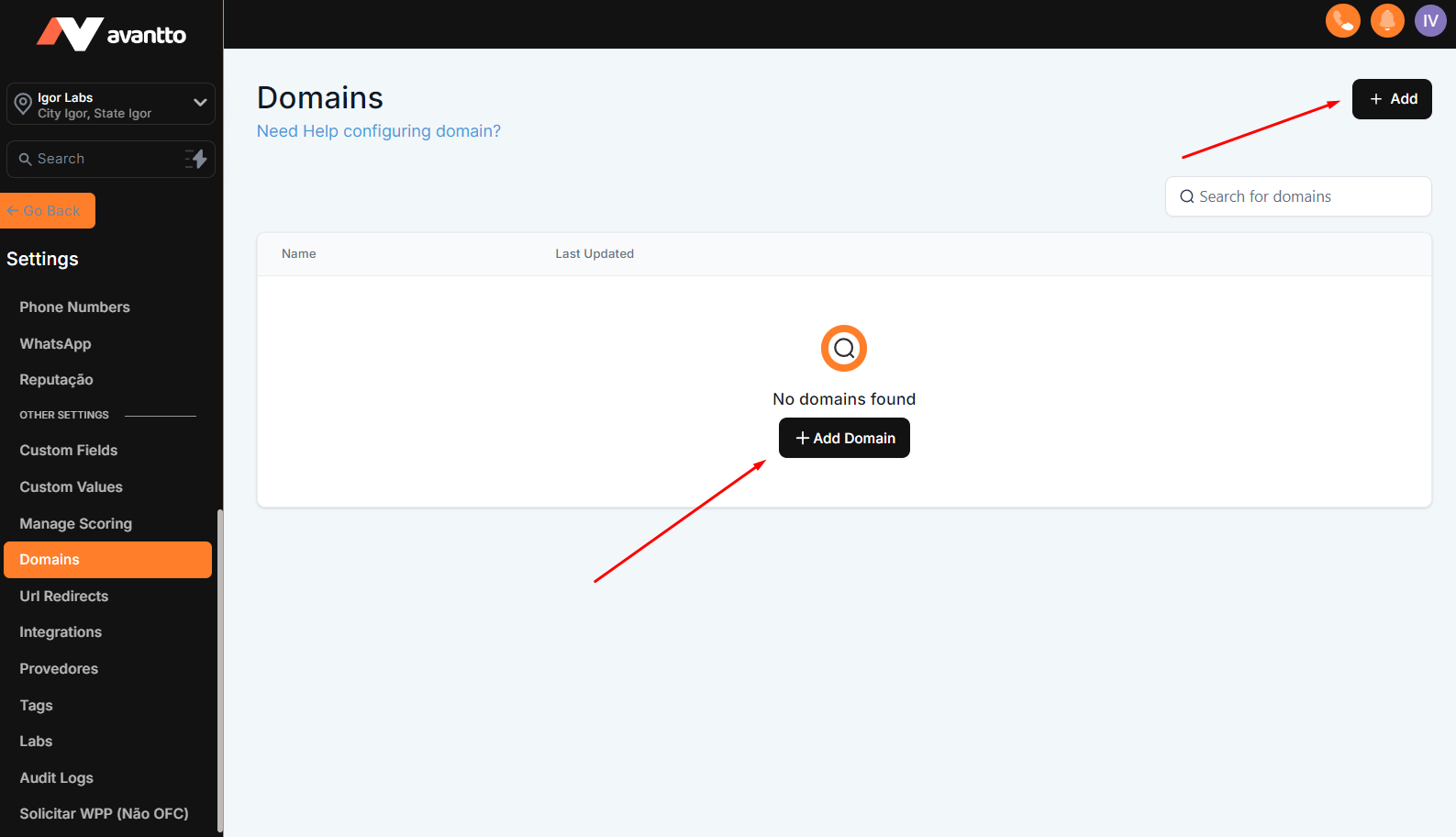
1.1 Click on "Settings" in the left-hand menu.
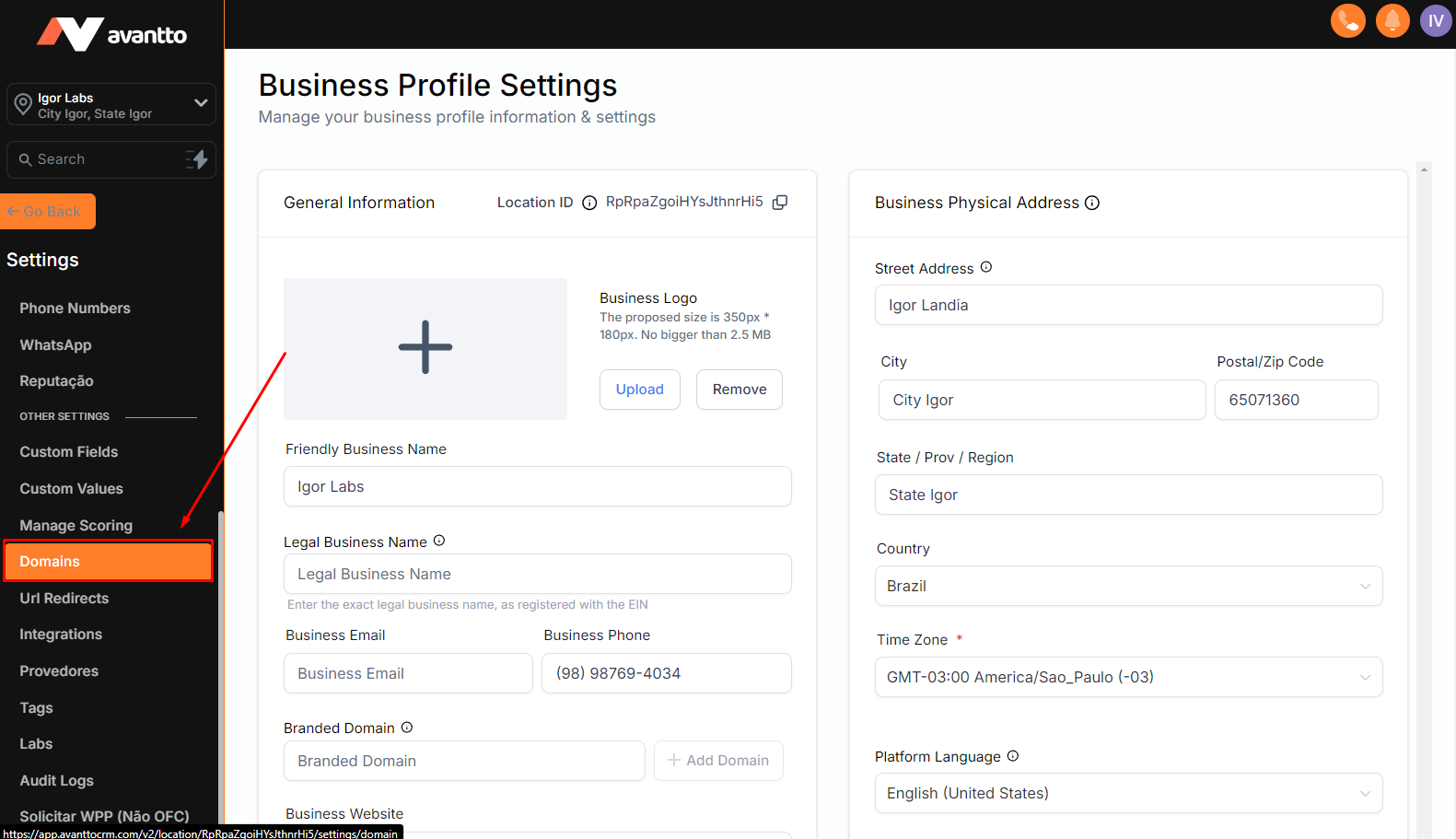
1.2 Still in the left-hand menu, further down find and click on "Domains".
1.3 Click on "add" to add new domains or subdomains.
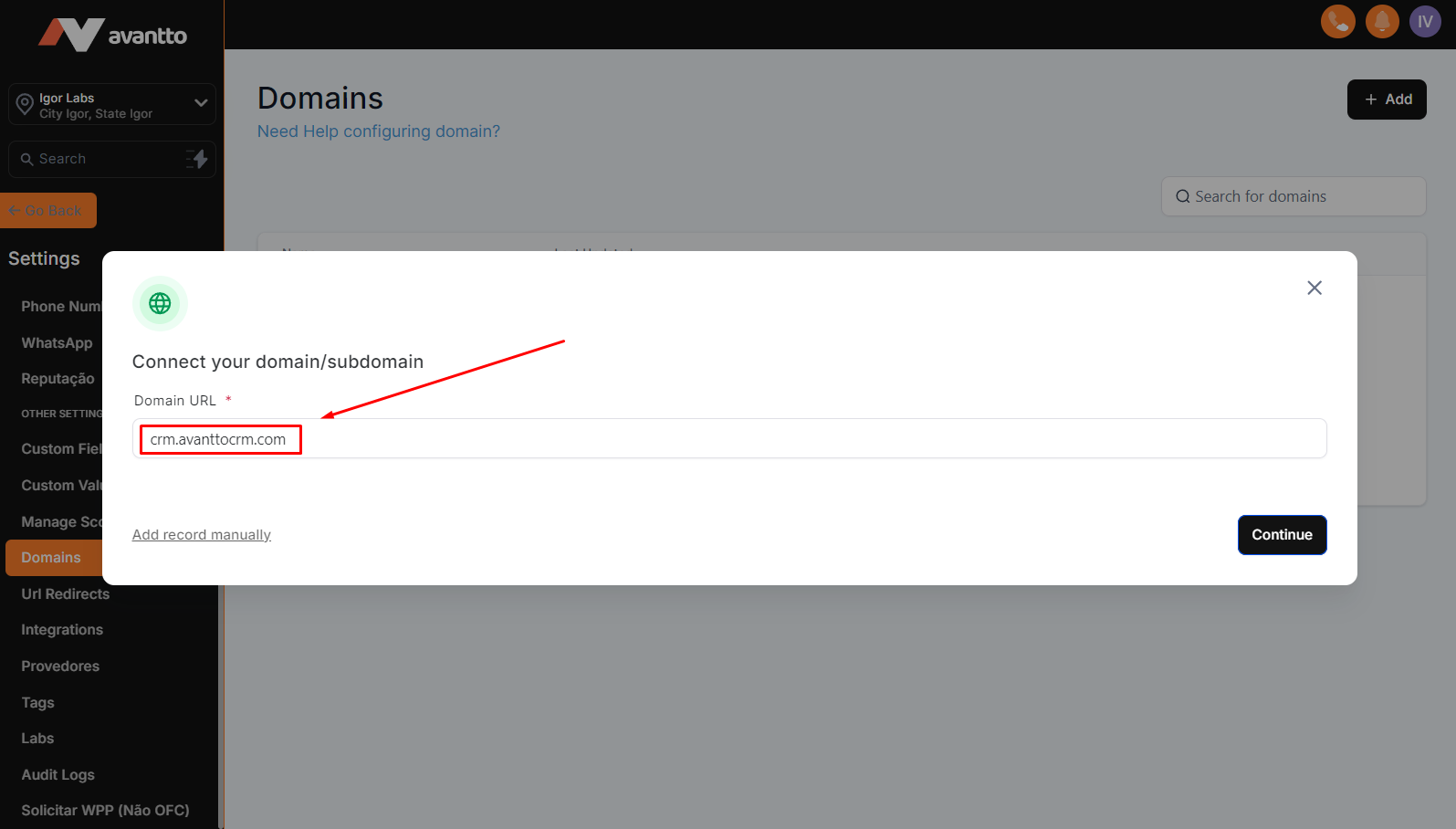
2.1 In this field, you will enter the domain or subdomain that you will add to Avantto, with the option to add manually and point the DNS on your own, or in the case of GoDaddy domains, click continue and add automatically just by following the steps.
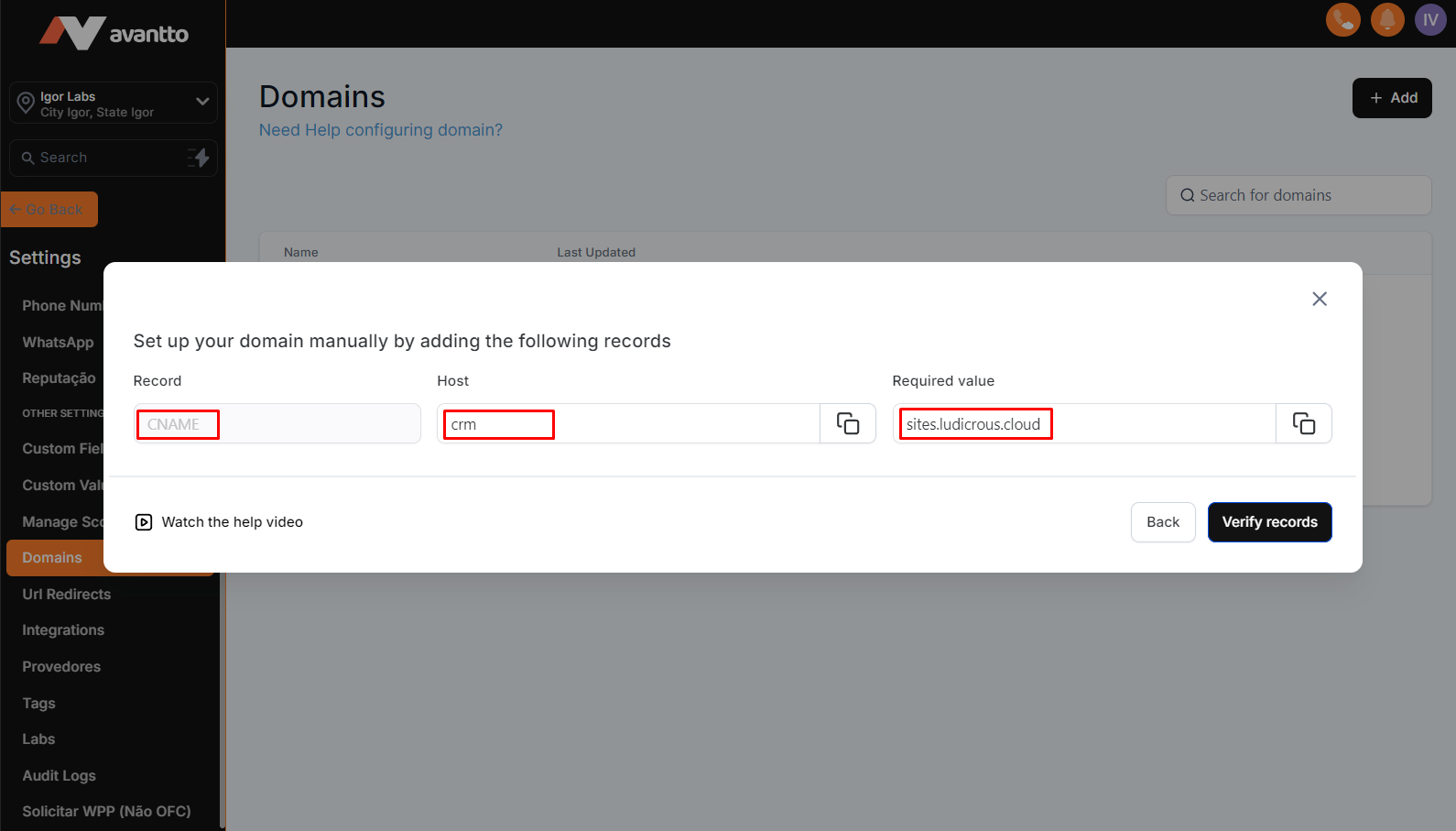
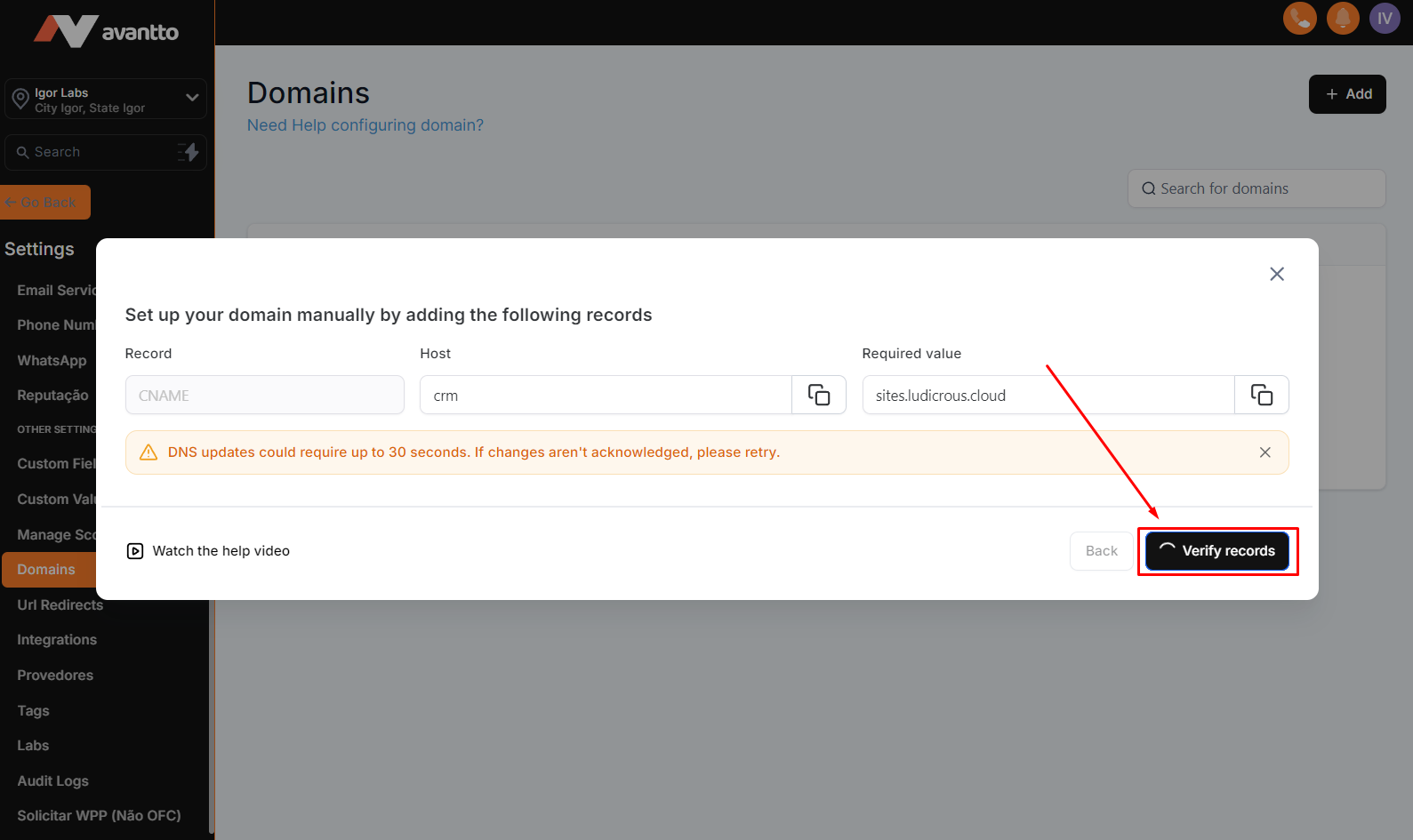
2.2 If you choose to add manually, these will be the settings to point the DNS within your domain platform.
To point subdomains, the settings and values will be as in the example below.
If you want to add the domain, the settings and values will be similar to the image below.
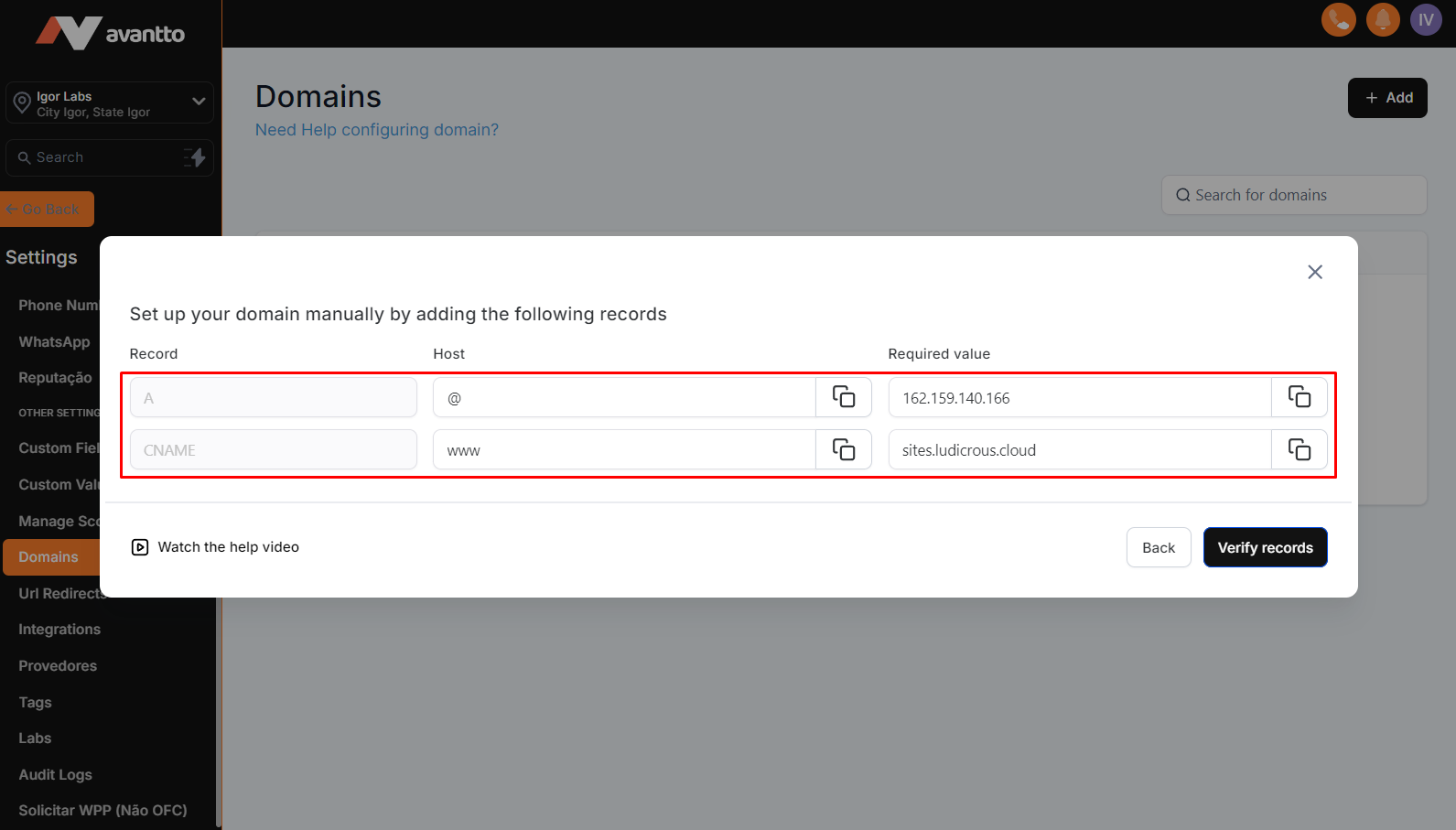
2.3 After pointing the DNS correctly, click to verify the connection.
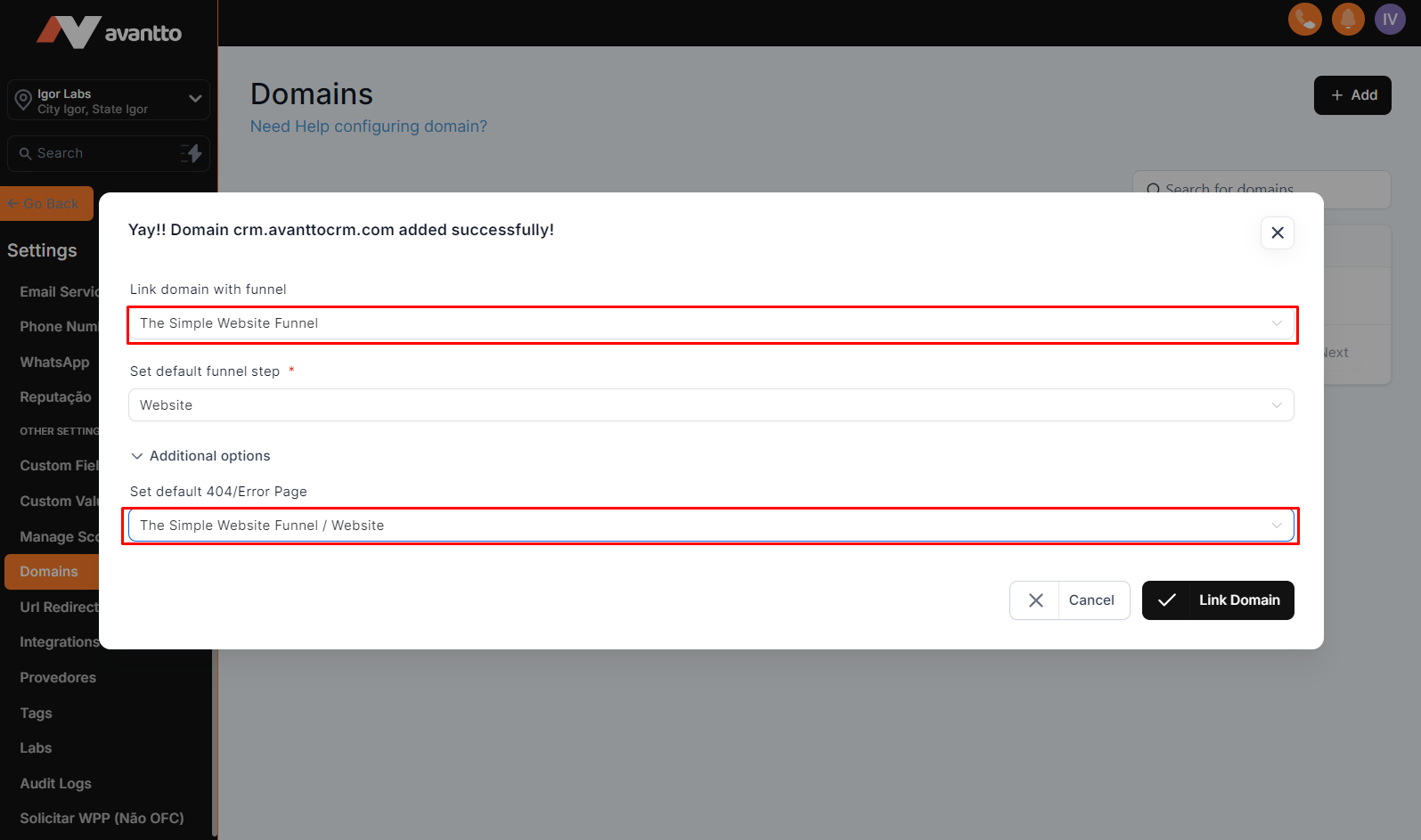
2.4 Select the default page for the subdomain or domain, and also the default page for connection error cases, and finally click on "connect domain/Link Domain"
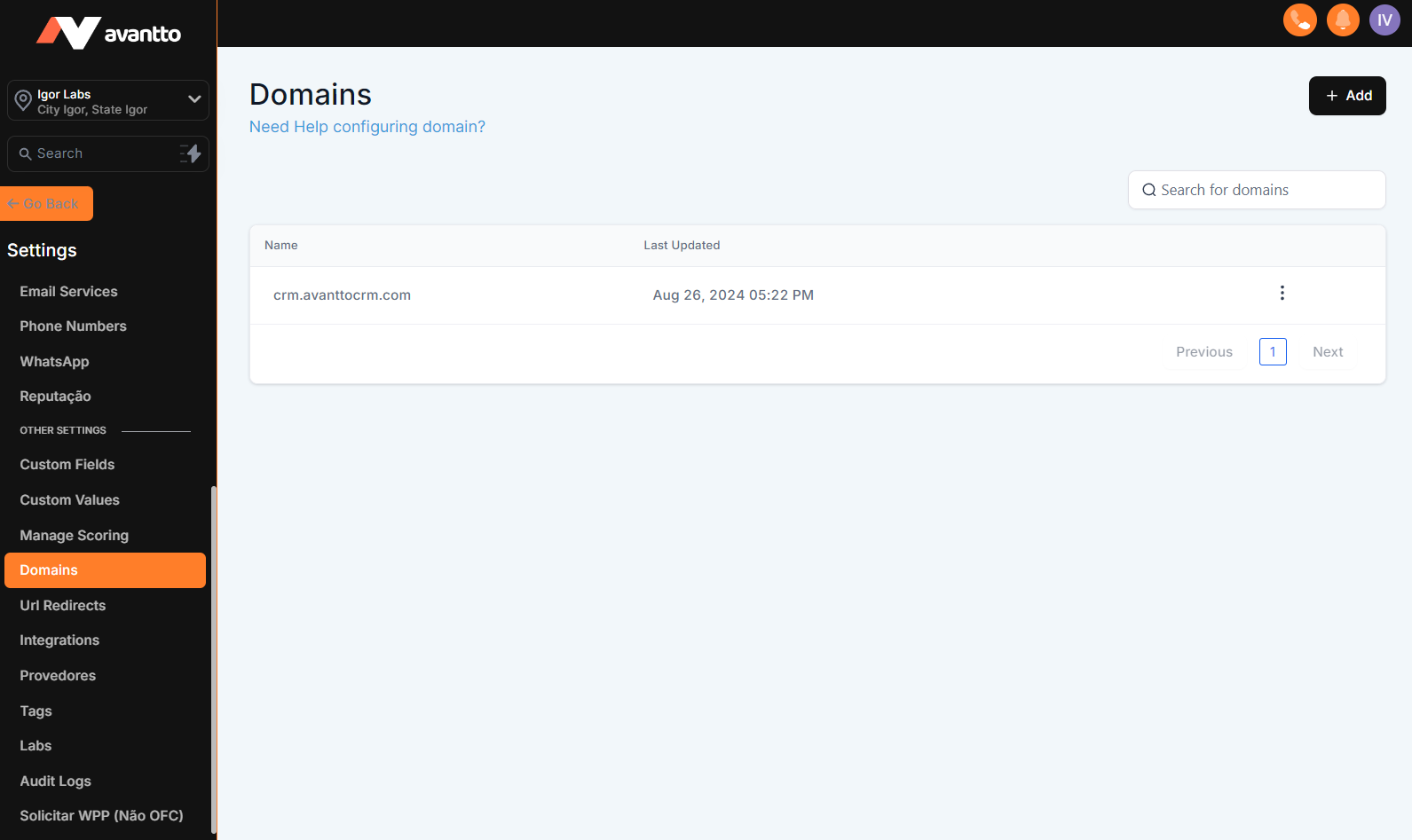
2.5 Your sub/domain will be available for future changes to default pages, just click on the three dots to the right of the sub/domain.
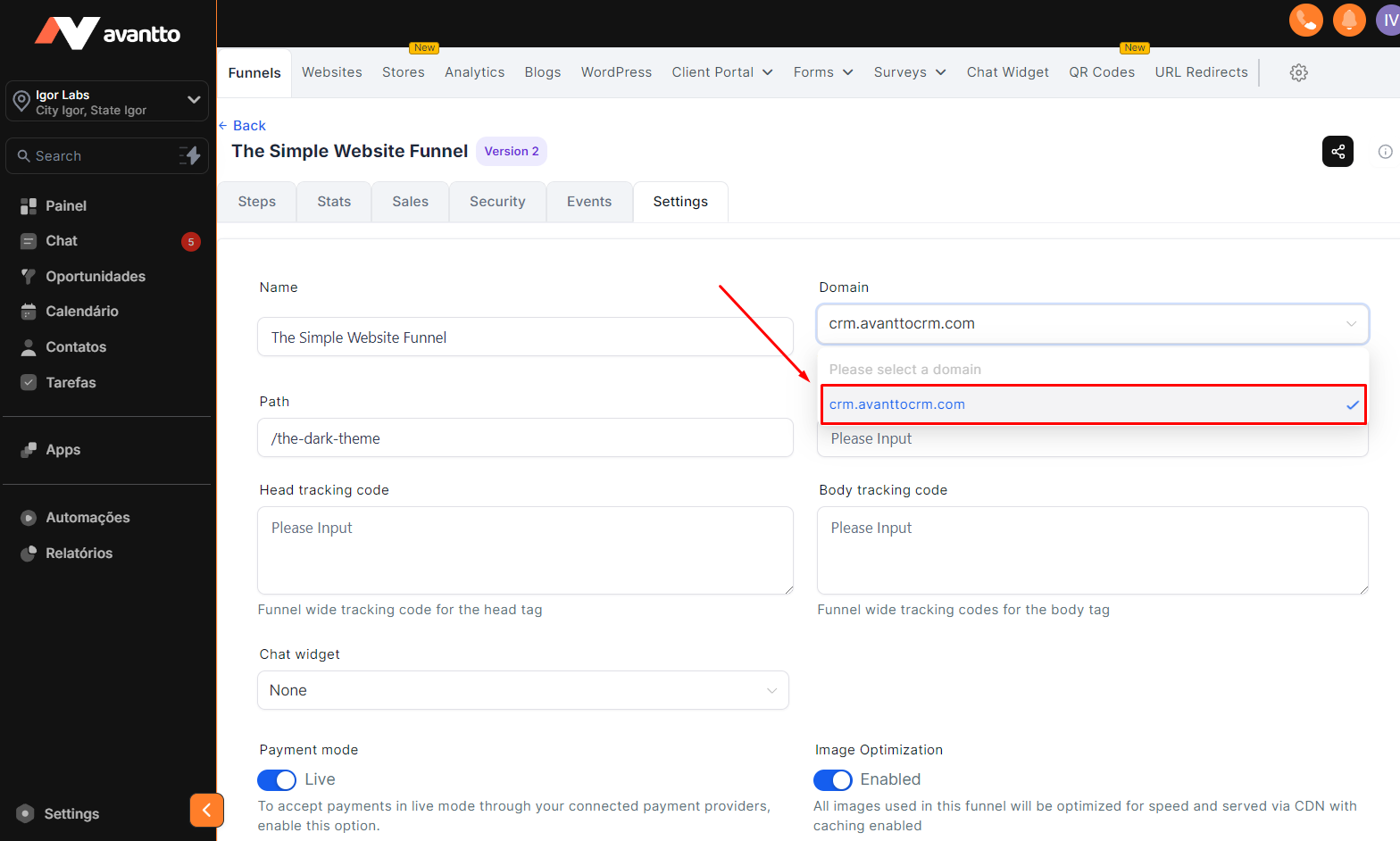
3.1 Within the page chosen to use the sub/domain, click on "configurations/settings".
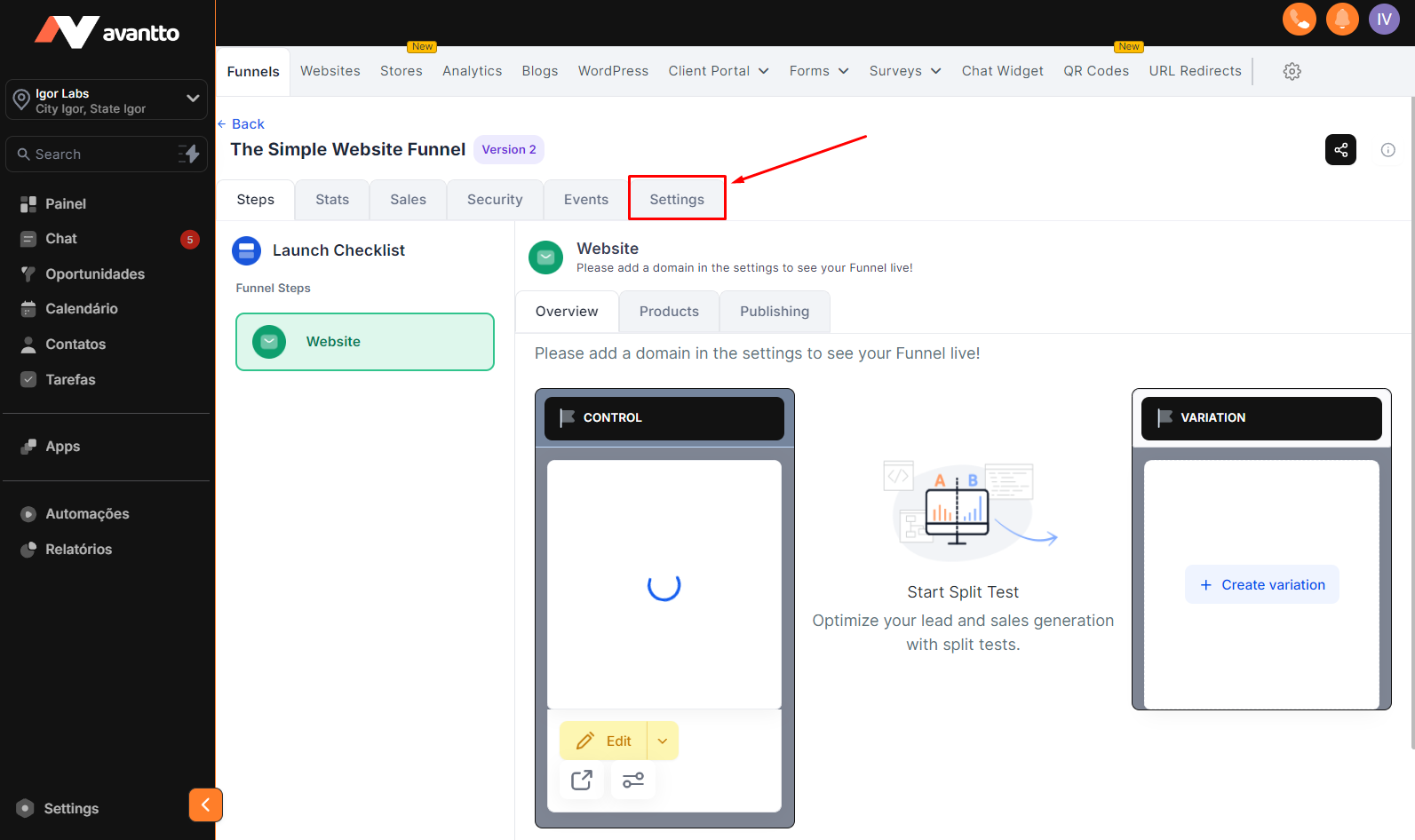
3.2 In the "Domain" field, select the sub/domain you want to use and click "Save" further down the page to apply the configuration.
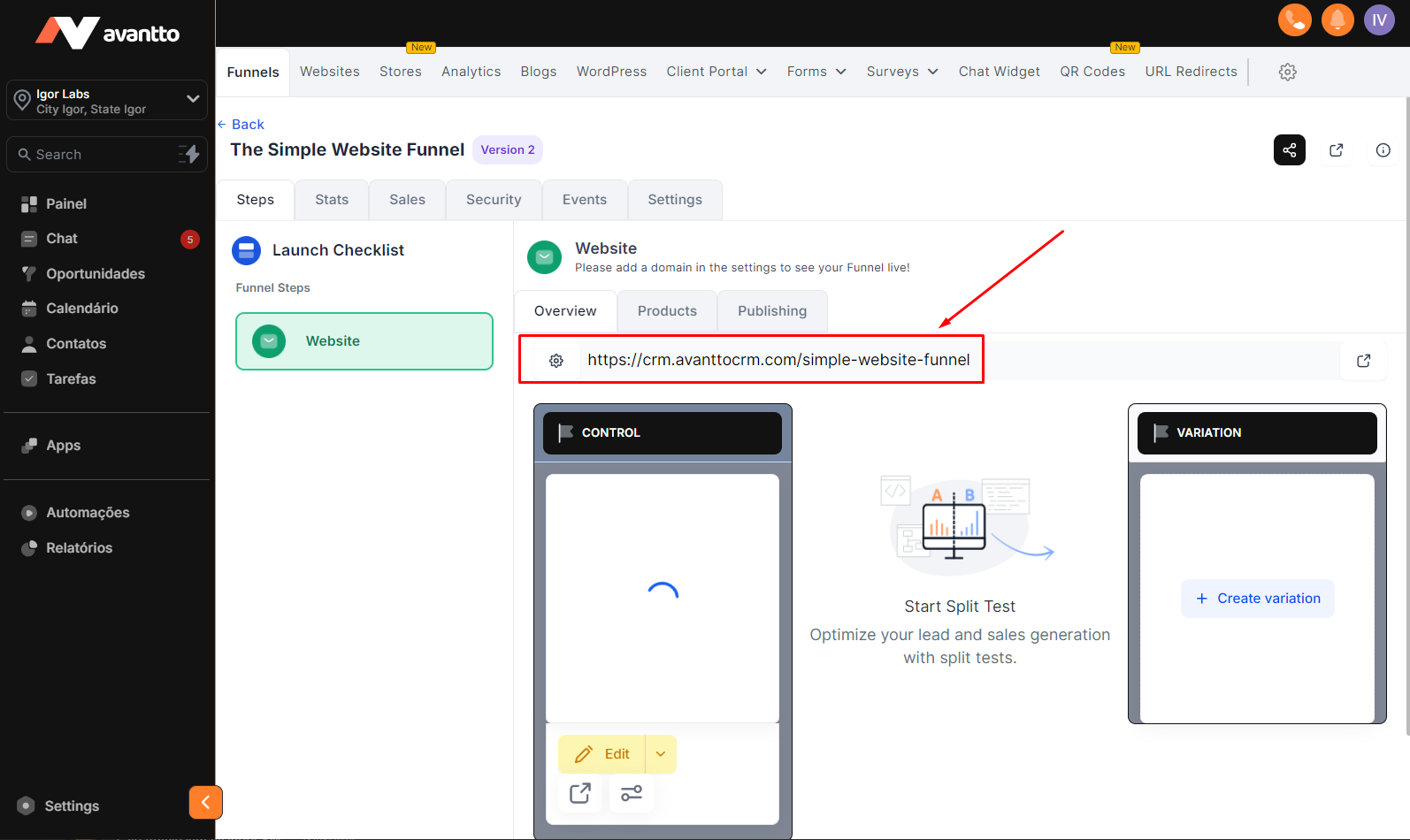
3.3 After completing the above steps, you will see that the sub/domain is already being used by the page.
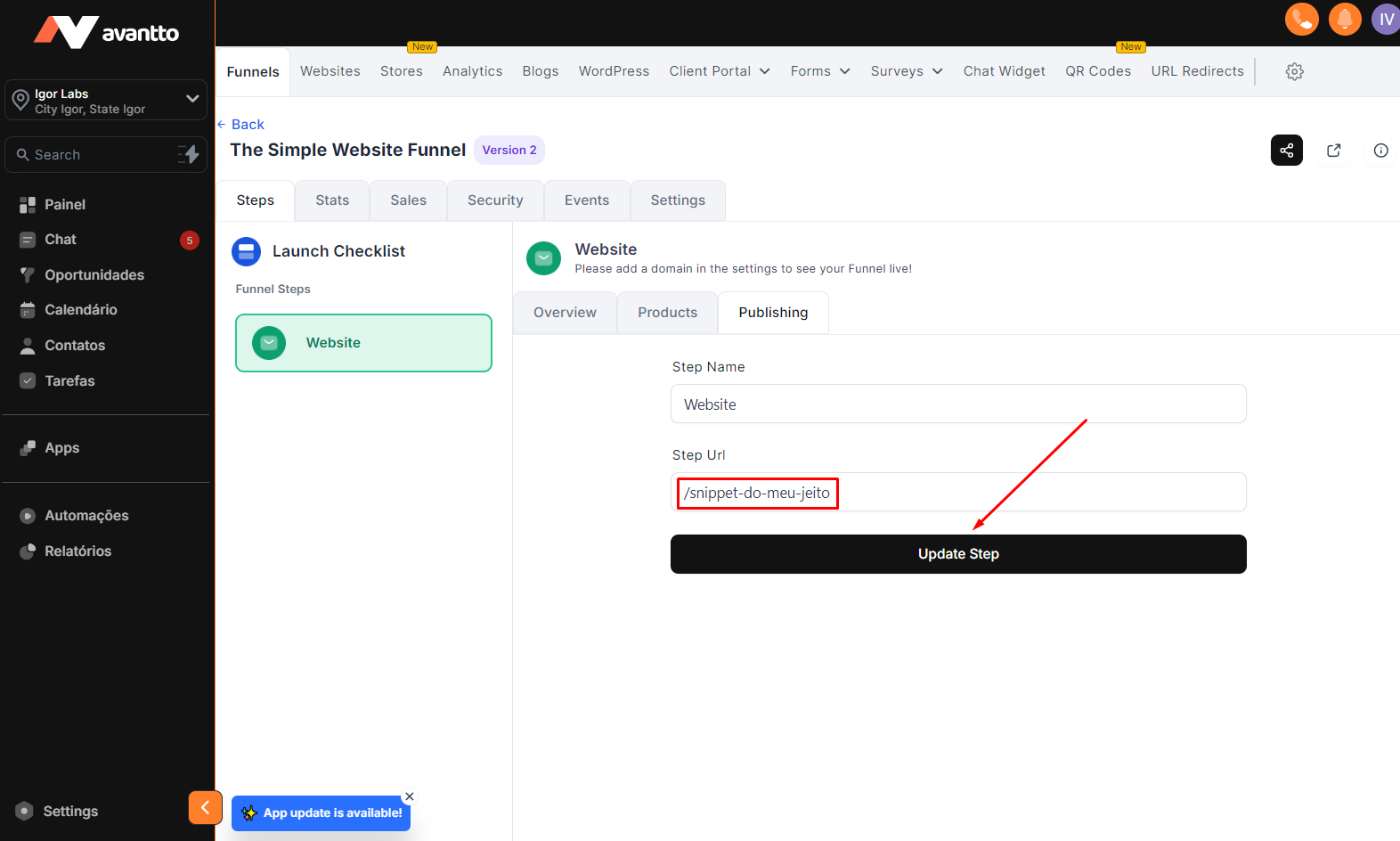
4.1 To change the page Snippets, click on "Publishing".
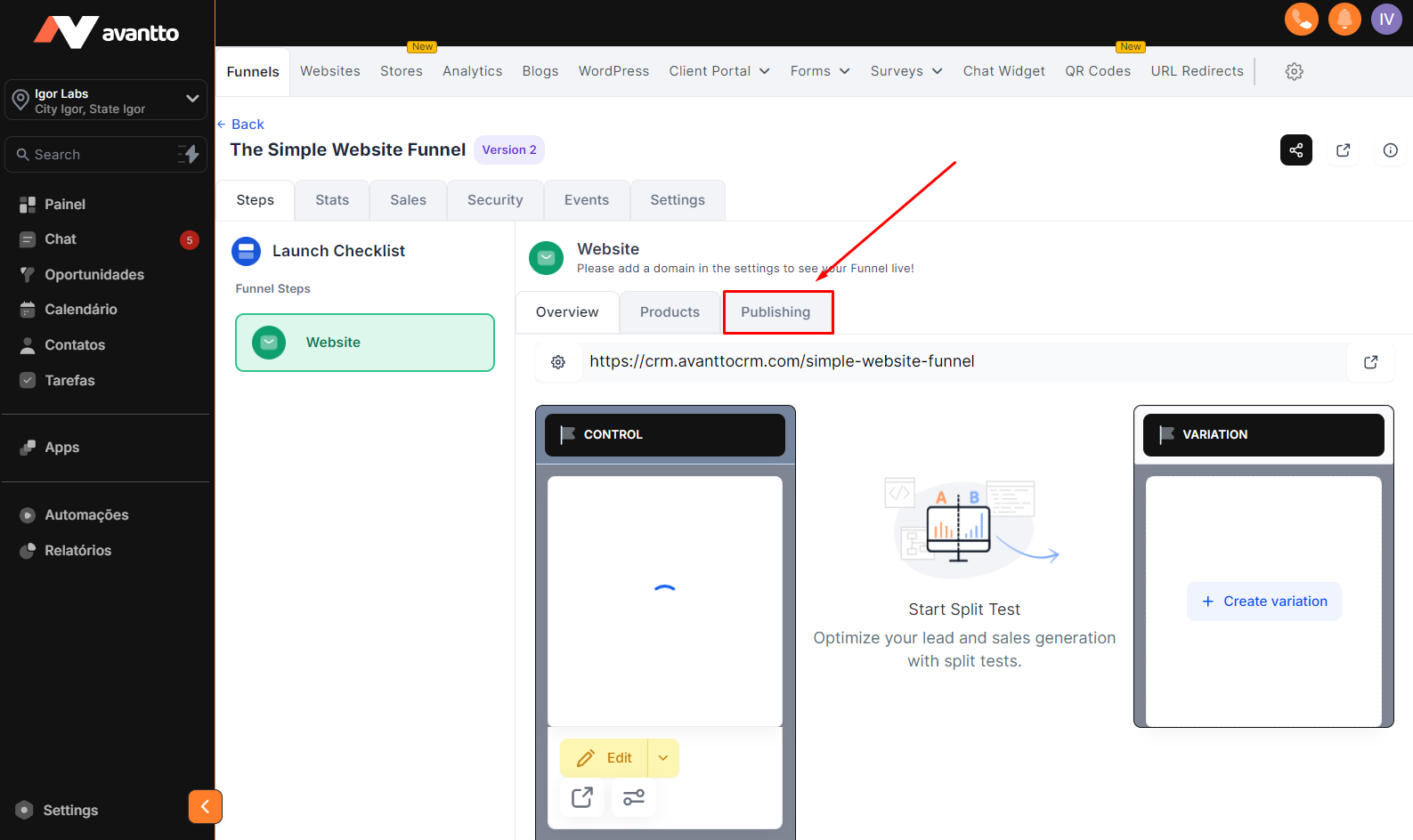
4.2 Change the "Step Url" field and click update, you will see that the URL will be updated.